Setting the Time Period
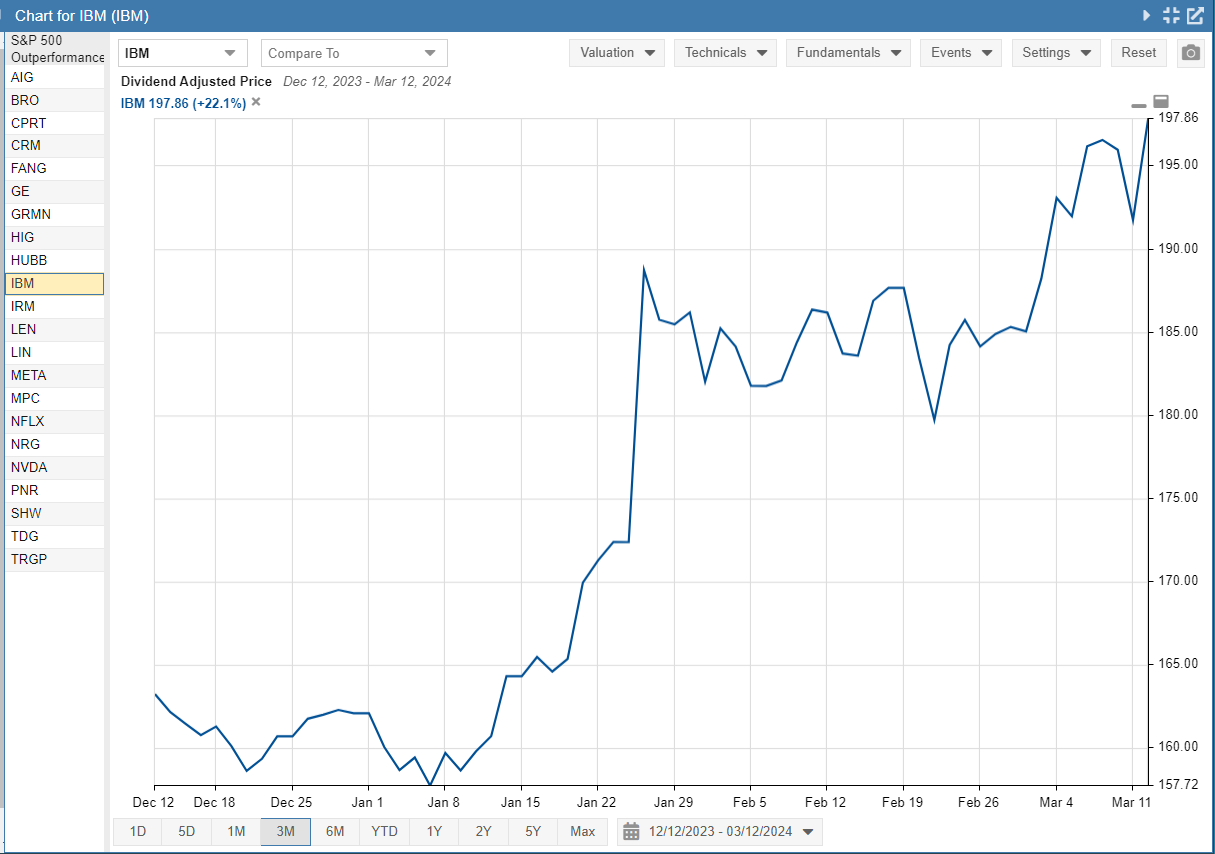
To change the time period of the chart, select one of the preset time period buttons from the bottom border of the chart. With these preset time periods, the end of the chart period will always be the current day or the most recent market day.
Note: Selecting the 1D or 5D time period displays intraday data points; otherwise, the chart uses daily data points.
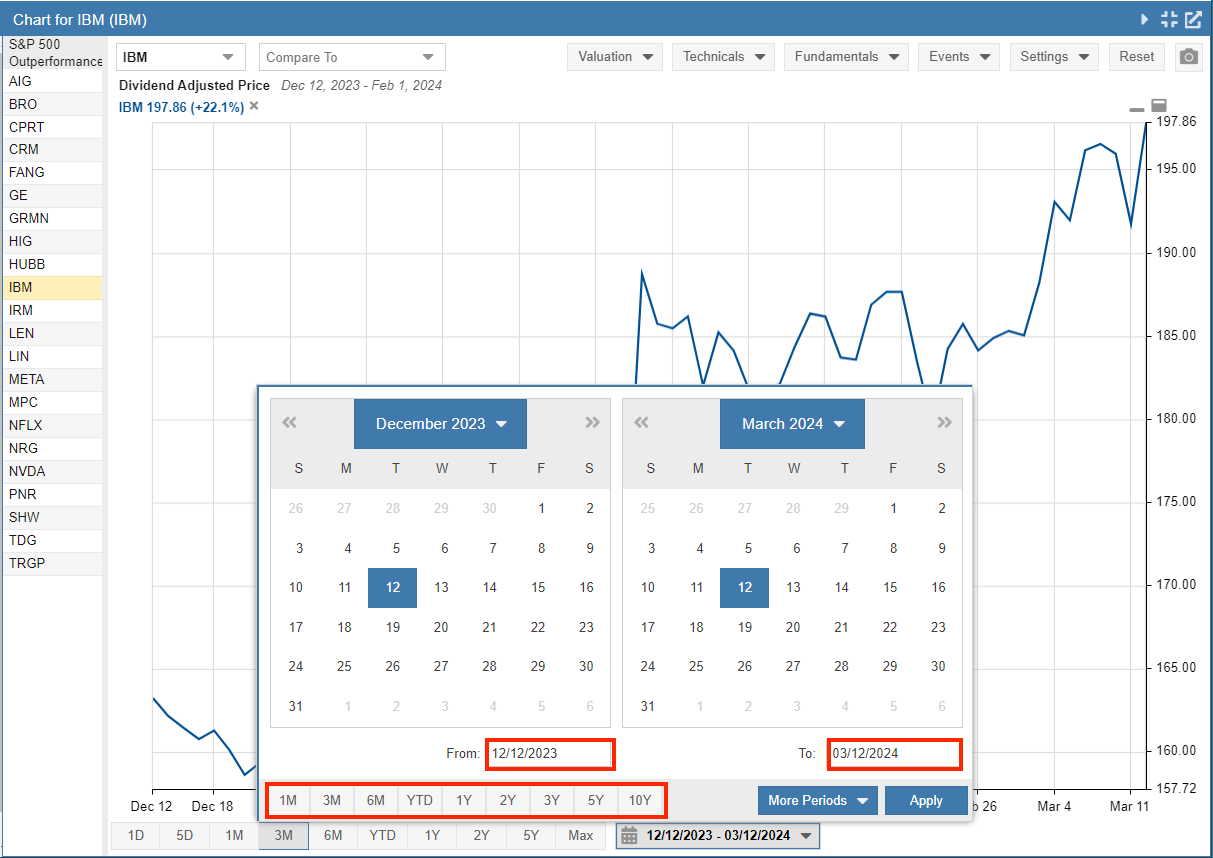
By clicking on the date range, as seen below, you can enter a custom date range using the “From” and “To” date boxes. You can also select preset periods ranging from 1 Month to 10 Years.
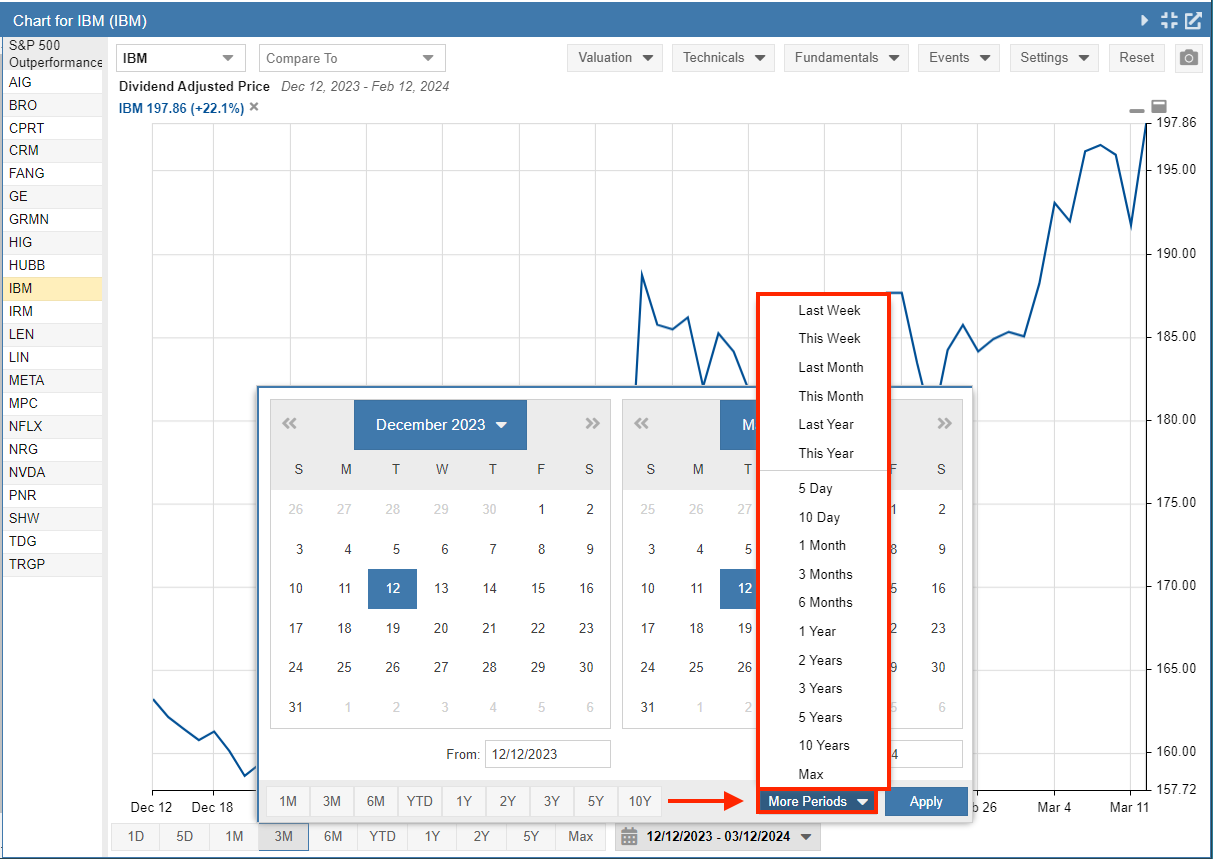
Alternatively, you can choose Last Week, This Week, Last Month, This Month, Last Year, and This Year, or ranges from 5 Days through 10 Years and Max time periods by clicking the More Periods button (shown below).