

Insider Transaction Overview
The Insider Transactions facility is a powerful tool designed to help you track the buying and selling activity of company insiders. It aggregates insider trades—such as buys and sells by corporate officers, directors, and key executives—into a single, highly configurable tabular view. This allows you to monitor where the people closest to a company are putting their own money.
You can evaluate insider actions against your specific portfolios and watchlists, or expand your universe to monitor the broader market, such as the S&P 500, Nasdaq 100, or Most Actives. Applying filters for recency and specific transaction types then allows you to zero in on the exact insider activity that matters most to you.
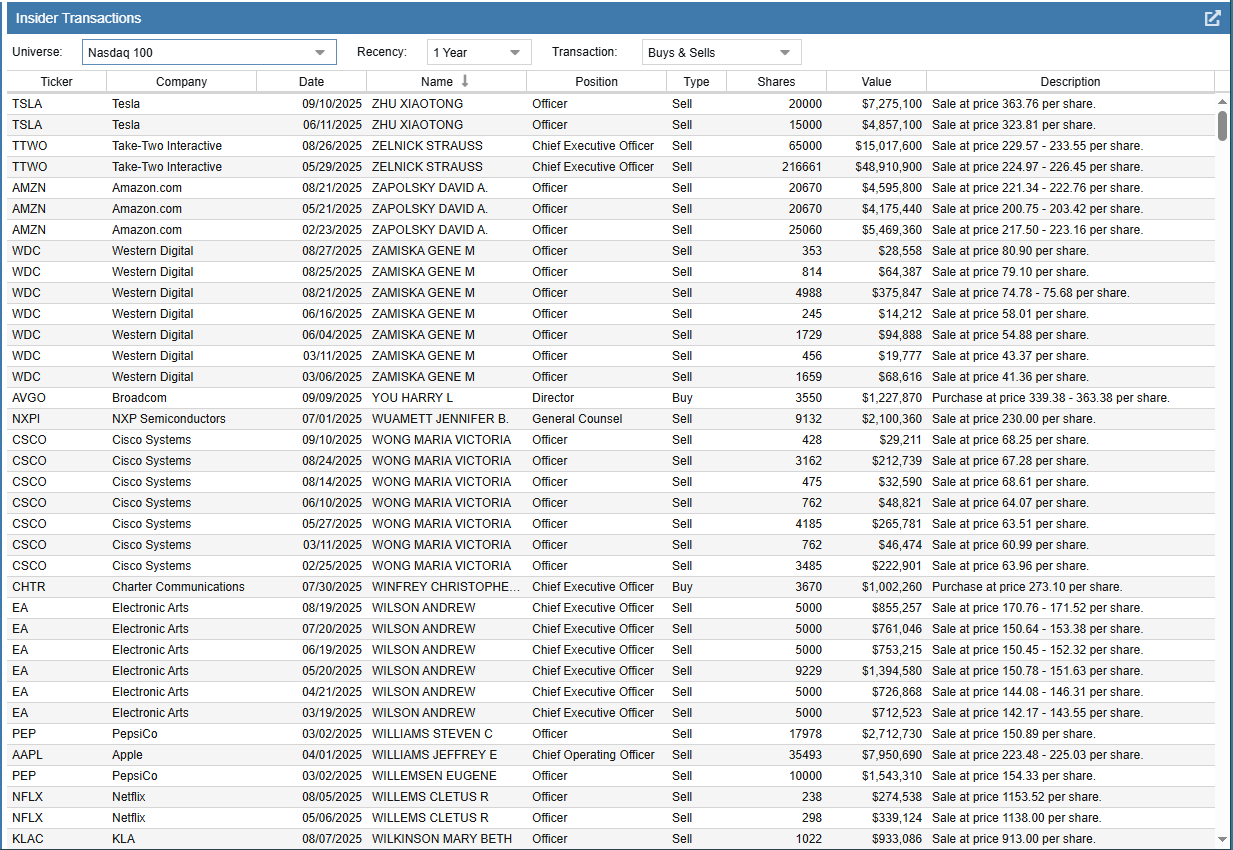
The Insider Transactions table allows you to easily sort and compare data across your selected universe. For example, by sorting the Value column, you can quickly identify the largest single transactions in dollar terms. This provides a clear, objective view of the most significant insider moves over your selected timeframe.
Additionally, the table tracks detailed information about each trade. By capturing the Position of the insider (e.g., Chief Executive Officer, Director), the Shares traded, and providing a detailed Description (such as the exact price per share), the table allows you to evaluate the context and conviction behind specific insider trades, using that data to help inform your own portfolio decisions.
Accessing Insider Transactions
Insider Transactions can be accessed under Research Tools in the gray Start Menu on the left side of the screen.
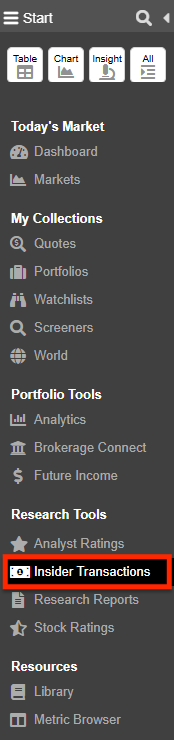
If Insider Transactions isn’t currently visible in your menu, you can easily add it by customizing your Stock Rover Start Menu. Just click the hamburger icon (☰) in the upper left-hand corner of the Start Menu to access the configuration options.
Note: Stock Rover also provides an Insider Transactions section within the Dashboard for a convenient, at-a-glance summary of recent records. However, launching Insider Transactions from the Start Menu provides a comprehensive, full-screen research tool that can display thousands of records simultaneously and be detached into a separate browser window.