Metric Browser Overview
Metric Browser
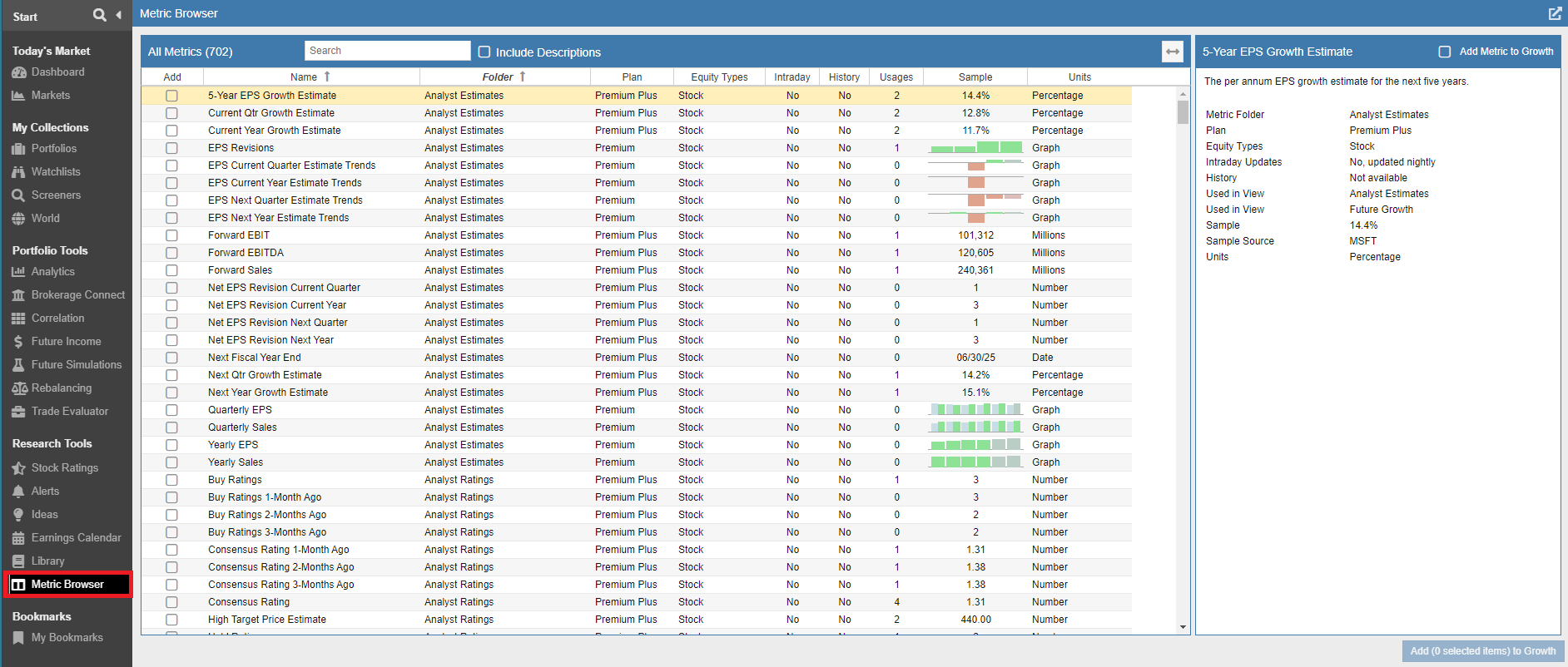
The Metric Browser is a centralized tool that provides a fast and efficient way to explore the extensive library of data points available in Stock Rover. It features a powerful built-in search with partial matching support, allowing you to quickly locate specific metrics. For example, searching for “price” will instantly display all metrics containing that term. You can also expand your search to scan metric descriptions for even more precise results.
Beyond discovery, the Metric Browser offers integrated functionality with the rest of the platform:
- Usage Tracking: The browser indicates which of your current Views already contain a specific metric, helping you avoid redundancy.
- Instant Integration: You can import any metric directly from the browser into your active Table View for immediate analysis.
Accessing The Metric Browser
You can find the Metric Browser by selecting Metric Browser under the Research Tools section of the Start Menu.