

Filter by Other Criteria
Advanced Metric Filtering
Beyond plan types, the Metric Browser offers advanced filtering across almost every data column. This allows you to drill down into specific subsets of data, such as finding metrics that only apply to ETFs or identifying which metrics support historical trend analysis. You can apply filters to the Name, Folder, Equity Types, Intraday, History, Usages, and Units columns.
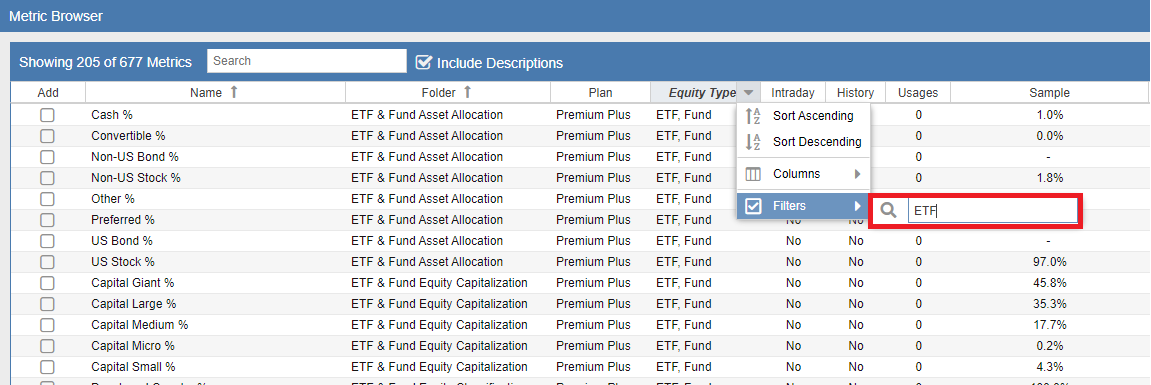
To activate a filter, right-click any column header and select the ‘Filter’ option from the menu. As demonstrated in the example below, entering “ETF” into the Equity Types filter will instantly narrow the list to only show metrics compatible with Exchange Traded Funds.
This multi-column filtering is particularly useful for building specialized Table Views. For instance, you could filter the Folder column for “Valuation” while simultaneously filtering the History column to “Yes” to find all historical valuation metrics available in the system.