

Linking Portfolios
By default, the portfolios in your connected brokerage accounts will be linked to a new Stock Rover portfolio using the account name as it appears at your brokerage. If you prefer to link a brokerage account to an existing Stock Rover portfolio, click the grey dropdown arrow (circled below) to access the ‘Quick Portfolio Link Change’ menu.
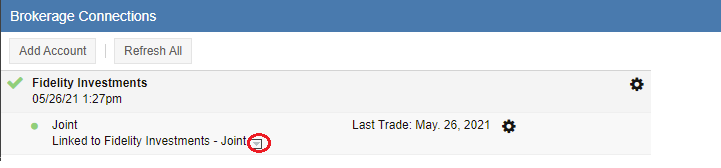
This will reveal a menu containing all of your existing Stock Rover portfolios:
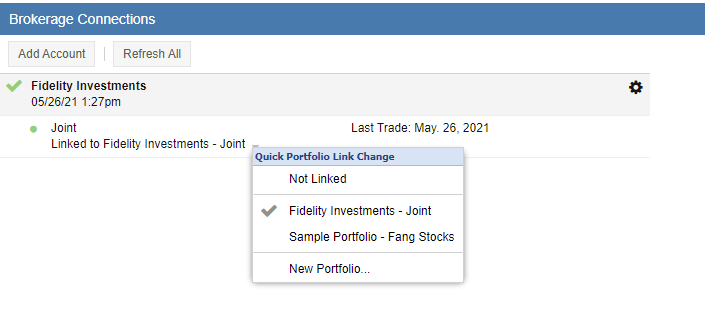
Select the specific portfolio you wish to link, or choose ‘New Portfolio’ to have Stock Rover create a fresh one for that connection.
Updating Linked Portfolios
Once a connection is established, your portfolios are considered “linked portfolios.” While these sync automatically, they can still be modified manually. You have the ability to edit specific fields—such as tickers or quantities—in the rare event that the automated sync does not import the information exactly as expected. To learn how to perform these manual overrides, please see Updating Linked Portfolios.