Ideas Panel Overiew
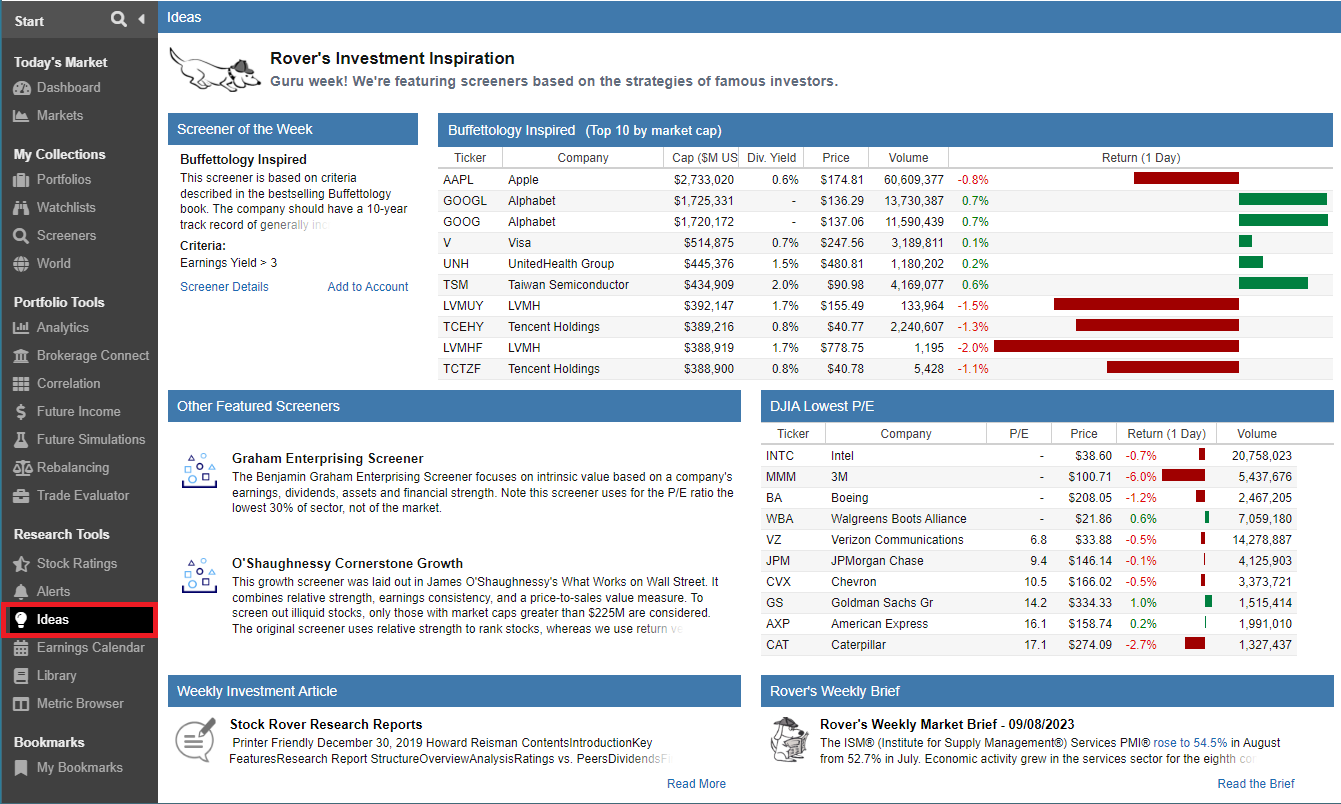
The Ideas Panel serves as a curated hub for investment inspiration, providing a rotating selection of tips and tools designed to streamline your research process. Each week, we highlight a high-performing or timely Screener and feature a collection of strategies that align with current market conditions.
As illustrated in the screenshot below, the panel includes interactive tables that showcase top-ranking stocks and direct links to our latest weekly investment articles. These resources are designed to help you discover new opportunities and stay informed on professional-grade filtering techniques.
Accessing The Ideas Panel
You can find the Ideas Panel by selecting Ideas Panel under the Research Tools section of the Start Menu.
If the Ideas Panel is not currently visible, you can easily add it by customizing your Start Menu. Simply click the hamburger icon (☰) in the upper left-hand corner of the Start Menu to access the configuration options and toggle the Ideas Panel tool on.