Holdings Detail
Overview
The Holdings Detail section shows the contribution of individual portfolio holdings to your overall portfolio return.
This report includes all assets held during the selected period, not just current holdings. This makes it easy to identify which positions are “punching above their weight” and which have created the most drag on your performance. This section is divided into a table at the top and a Holdings Map at the bottom.
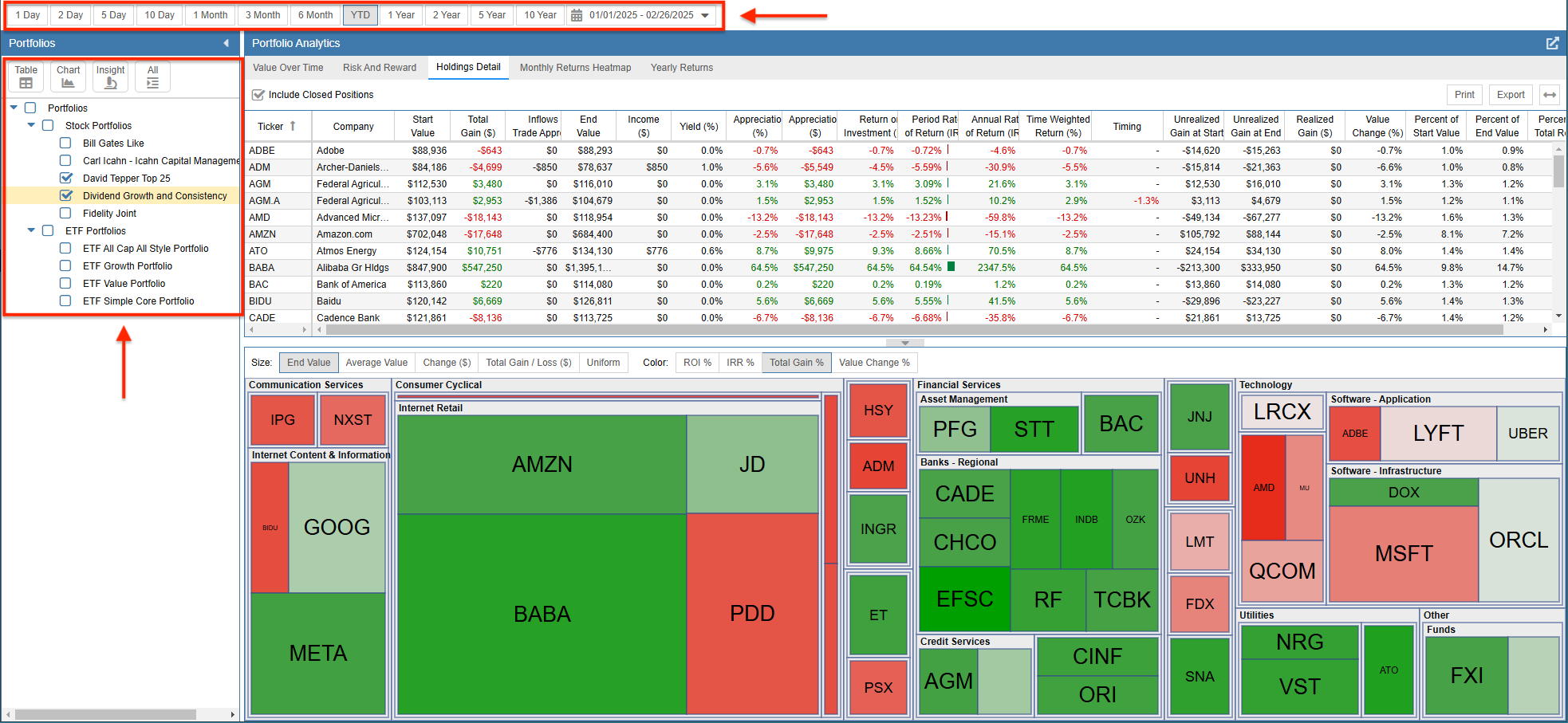
The portfolios you wish to analyze are selected on the left, and the time period is configured at the top.
Table
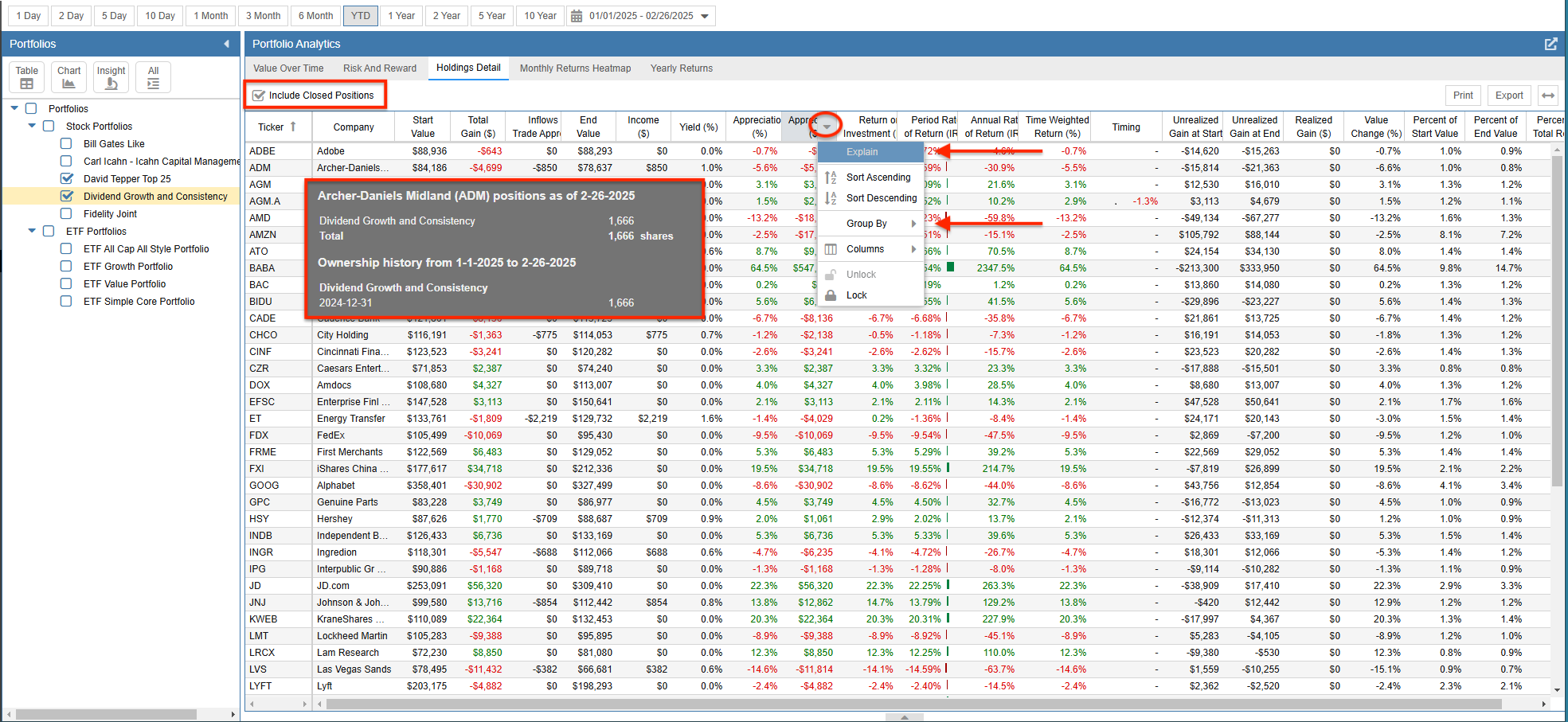
The Holdings Detail table (shown below) lists all holdings across all selected portfolios with the following metrics:
- Starting Value*
- Total Gain ($)
- Inflows and Trade Appreciation
- Ending Value*
- Income
- Yield (%)
- Appreciation ($)
- Appreciation (%)
- Return on Investment (ROI)
- Period Rate of Return (IRR)
- Annual Rate of Return (IRR)
- Time Weighted Return (%)
- Timing
- Unrealized Gain at Start
- Unrealized Gain at End
- Realized Gain ($)
- Value Change (%)
- Percent of Start Value
- Percent of End Value
- Percent of Total Return
* The Start Value is calculated using the closing price from the day prior to the reporting period’s Start Date. The Ending Value is calculated using the closing price from the period’s end date.
You can sort the holdings by any of these metrics by clicking the column headers. You also have the option to include or exclude Closed Positions via the checkbox at the top.
Hovering over a ticker symbol will display a tooltip with additional details about that holding. You can right-click a column header to group holdings by sector, industry, portfolio, tag, color, or currency, or to get an explanation for any metric.
Holdings Map
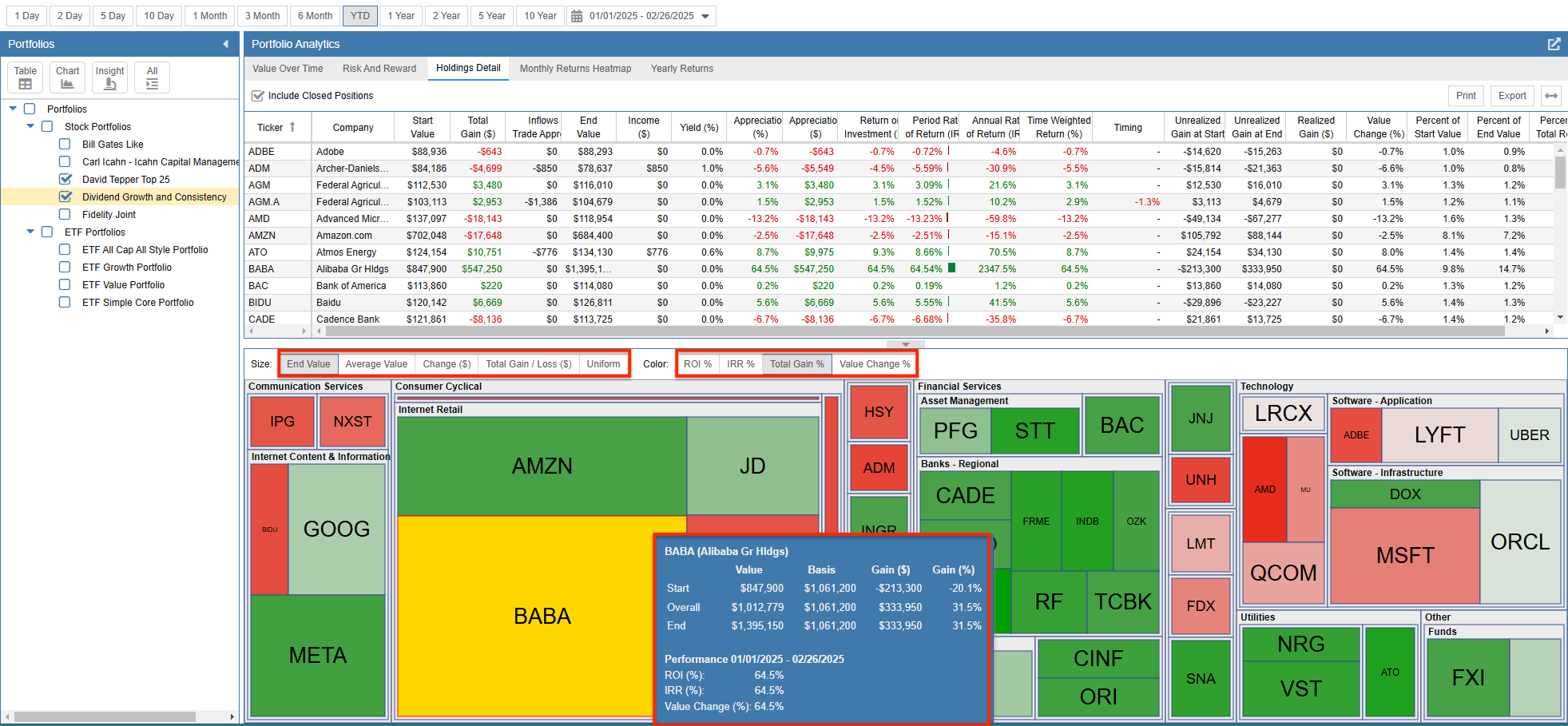
The Holdings Map provides a visual heat map of your portfolios, grouping tickers by sector. The tiles are sized and colored based on your selection. The following configuration options are available:
Size Options:
- End Value
- Average Value
- Change ($)
- Total Gain/Loss ($)
- Uniform
Color Options:
- ROI %
- IRR %
- Total Gain %
- Value Change %
As displayed in the screenshot below, hovering over any ticker in the map will display more information about that specific holding.
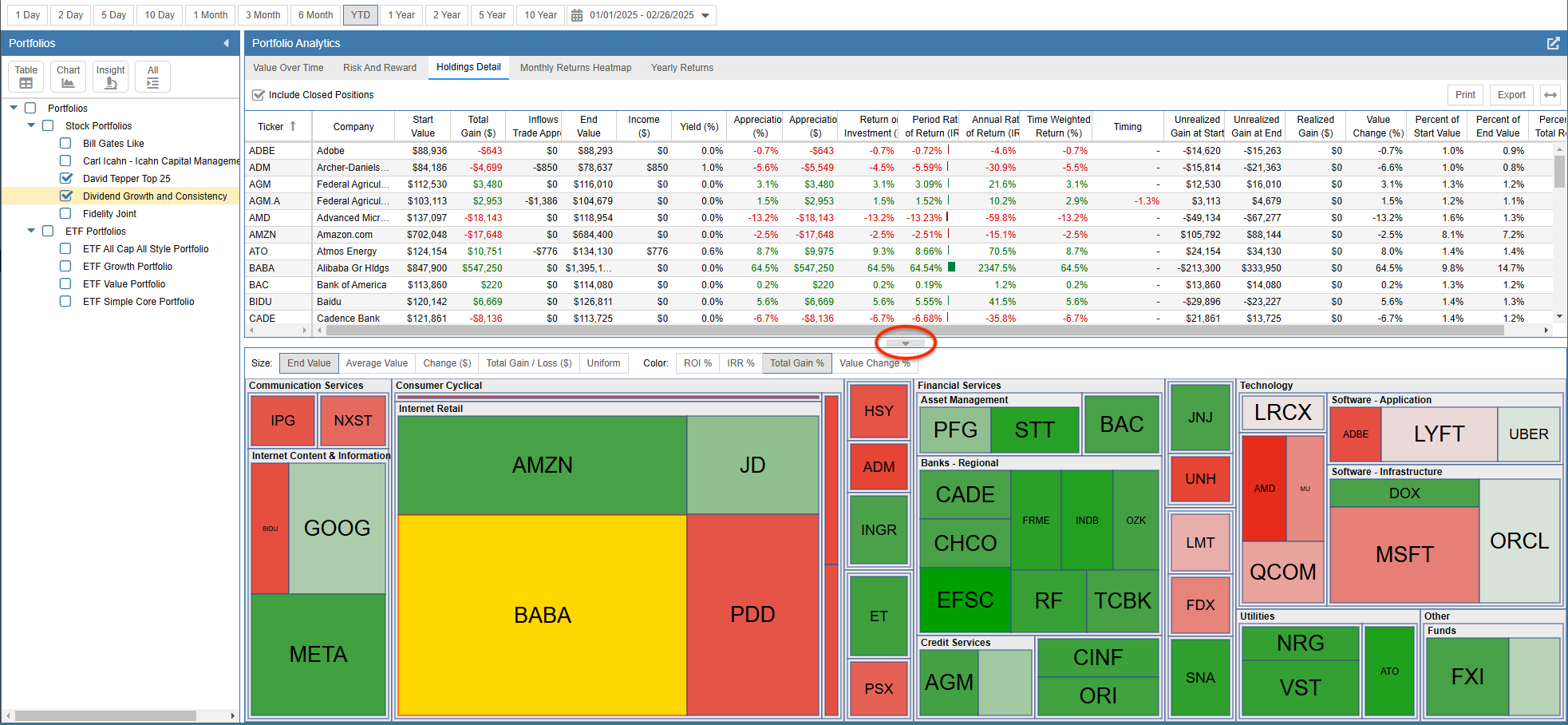
Clicking the arrow highlighted below allows you to collapse the Holdings Map panel to provide more screen space for the table.