

Special Watchlist Features
Charting a Watchlist
To chart a watchlist, right-click the desired watchlist in the Navigation Panel and select ‘Chart’ from the drop-down menu.
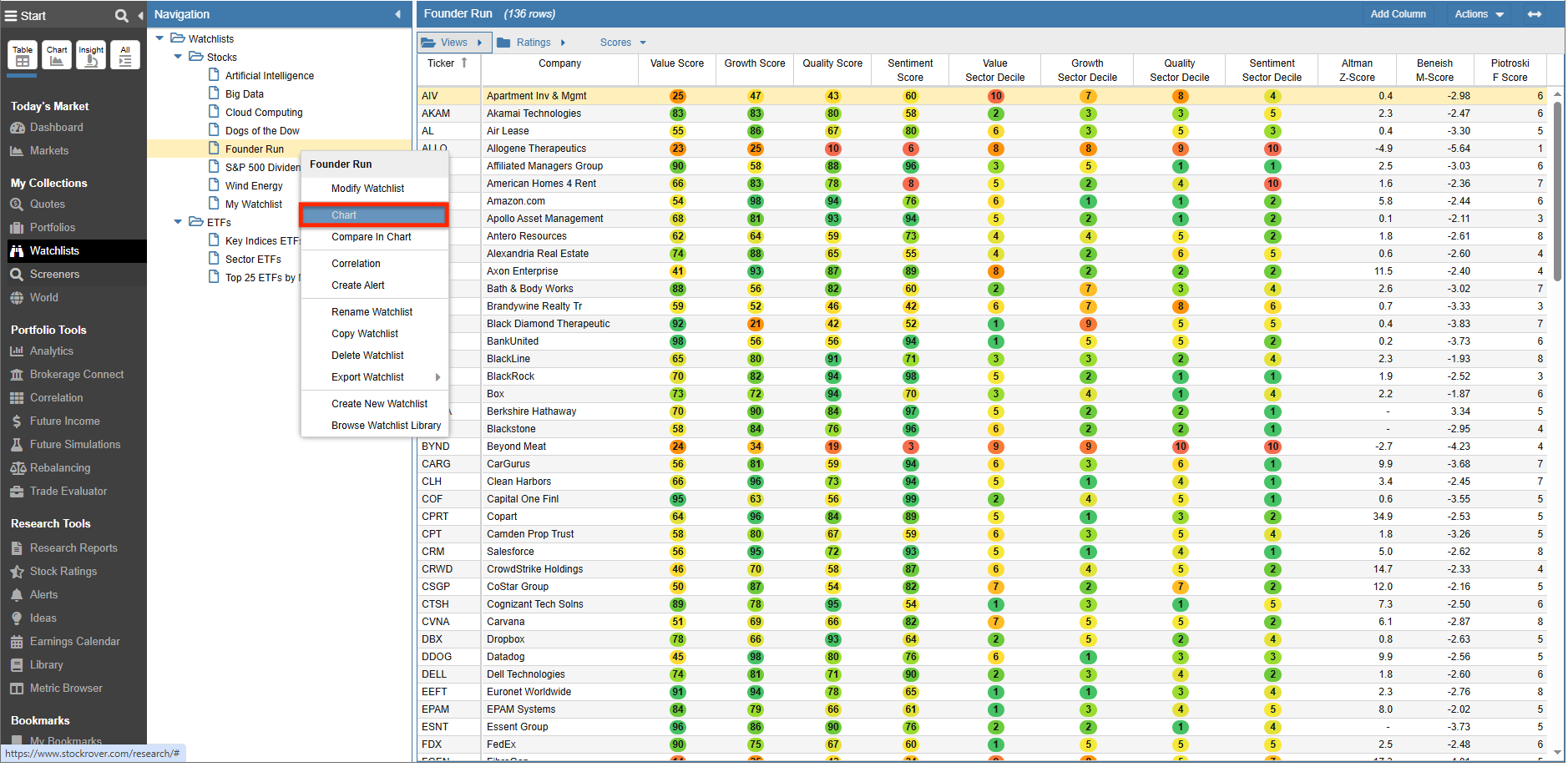
Stock Rover charts the watchlist by assuming an equal dollar weighting for each holding. Through internal daily rebalancing, this equal weighting is maintained throughout the selected charting period. Below, we see a watchlist’s performance charted against the S&P 500 benchmark over a one-year period.
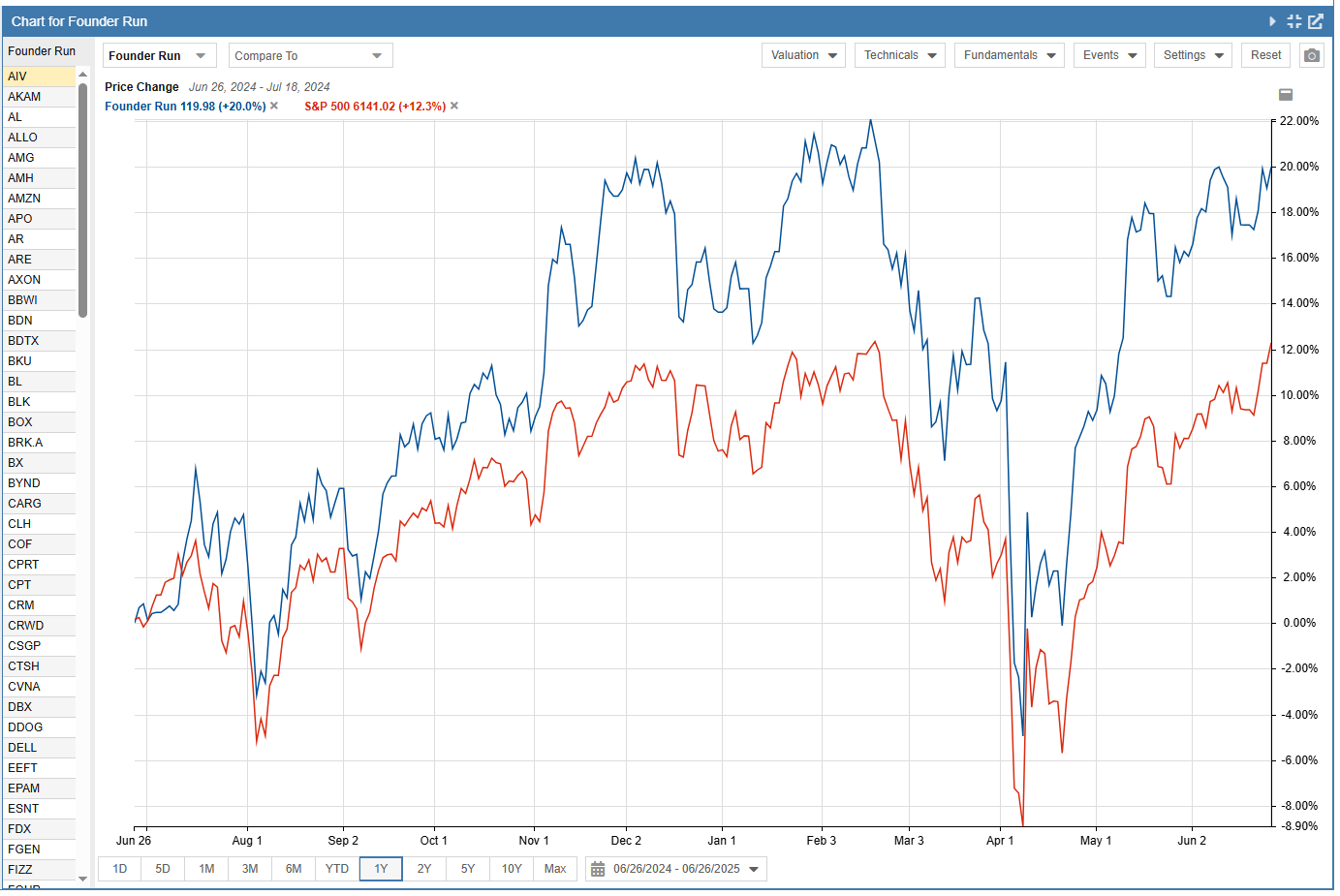
To learn more about charting, please see our Charting Overview.
Scoring a Watchlist
The ability to score watchlists is available in the Screener Management window. Please see the Scoring a Portfolio or Watchlist section for further detail.
Alerting a Watchlist
To access Watchlist Alerts, right-click the desired watchlist in the Navigation Panel and select ‘Create Alert’.
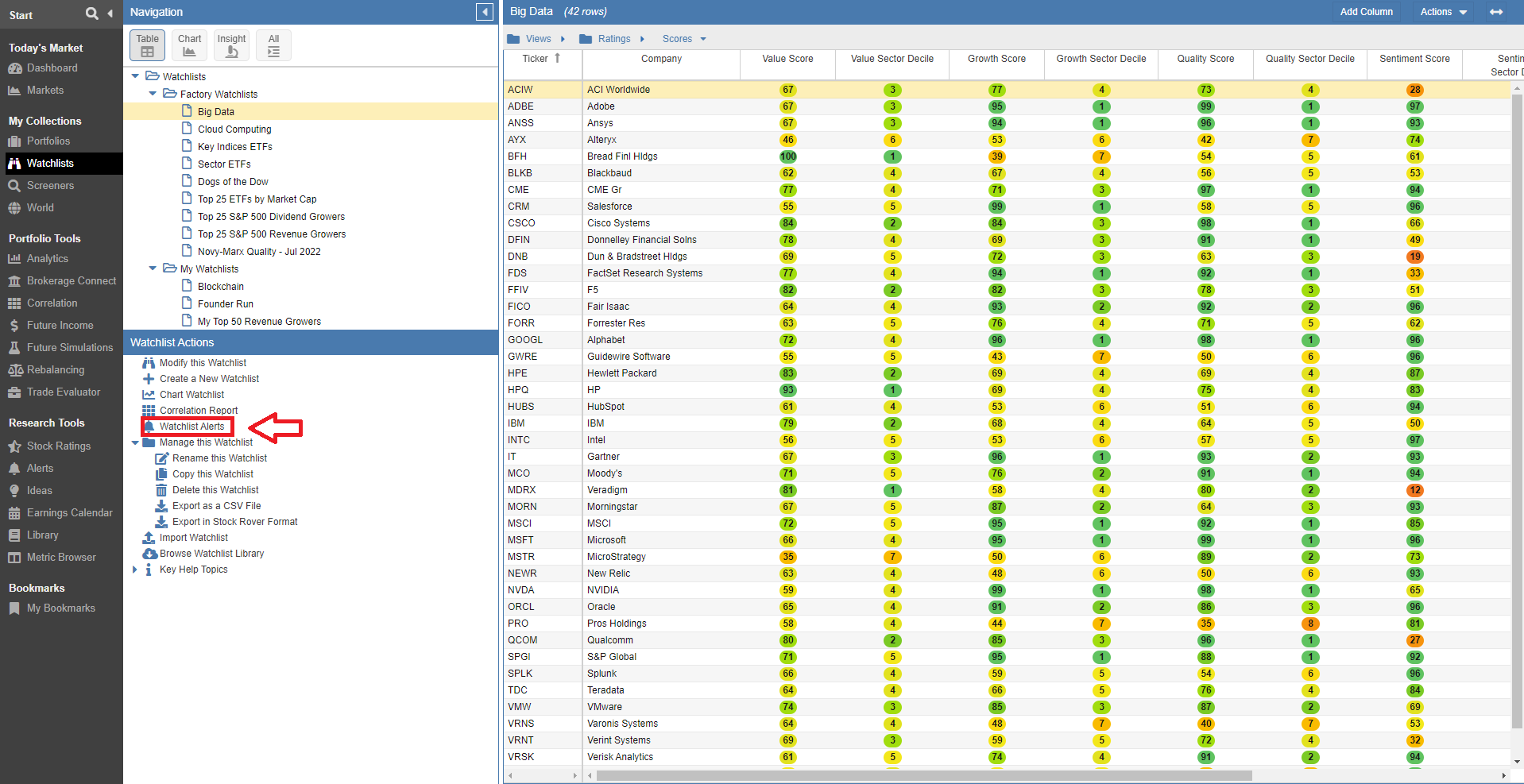
For more specific instructions on setting thresholds, please see the Alerts help section.