Valuation Charts
Overview
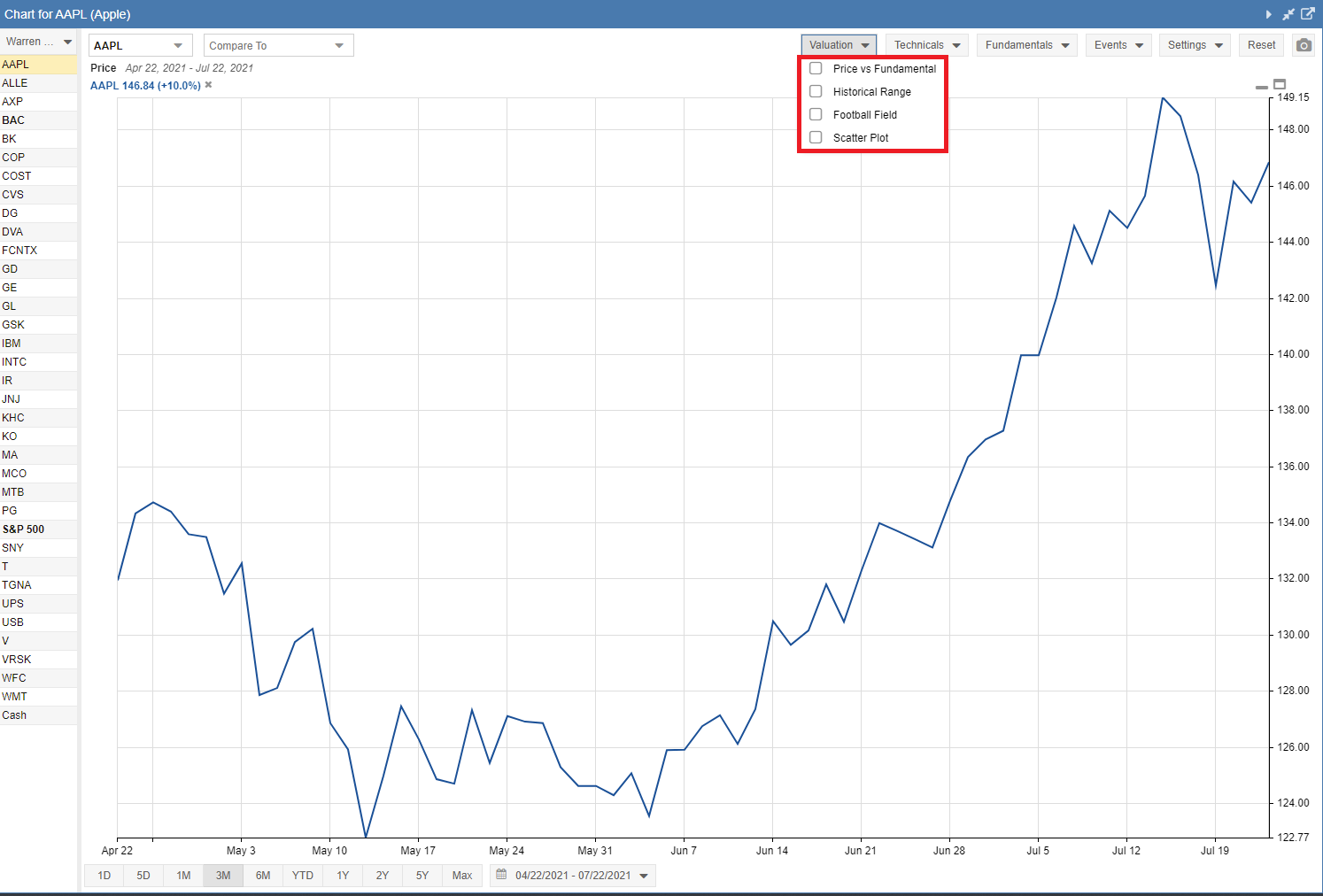
Valuation Charts can be added by clicking on the ‘Valuation’ pull-down menu. From there, you can select one or more boxes in the drop-down menu.
Note: The valuation charts only apply to the primary ticker in the chart, which is the ticker in the top-left box of the chart.
Price vs Fundamental
A line for the selected fundamental is rendered in the same chart as the ticker’s price. Both lines begin at the same point, so you can see how the fundamental value varies over time relative to the price. The area under the fundamental line is shaded. Optionally, a simple moving average of the price can be included.
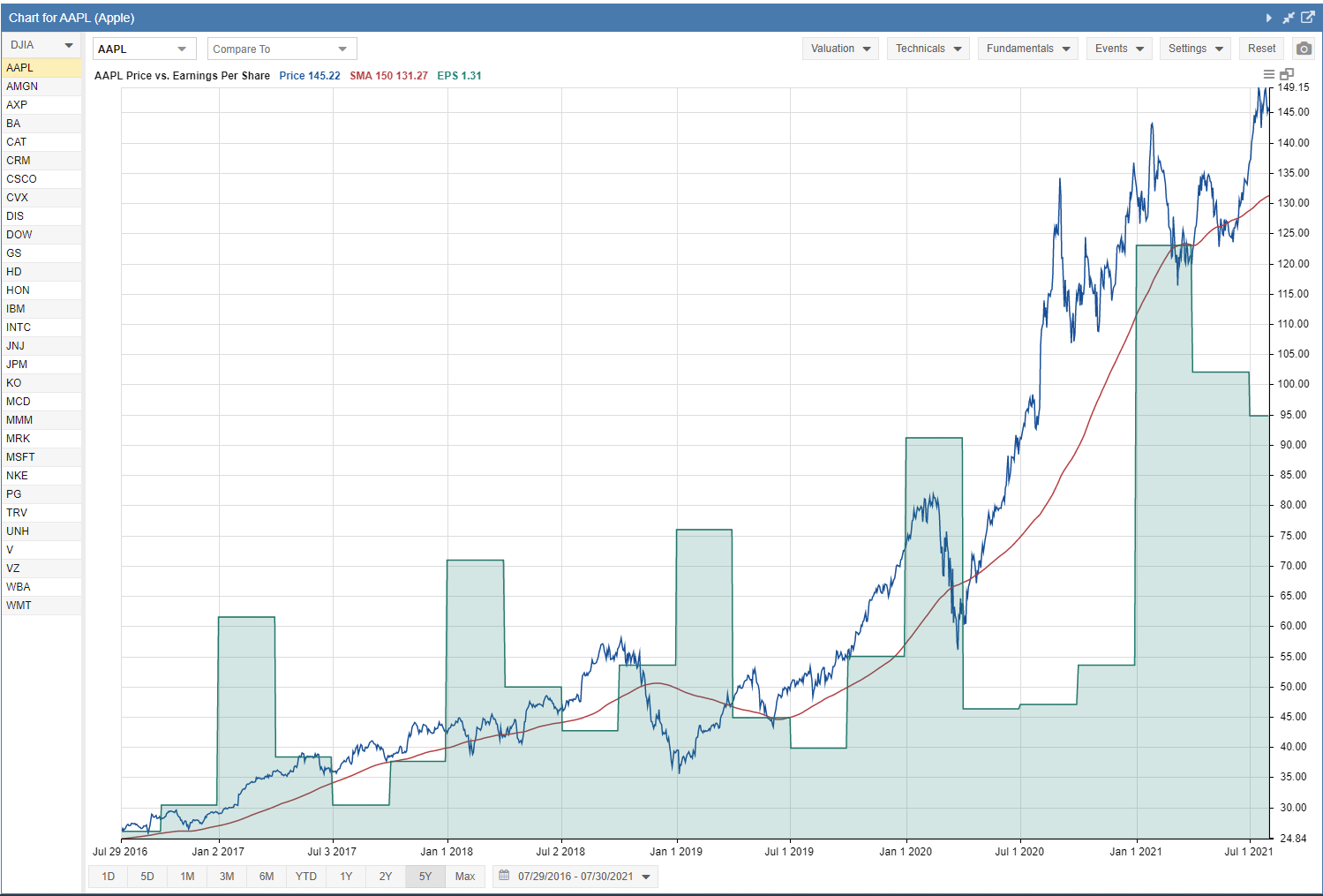
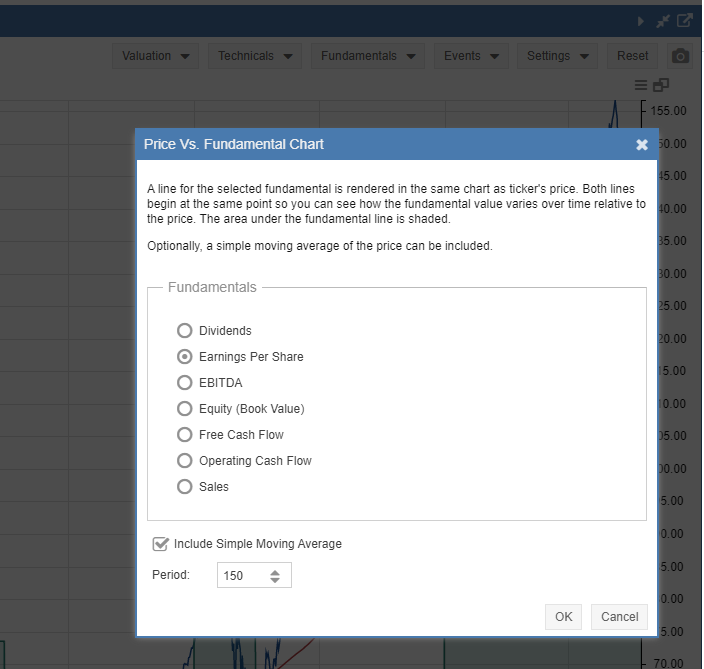
Clicking on the hamburger menu (☰), which consists of three horizontal lines in the upper right-hand corner of the chart, will open a configuration window as shown below. Here you can change the fundamental metric, as well as toggle the simple moving average on or off and set its period.
These are the fundamental metrics available to chart vs. Price:
- Dividends
- Earnings Per Share
- EBITDA
- Equity (Book Value)
- Free Cash Flow
- Operating Cash Flow
- Sales
Historical Range
The Historical Range chart allows you to select from one of seven key metrics:
- Price to Earnings
- Price to Book
- Price to Sales
- Price to Cash Flow
- Price to Free Cash Flow
- EV/EBITDA
- Dividend Yield
The metric value is plotted over time relative to its historical range. The historical range is user-selectable at 1 year, 2 years, or 3 years. The graph background is colored to show regions of undervaluation (green), normal valuation (white), and overvaluation (red).
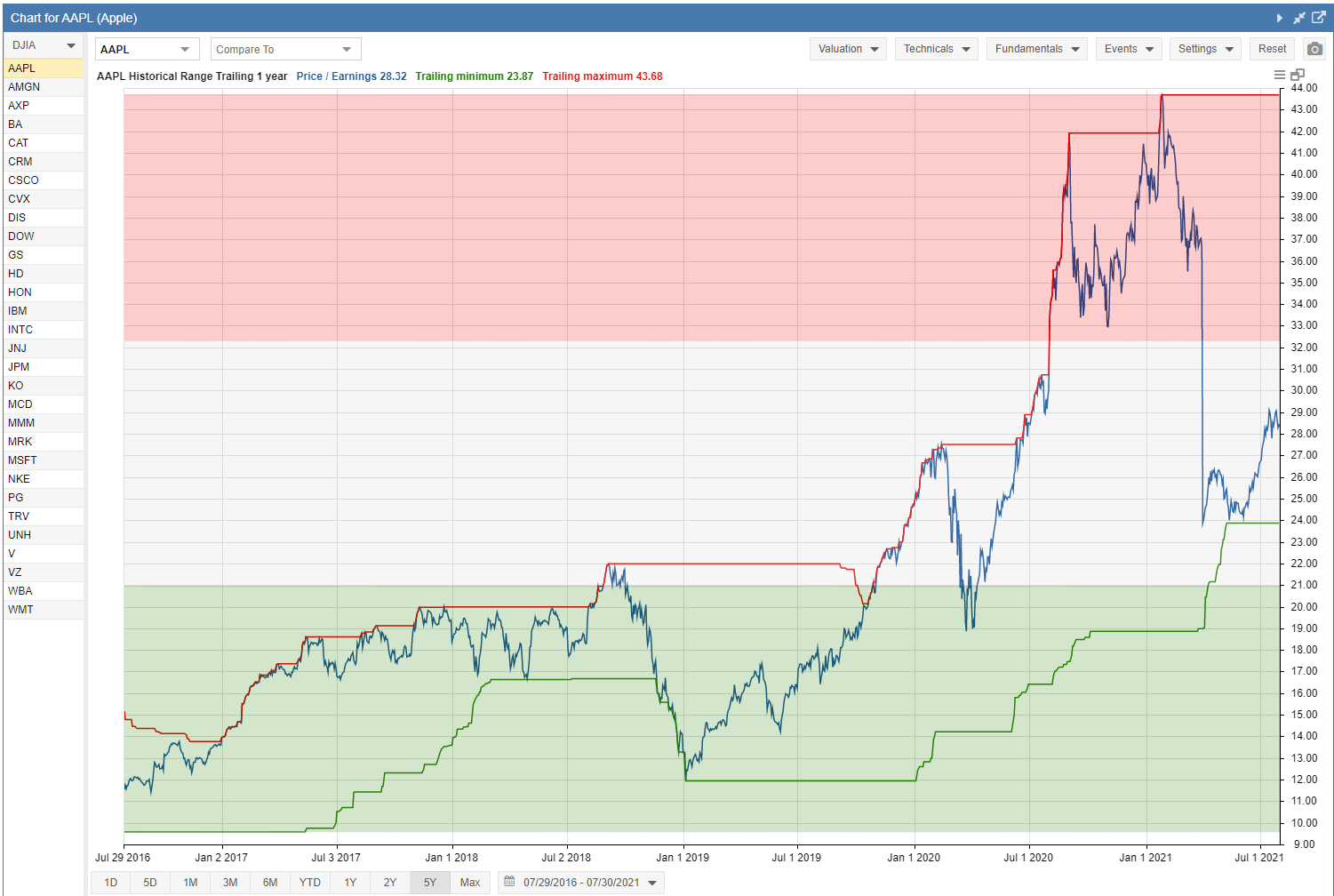
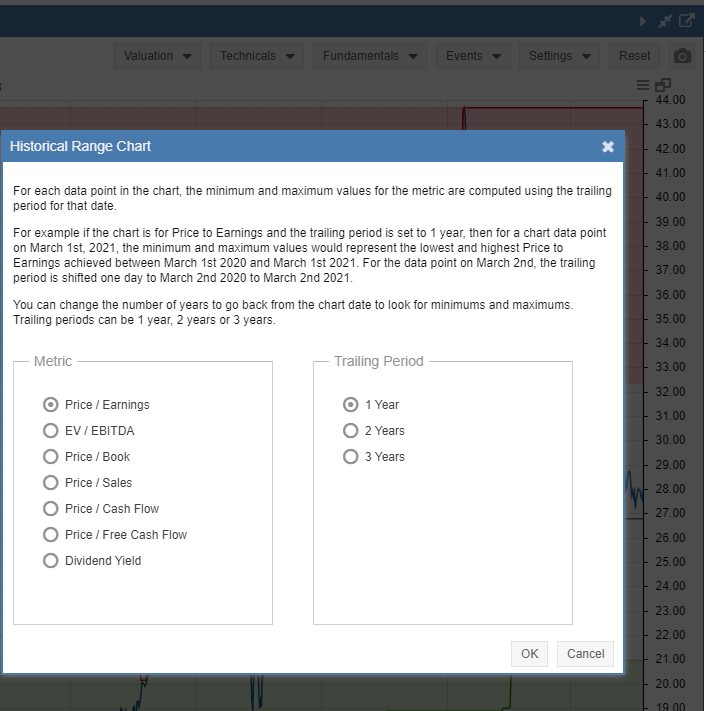
Clicking on the hamburger menu (☰) in the upper right-hand corner of the chart will open a configuration window as shown below. Here you can select different metrics to graph and different trailing time periods.
Football Field
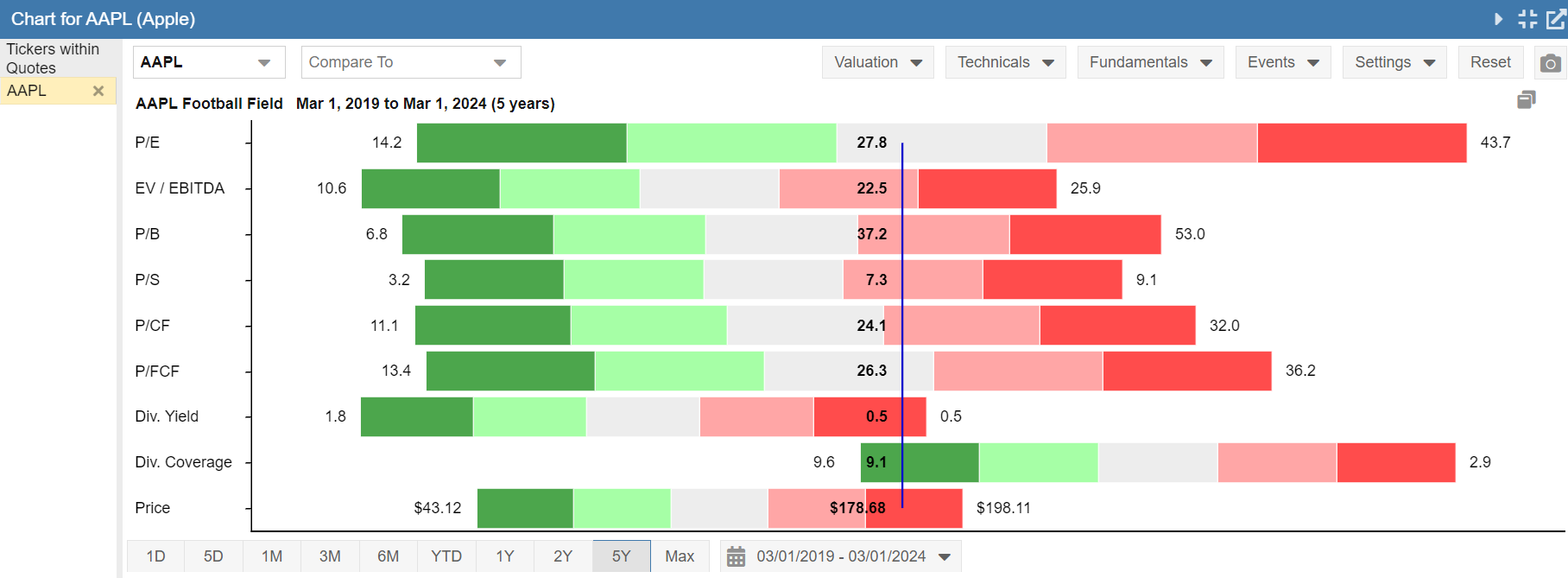
The Football Field chart is designed to show you how the current value of nine key valuation metrics for a company compares to their historical values.
The historical values are split into quintiles. They are also color-coded to show you the meaning of the valuation region for each quintile. Green regions are considered lower valuation or “cheap” compared to historical values. Red regions are considered high valuation or “expensive” compared to historical values. The middle quintile is grey, indicating a region of average historical valuation.
By default, the period considered for the historical range of values is five years, but that can be changed using the date control at the bottom of the chart. The minimum value is one year, and the maximum value is from January of 2007 until now.
The Football Field Valuation Chart shows nine key valuation metrics:
- Price to Earnings
- EV/EBITDA
- Price to Book
- Price to Sales
- Price to Cash Flow
- Price to Free Cash Flow
- Dividend Yield
- Dividend Coverage
- Price
The Football Field provides a powerful visual presentation of valuation data. Below, you can see Apple’s (AAPL) current valuation metrics (the blue vertical line) compared against its five-year range.
Scatter Plot
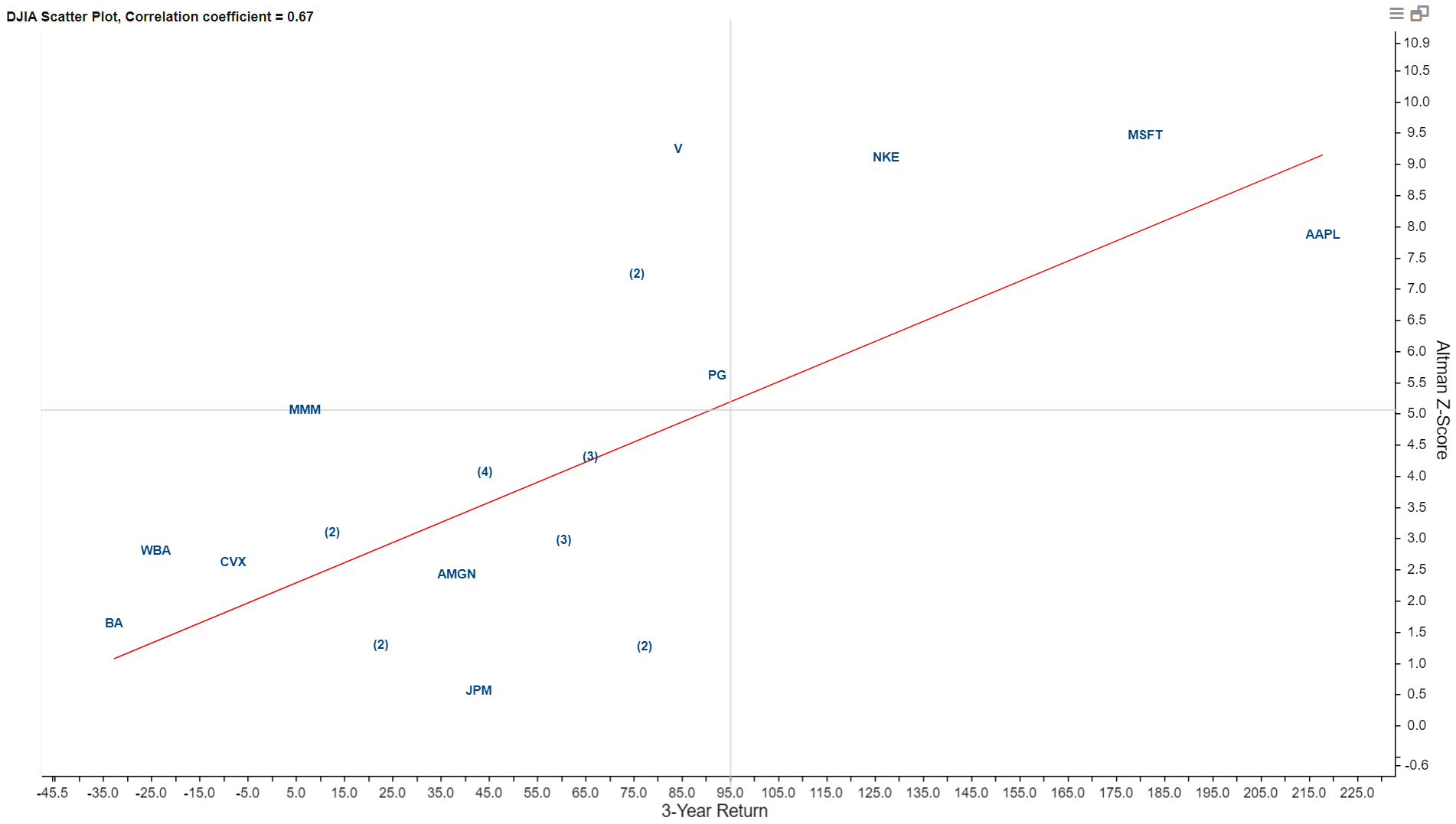
For each ticker in the selected navigation panel item, a point is rendered based on its X- and Y-axis metric values.
When ticker points are too close to each other, a number indicating the amount of overlapping points is rendered instead of individual tickers. Hovering the mouse over a point will display the ticker(s) and metric values.
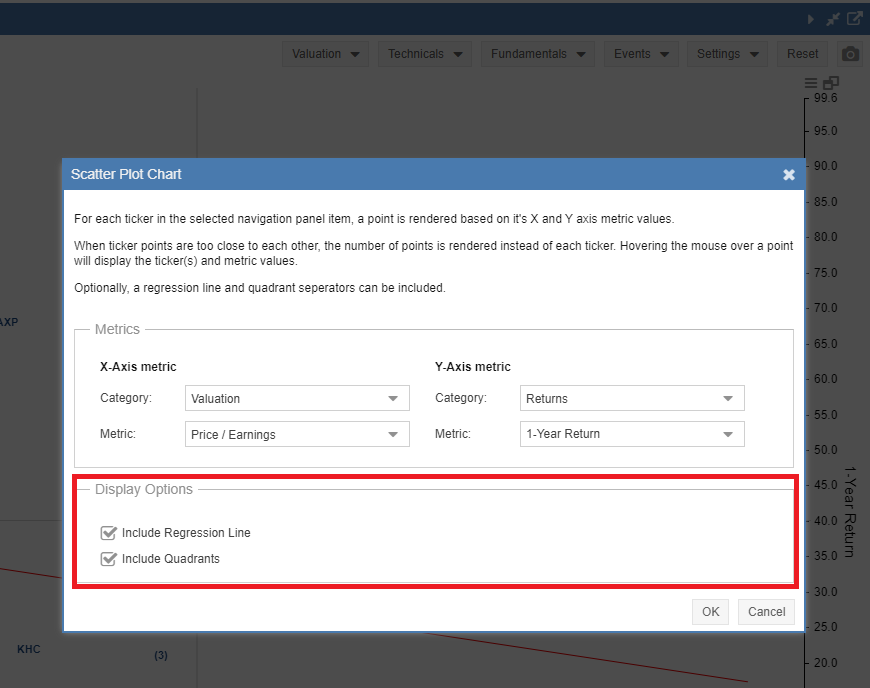
Optionally, a regression line and quadrant separators can be included.
Clicking on the hamburger menu (☰) in the upper right-hand corner of the chart will open a configuration window as shown below. Here you can select different metrics for the X and Y axes.
Several metrics are available from the following groups:
- Fair Value
- Grades and Scores
- Returns
- Stock Rover Ratings
- Valuation
- Valuation Yields
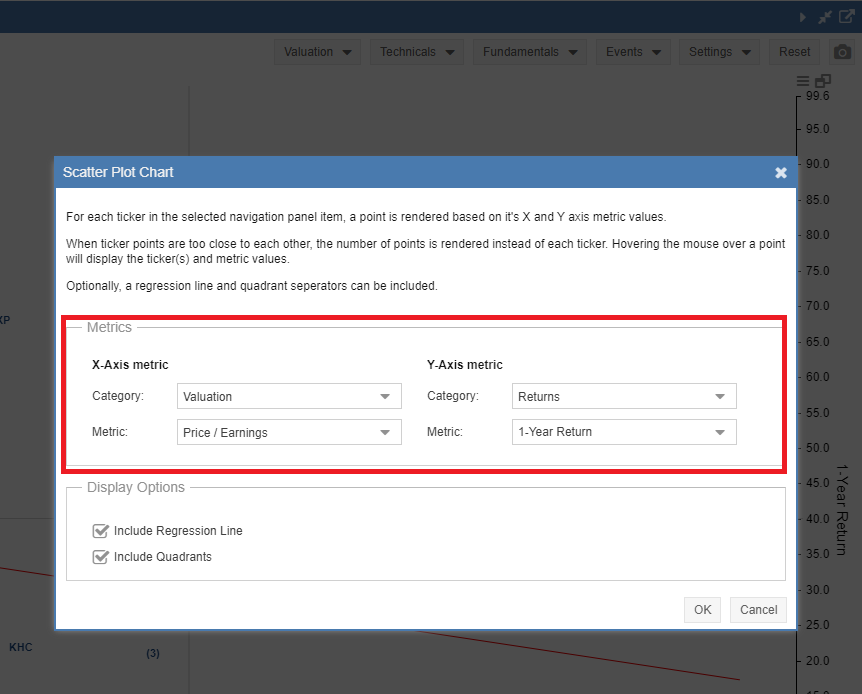
Also available in the configuration window is the ability to turn the Regression Line and Quadrants on or off.