Fundamental Charts
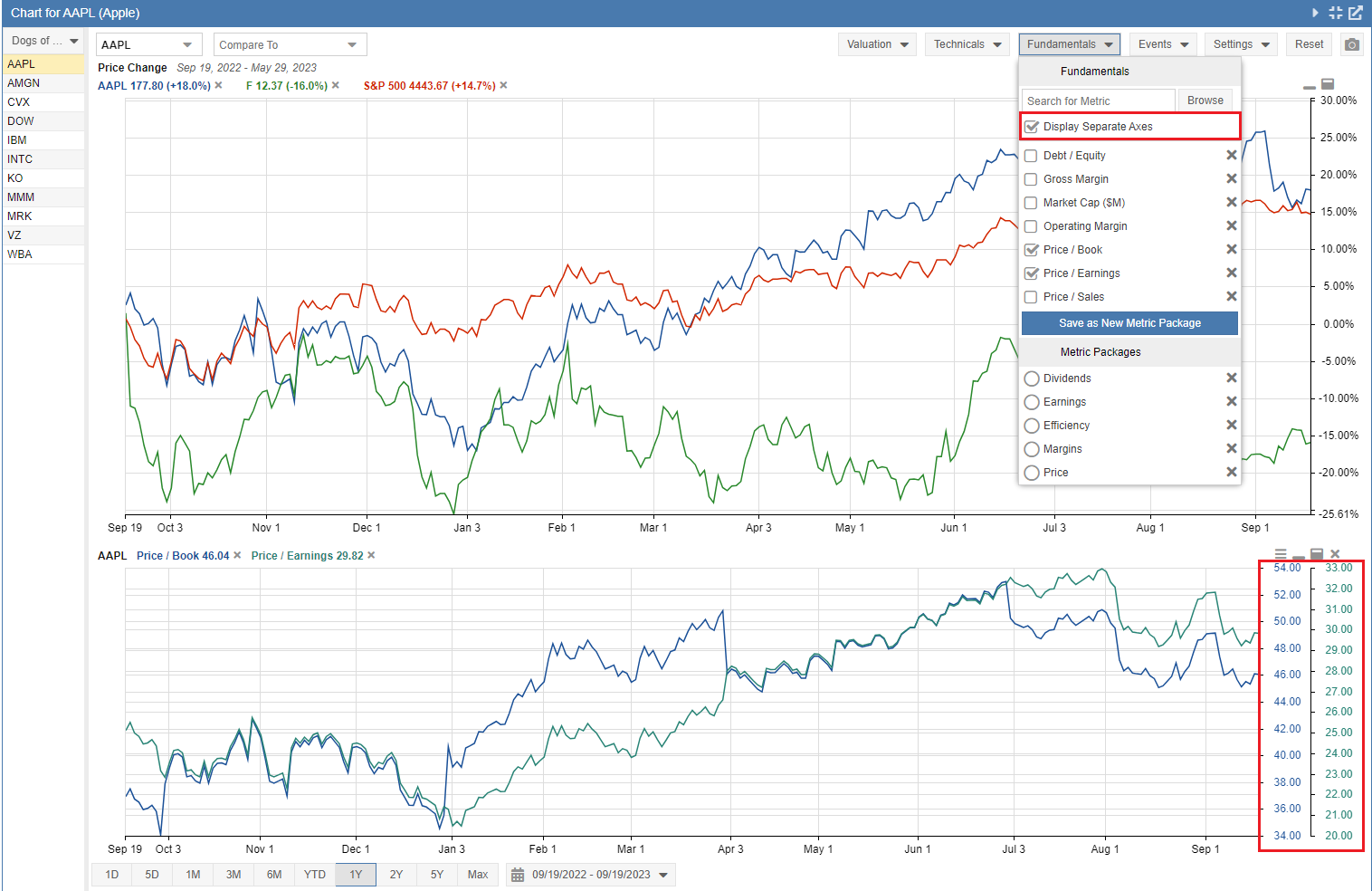
To chart fundamental data, such as the Price/Earnings ratio or Operating Margin, click on the ‘Fundamentals’ button at the top of the chart panel. From the menu that appears, you can search for one of over 100 chartable metrics, select a metric from your recently searched list, or choose a metric package. The fundamental data for the charted tickers will appear in a smaller chart below the main chart.
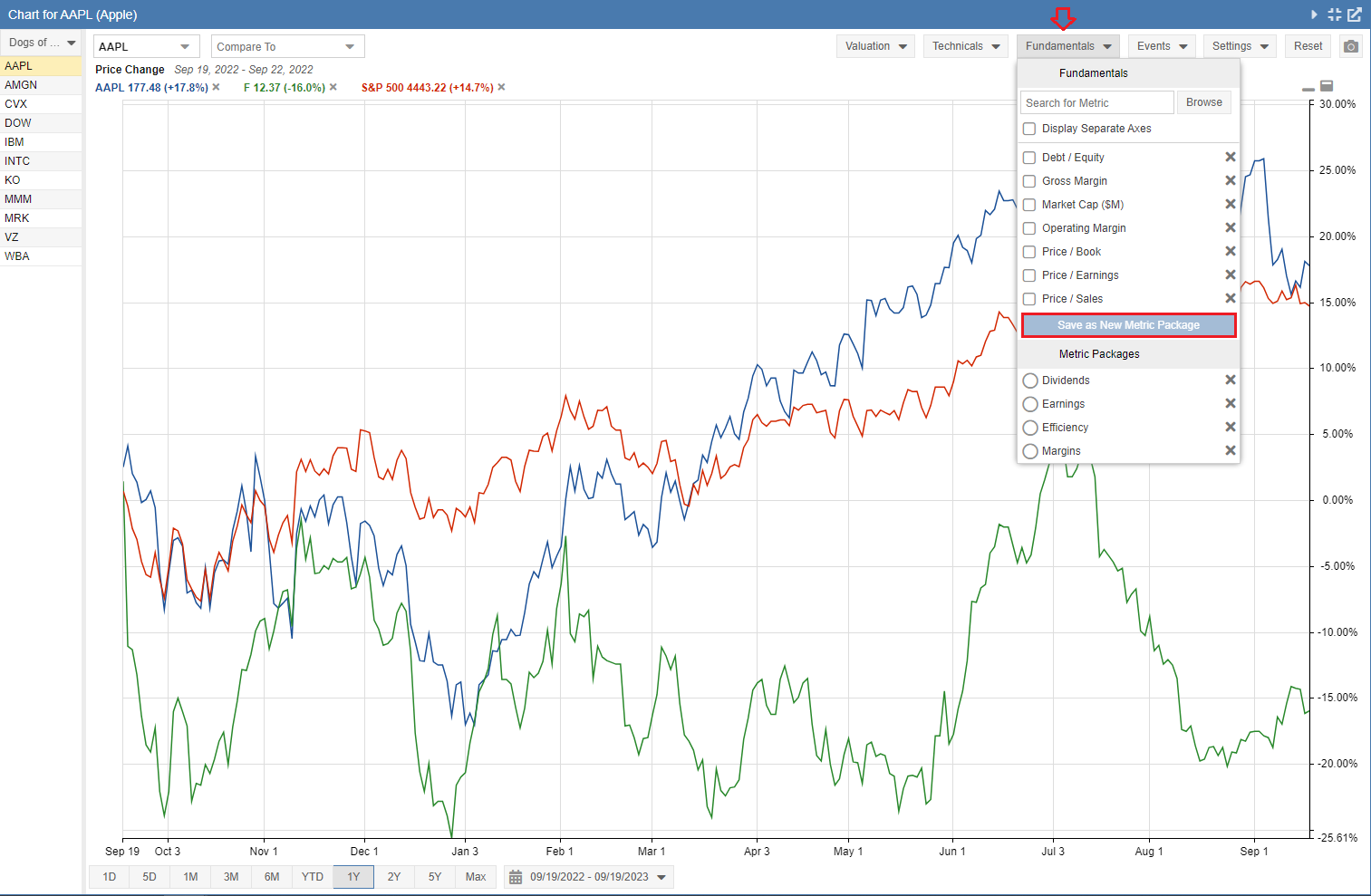
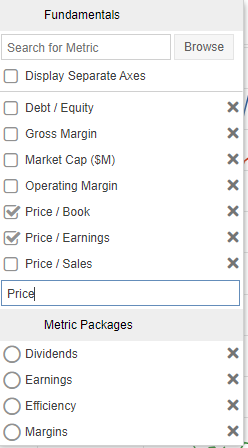
You can use the ‘Save as New Metric Package’ feature to create groups of fundamental metrics that will be charted together. To do so, select the metrics, click ‘Save as New Metric Package’ (shown above), and give the package a name (shown below).
This will create a new package listed under Metric Packages, as seen below.
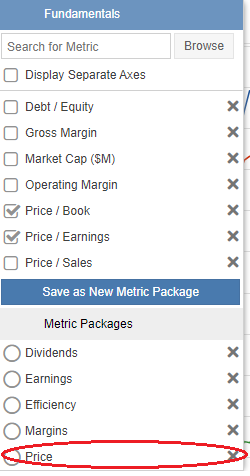
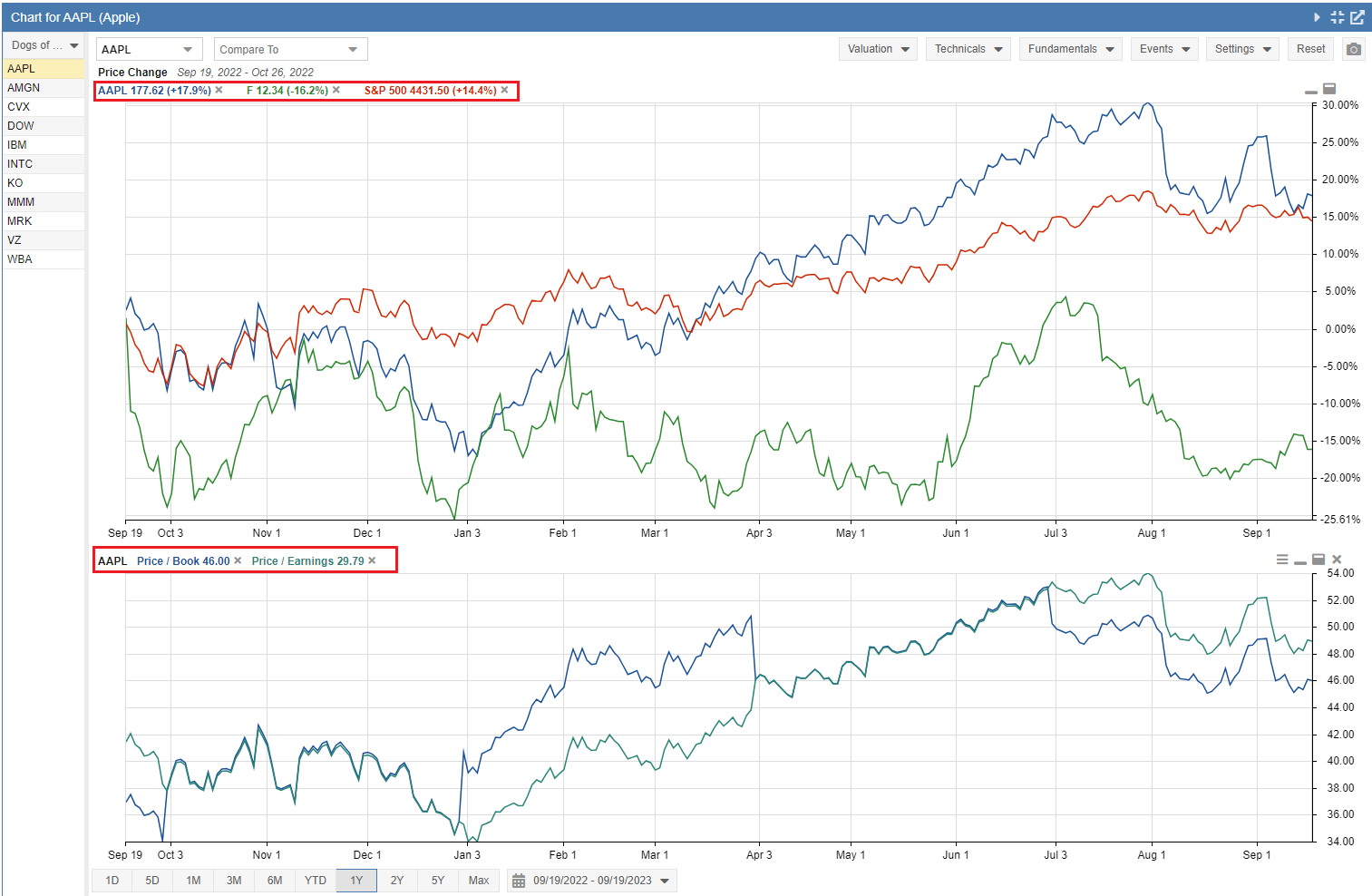
When you select the package, it will graph the included metrics as shown below. Note: Metric Packages apply only to the primary ticker in the chart.
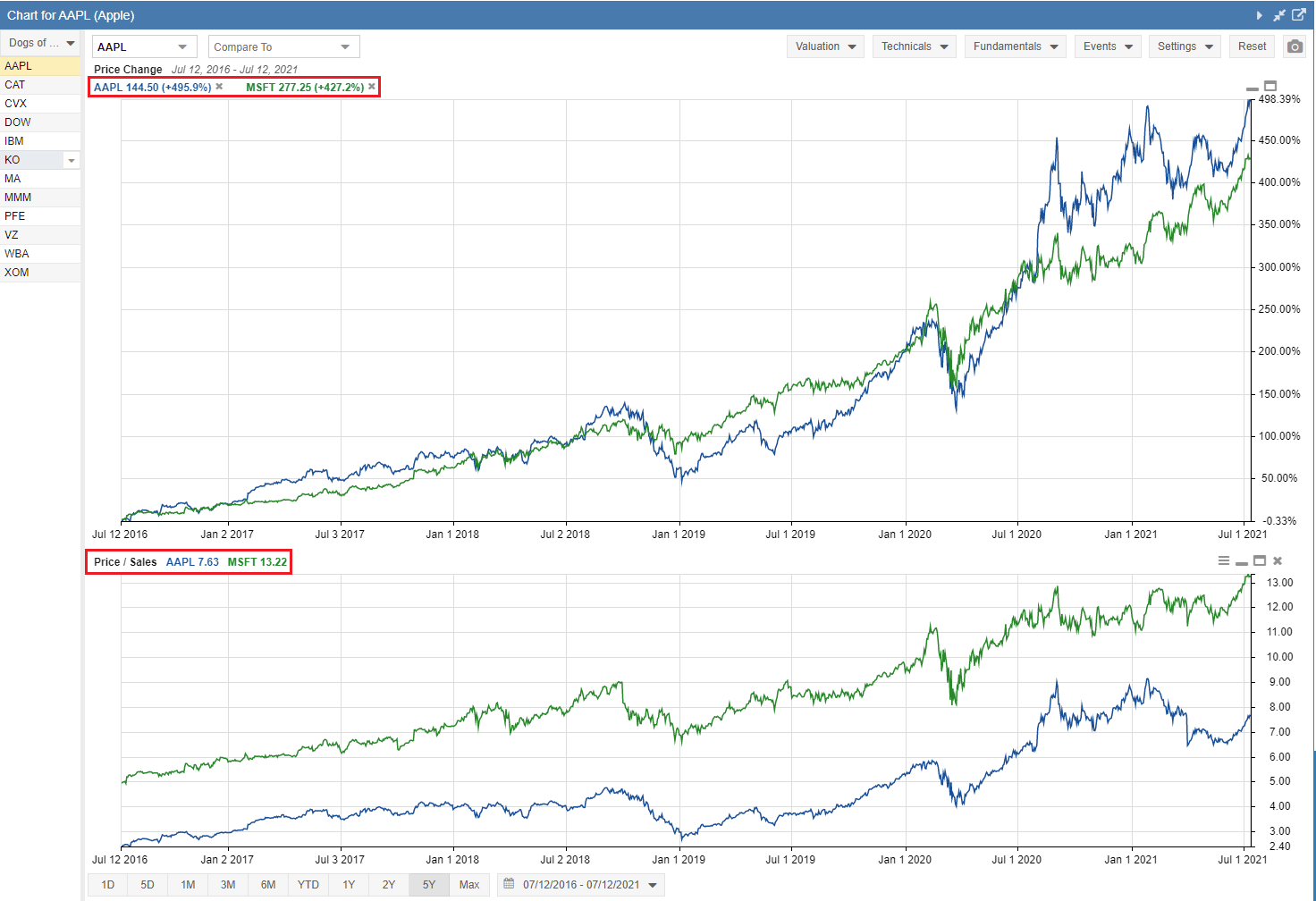
If you are charting a single metric and comparing multiple tickers, the fundamental chart will include the tickers being compared in the main chart.
If you are charting multiple metrics, you can select the ‘Display Separate Axes’ option so you can clearly see the scale for each individual metric in the chart (shown below).