Profile
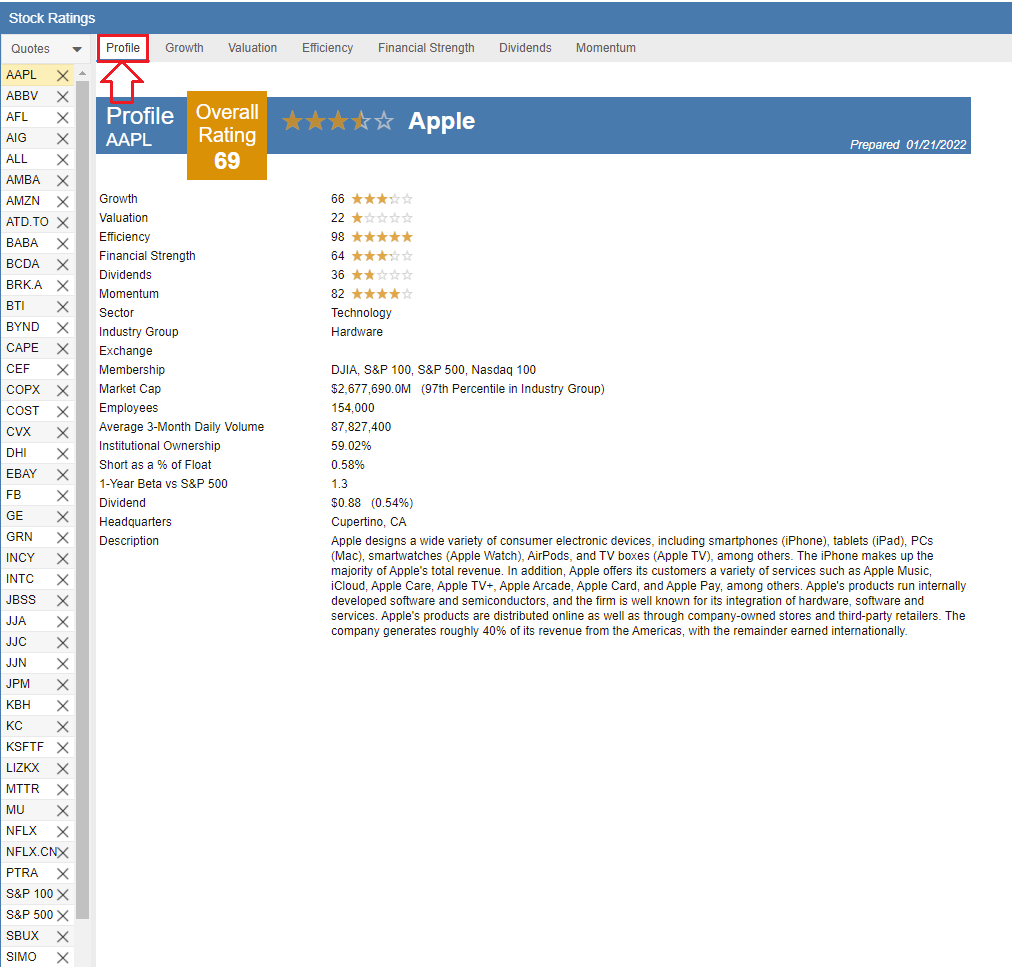
The Profile tab provides a high-level summary of a company’s fundamental standing alongside its core business data. It is designed to give you an immediate sense of how a company compares to its peers and exactly what that business does.
At the top of the tab, percentile rankings are displayed for the six core rating components: Growth, Valuation, Efficiency, Financial Strength, Dividends, and Momentum, as well as an overall aggregate rating. Each score represents the company’s percentile rank within its Industry Group on a scale of 0 to 100. A higher score indicates superior performance; for example, a rating of 90 means the company outperforms 90% of its industry peers in that specific category.
Following the ratings analysis, the Profile tab includes essential corporate information such as the Sector, Industry Group, employee count, and other key firmographic metrics, as shown in the screenshot below.