

Importing from the Library
Navigating the Investors’ Library
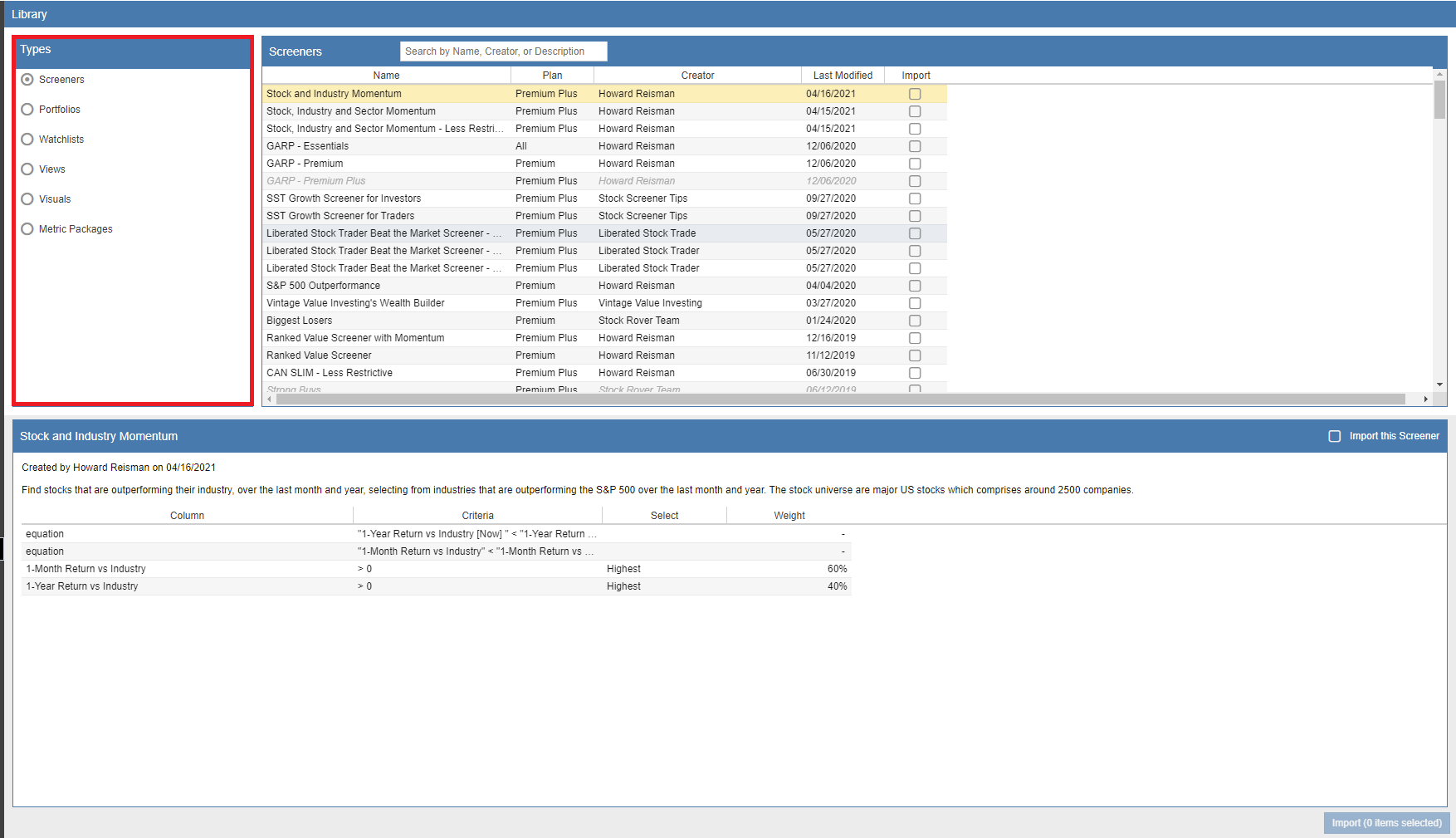
The Investors’ Library is organized into six core categories to help you quickly find the tools you need to enhance your research:
- Screeners: Pre-built filters for finding stocks that meet specific criteria.
- Portfolios: Model portfolios that you can track or use as benchmarks.
- Watchlists: Curated lists of tickers grouped by theme or industry.
- Views: Custom spreadsheet layouts for the Table.
- Visuals: Specialized chart settings and technical layouts.
- Metric Packages: Comprehensive sets of data points for the Chart.
To explore these resources, select a category from the ‘Types’ panel on the left. This will populate the right-side panel with all available items of that type. Clicking on any specific item will display a detailed description in the bottom pane. For easier browsing, you can sort the list by Name, Creator, or Creation Date by clicking the respective column headers.
Searching and Importing
If you are looking for something specific, use the search box in the upper right. The library will filter results based on the item’s name, creator, or description. Note: The search tool does not scan the internal formulas or specific tickers within an item.
To add resources to your account, simply check the box in the ‘Import’ column. You can select multiple items across different categories—such as a Screener and a corresponding View—before finalizing your selection. Once you have chosen all your items, click the Import button at the bottom of the window.
Overwriting Existing Items: If a row appears greyed out and italicized, it indicates that an item with that exact name already exists in your Stock Rover account. You can still proceed with the import, but be aware that the library version will overwrite your existing local version.