

Mobile Experience
Introduction
Stock Rover includes a Mobile UI specifically optimized for phones and tablets. The Mobile Experience provides a streamlined interface for monitoring your investments on the go.
When you first log into Stock Rover using a mobile device, the “Choose Your Experience” page will display options for selecting either the Mobile Experience or the Desktop Experience.
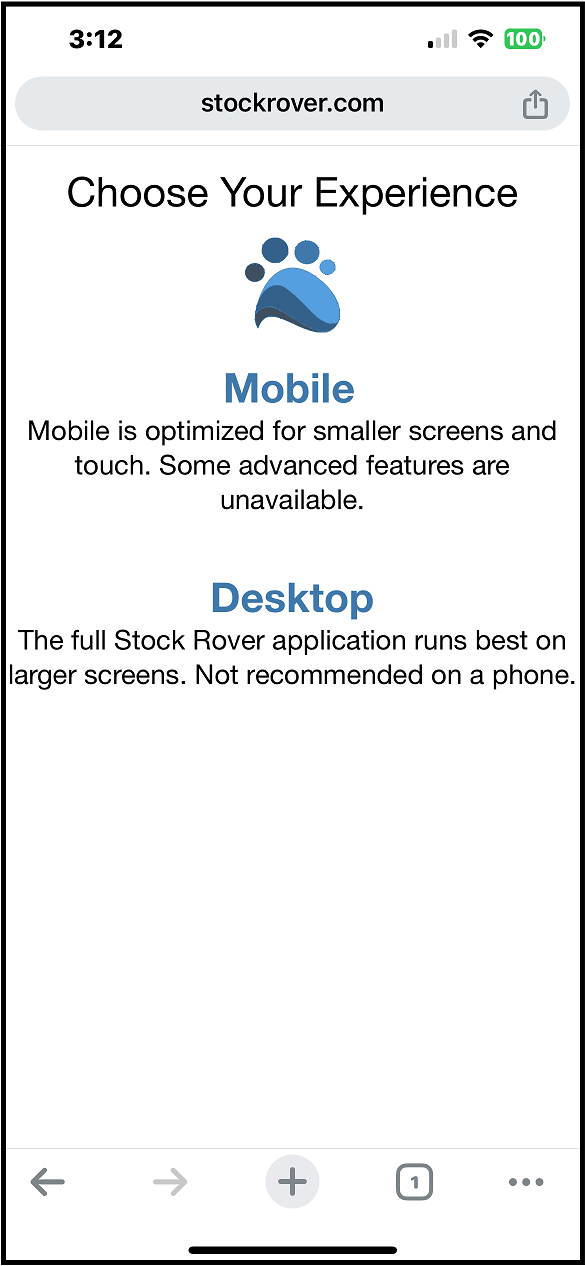
The Mobile Experience
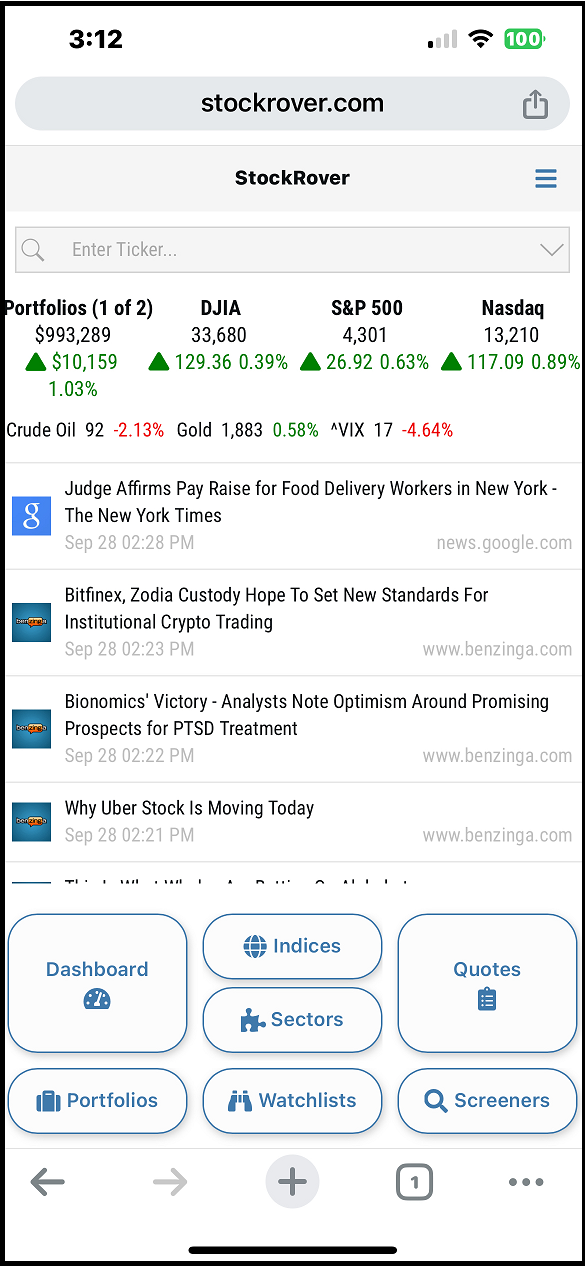
The Mobile Experience is tailored to the features and functionality most needed while traveling or away from a desk. This interface allows you to view your Dashboard, search for tickers, and perform essential research. You can also view and modify your portfolios, watchlists, and screeners.
The example below shows the Mobile Experience home screen as it appears on a smartphone.
- The “Choose Your Experience” page is configured to appear three times on your mobile device before defaulting to your last selection (typically “Mobile”).
- You can access the Mobile Experience directly by navigating to https://www.stockrover.com/mobile.
The Desktop Experience
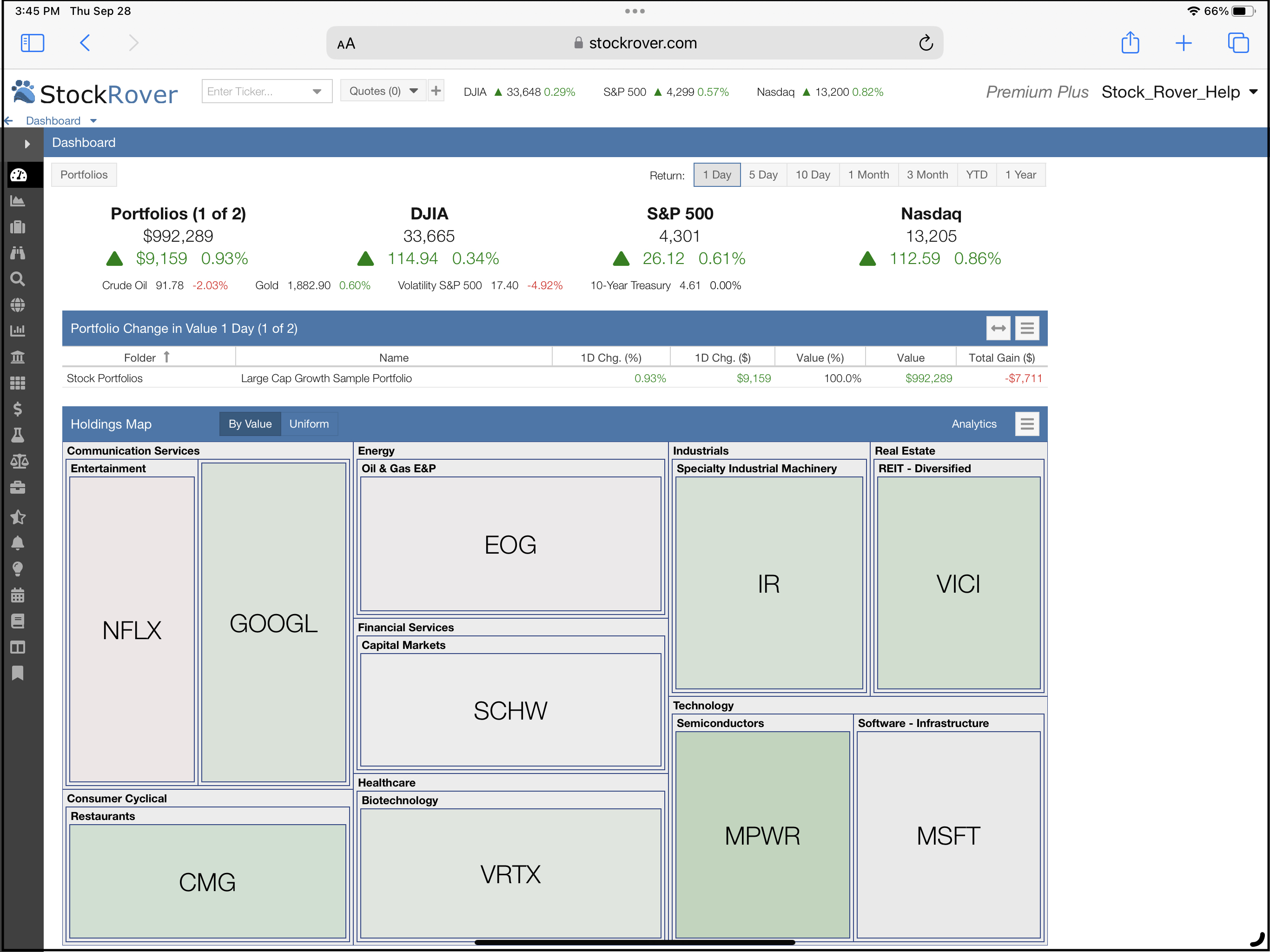
The Desktop Experience provides the full Stock Rover product suite. While it can be accessed on desktops, laptops, tablets, and phones, it is not optimized for smaller smartphone screens. It is best utilized on devices with larger displays, as certain complex functional areas may not render effectively on a phone.
The example below shows the Desktop Experience as viewed on a tablet device.
- Similar to the mobile selection, the “Choose Your Experience” page will appear three times before defaulting to your most recent choice (typically “Desktop”).
- You can go directly to the full Desktop Experience via https://www.stockrover.com/research.
Resetting Your Default Experience
If you would like to change your default experience from Desktop to Mobile (or vice versa), you can manually reset it. To do so, navigate to the selection page at https://www.stockrover.com/experience, where you will be prompted to choose your preferred interface again.