Filtering
Earnings Calendar Filtering
The Earnings Calendar provides powerful filtering capabilities, allowing you to isolate reporting dates by Universe, Quotes List, Portfolios, or Watchlists. This ensures your view remains focused on the specific market segments or personal holdings that matter most to your strategy.
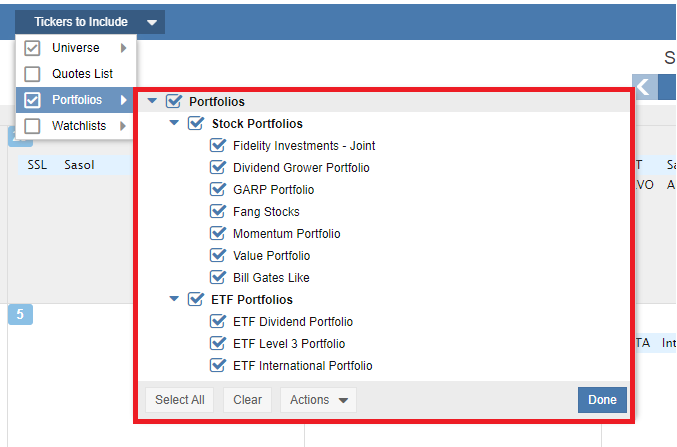
The Tickers to Include pull-down menu is located in the blue navigation bar at the top of the calendar. As shown in the screenshot below, this menu acts as your primary control center for determining which stocks populate your calendar view.

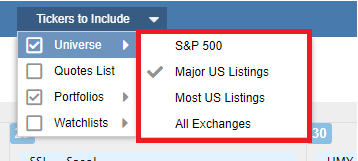
By selecting Universe, you can filter the calendar based on broad market indices or exchange listings. Similar to Stock Rover’s screening options, you can choose between the S&P 500, Major US Listings, Most US Listings, or All Exchanges.
Additionally, you have the flexibility to overlay your own personalized data sets. As illustrated below, you can toggle specific Portfolios and Watchlists on or off, allowing you to see the reporting schedule for your actual holdings alongside broader market opportunities.