Candlestick and OHLC Charts
Overview
Candlestick and OHLC charts are available under the Settings pull-down menu as explained in the next section. These charts display price movement, showing the open and close prices as well as the high and low for the selected timeframe. Candlestick and OHLC charts both display the same data but with a slightly different visual presentation. For both charts, red indicates that the stock closed down, and green indicates the stock closed up for the period.
Selecting the Candlestick Chart
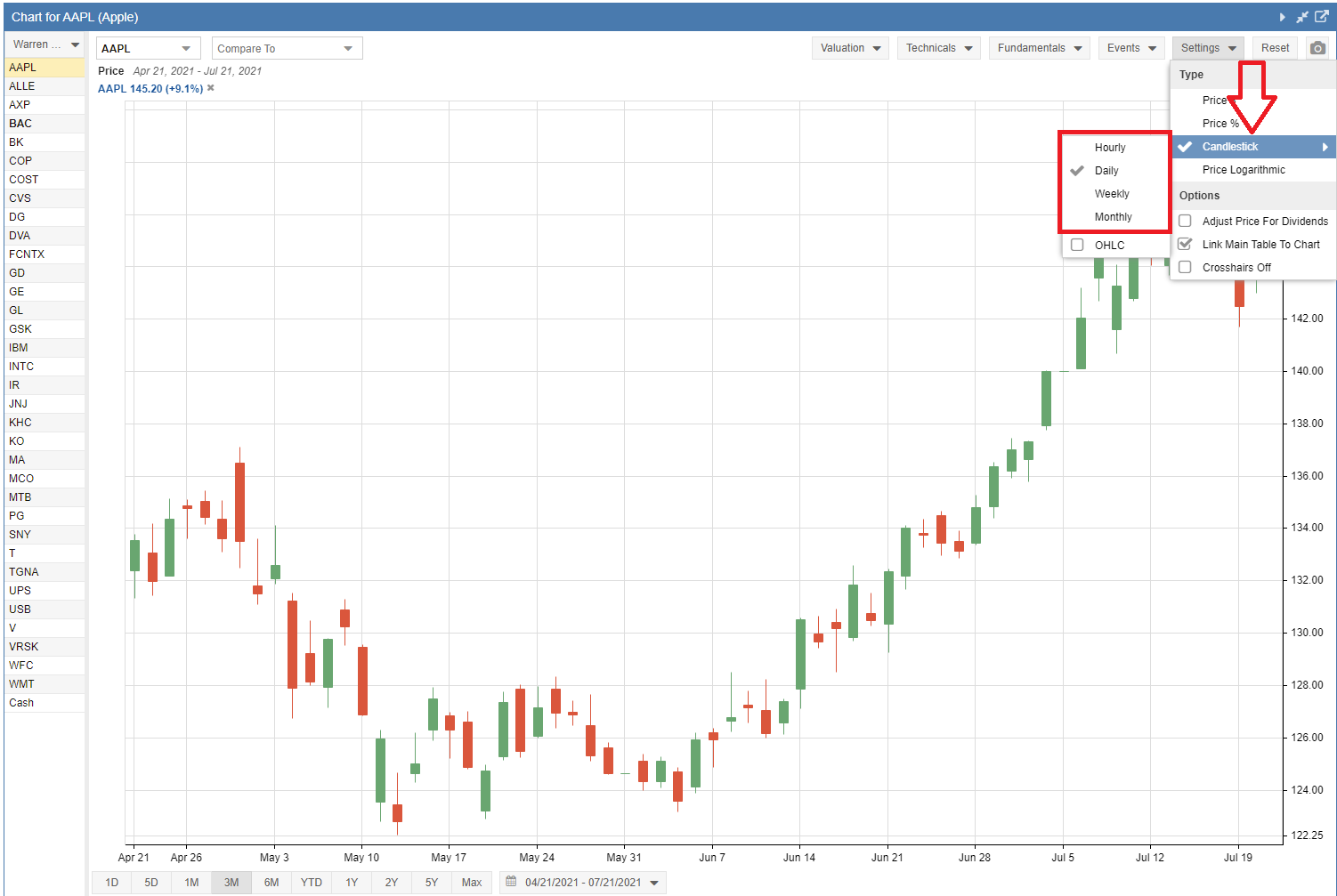
The Candlestick option can be selected from the Settings pull-down menu, as seen below. You can also choose your preferred data interval: Hourly, Daily, Weekly, or Monthly. Please note that for the Hourly interval, the chart period must be 5 days or less.
Selecting the OHLC Chart
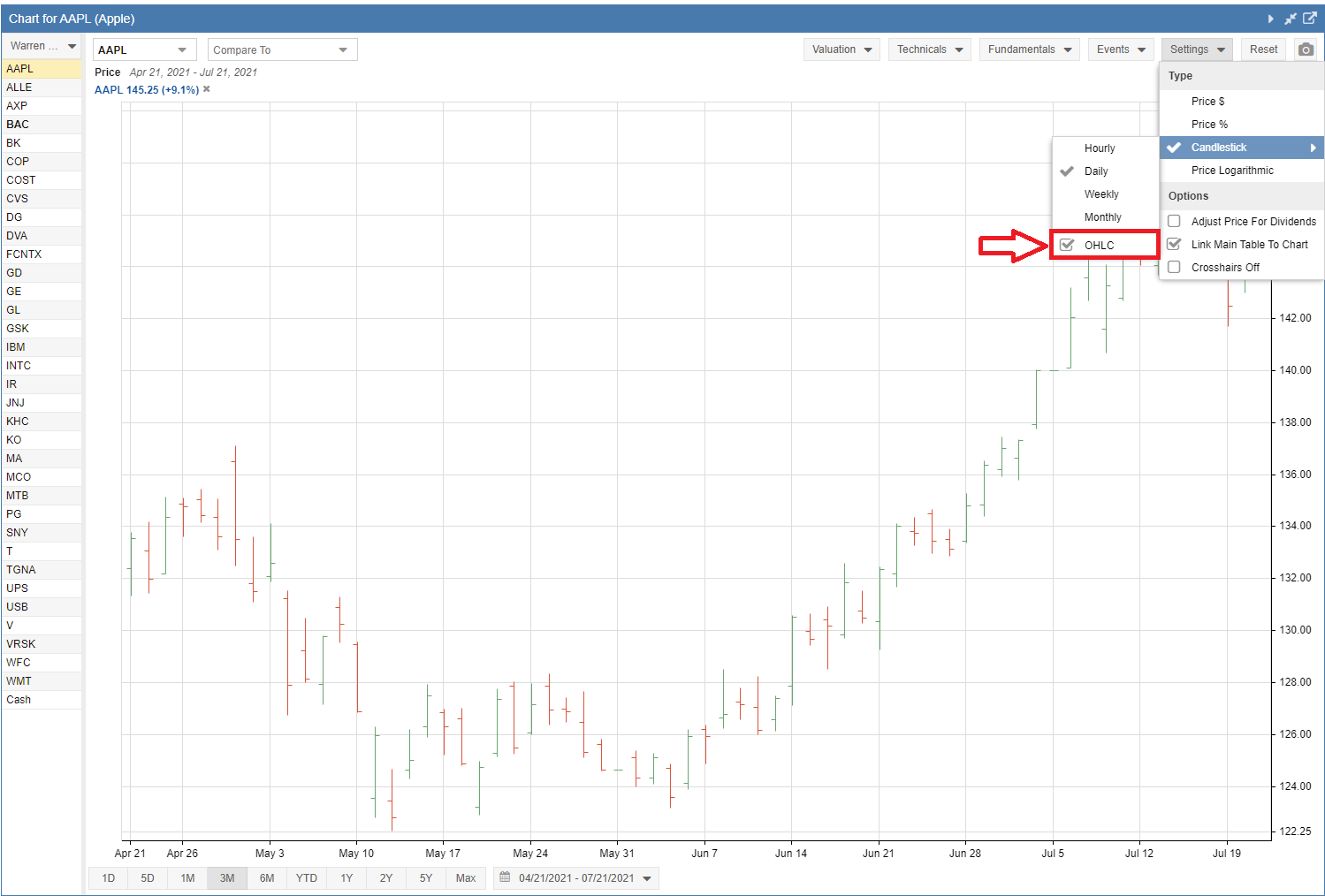
The OHLC chart displays the same data as the Candlestick chart, but as you can see in the screenshot below, the open price is indicated with a horizontal line to the left, and the close price is indicated with a line to the right. The screenshot below also demonstrates how to enable the OHLC option.