Insider Data Across Stock Rover
While the Insider Transactions research tool provides a comprehensive view of market-wide insider activity, Stock Rover also integrates insider data directly into your day-to-day research, comparison, and screening workflows.
Deep Dive on a Single Stock (Insight Panel)
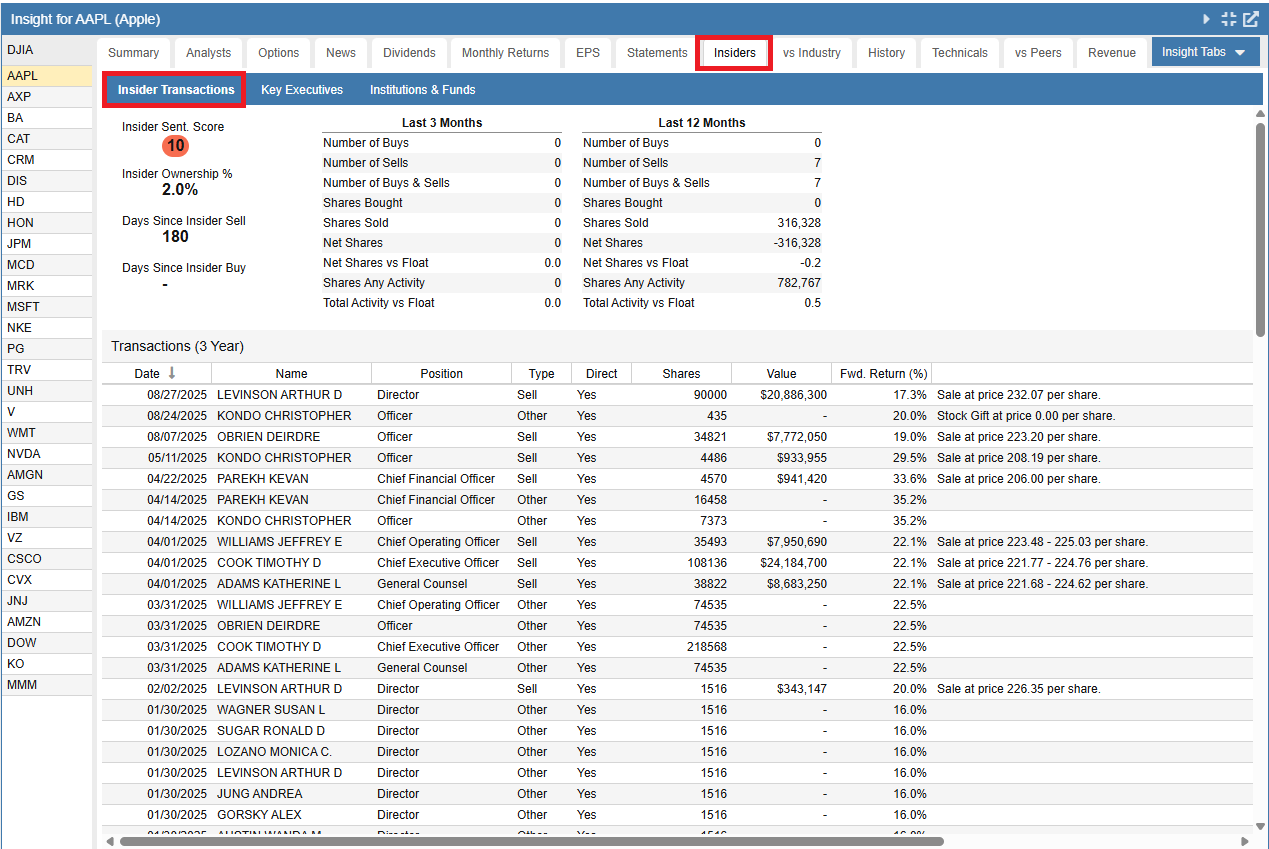
When you want to focus on a specific ticker, the Insiders tab within the Insight Panel provides a detailed look into the ownership and trading activity surrounding that company. The tab is organized into three distinct sub-sections: Insider Transactions, Key Executives, and Institutions & Funds.
The Insider Transactions view starts with a top-level summary. This includes an Insider Sentiment Score, the total Insider Ownership percentage, and an aggregated breakdown of buy and sell activity over the last 3 and 12 months.
Below the summary is a detailed Transactions table displaying individual trades over a 3-year period. Similar to other tables in Stock Rover, the column headers are highly interactive. By clicking the dropdown menu on any column header—such as the Position column—you can easily sort the table or apply specific filters (for example, to isolate trades made only by the Chief Executive Officer or Directors).
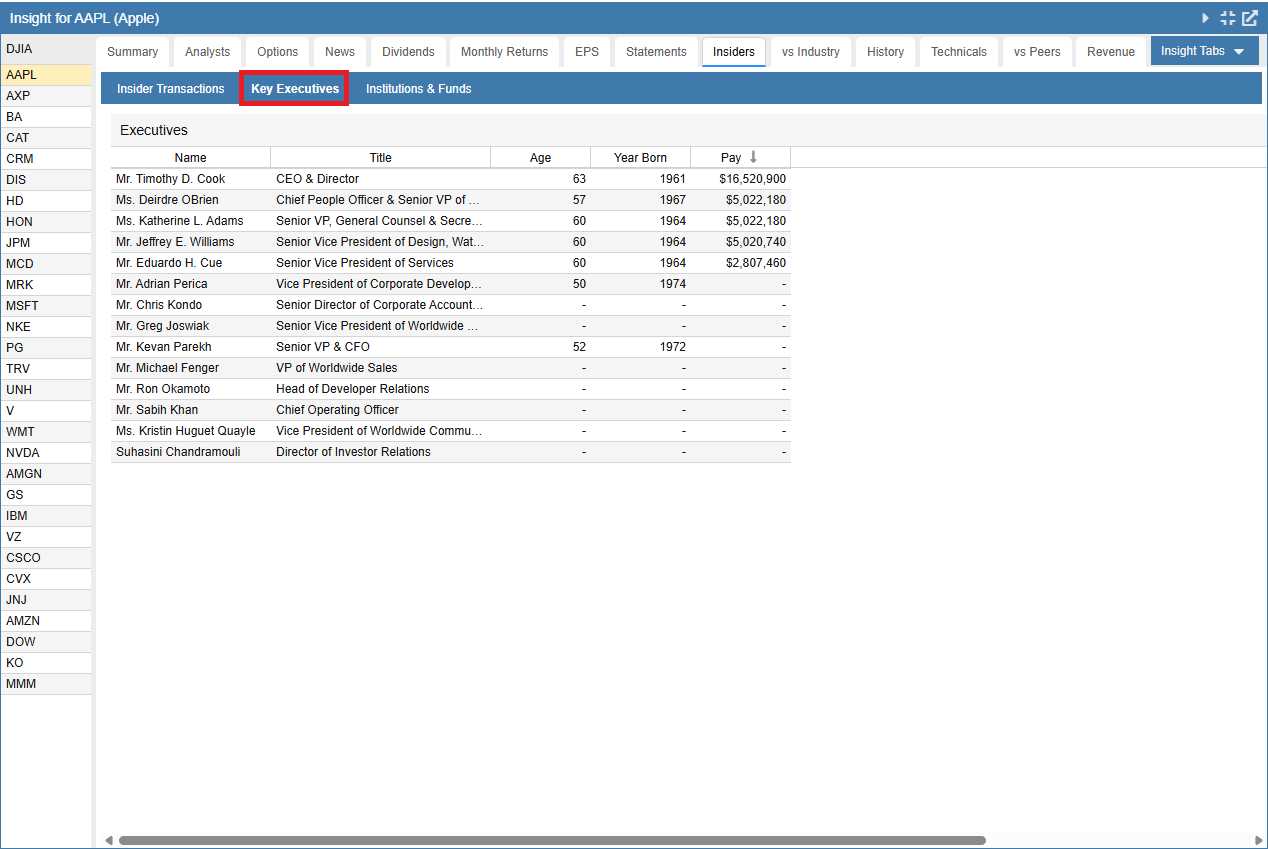
The Key Executives view provides a roster of the company’s top management and board members. This table typically includes information such as the executive’s name, their specific title or position, their age, and their compensation, giving you a clear picture of the company’s leadership team.
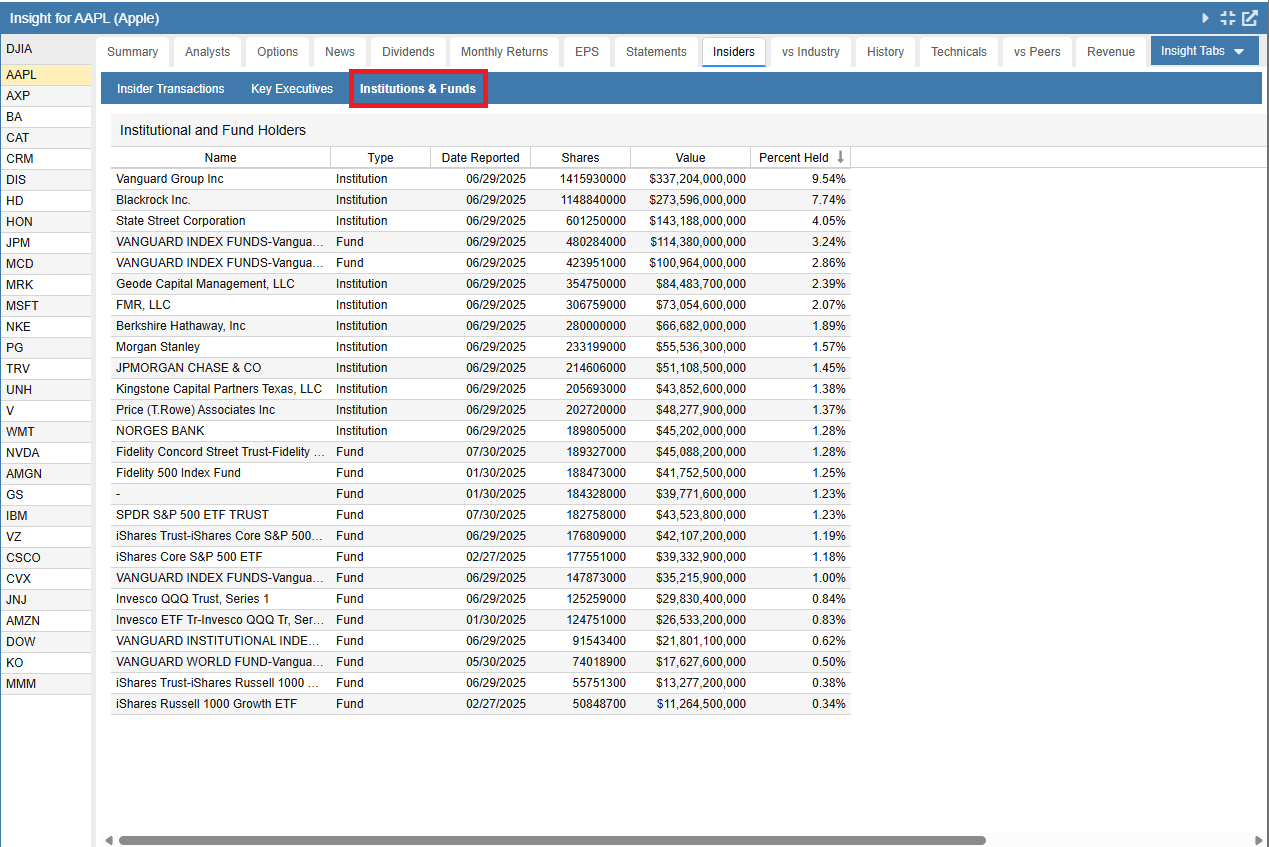
The Institutions & Funds view details the major institutional players invested in the company. This table lists the top mutual funds, pension funds, and other large institutional holders, alongside the number of shares they hold, their percentage of total outstanding shares, and any recent changes to their position sizes.
Comparing Insider Data Across Tickers
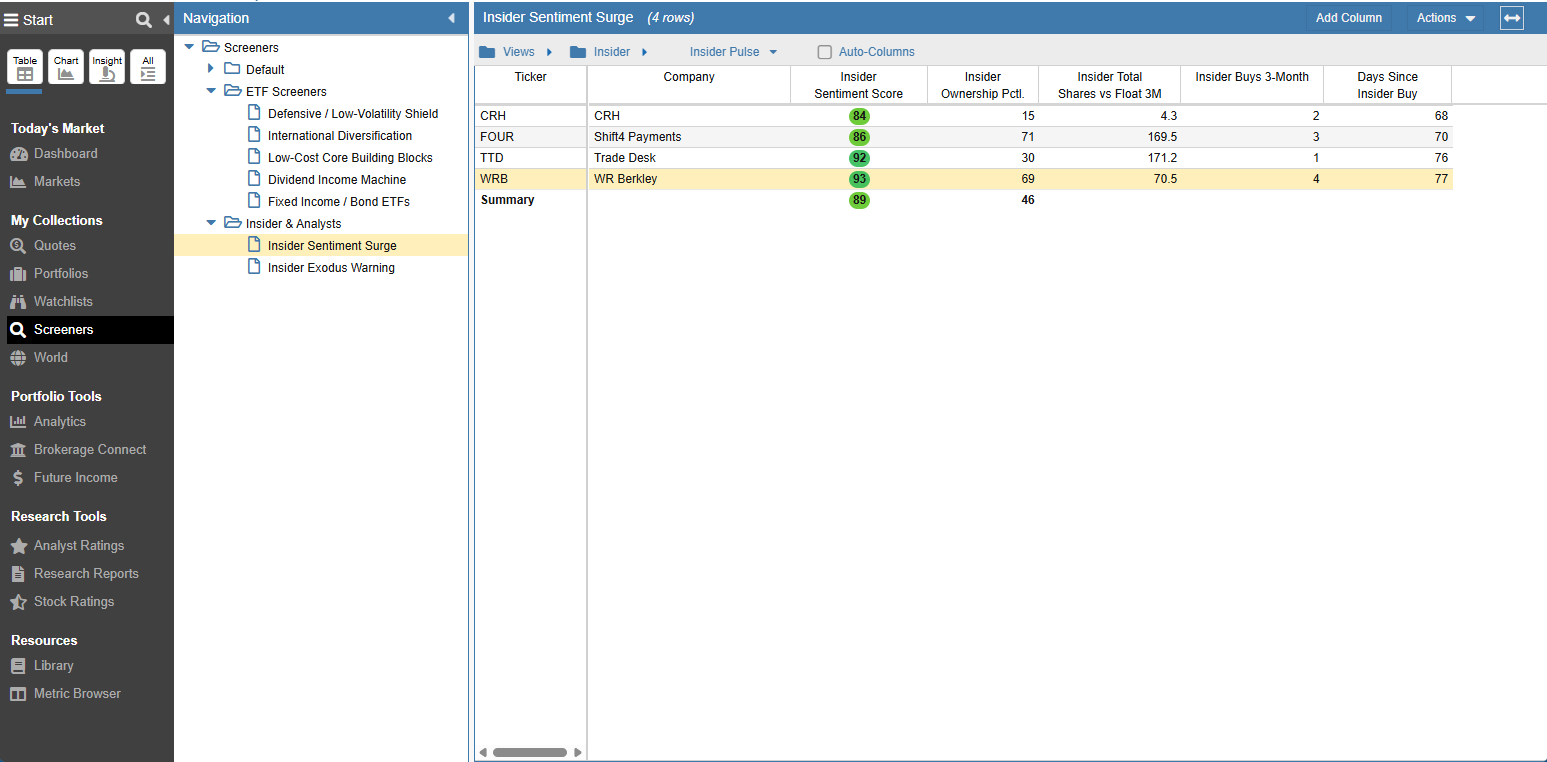
To compare insider activity across multiple companies side-by-side, you can easily build a custom Table View. By opening the Metric Browser, you can select from dozens of specialized data points to evaluate your tickers exactly how you want.
For example, you could build an “Insider Pulse” View to quickly compare conviction across a list of tickers. A solid foundation for this View might include:
- Insider Sentiment Score: A top-level gauge of overall insider bullishness.
- Insider Ownership Percentile: How heavily invested insiders are compared to peers.
- Insider Net Shares vs Float 3-Month: The impact of recent trading relative to the company’s float.
- Insider Buys 3-Month: The frequency of recent insider purchases.
- Days Since Insider Buy: The exact recency of the latest insider trade.
Screening for Insider Activity
Insider data is incredibly powerful when used as a filter in the Screener facility, allowing you to automatically identify companies exhibiting specific insider behaviors.
Build Your Own Custom Screens
If you have a highly specific strategy, you can easily create your own custom screens from the ground up. For example, you can build a customized screener by combining criteria such as Insider Buys 3-Month, Insider Net Shares vs Float, and Insider Activity Percentile. This allows you to programmatically filter out the noise and only reveal the exact types of insider accumulation or distribution patterns that fit your investment strategy.
Leverage Pre-Built Insider Screeners
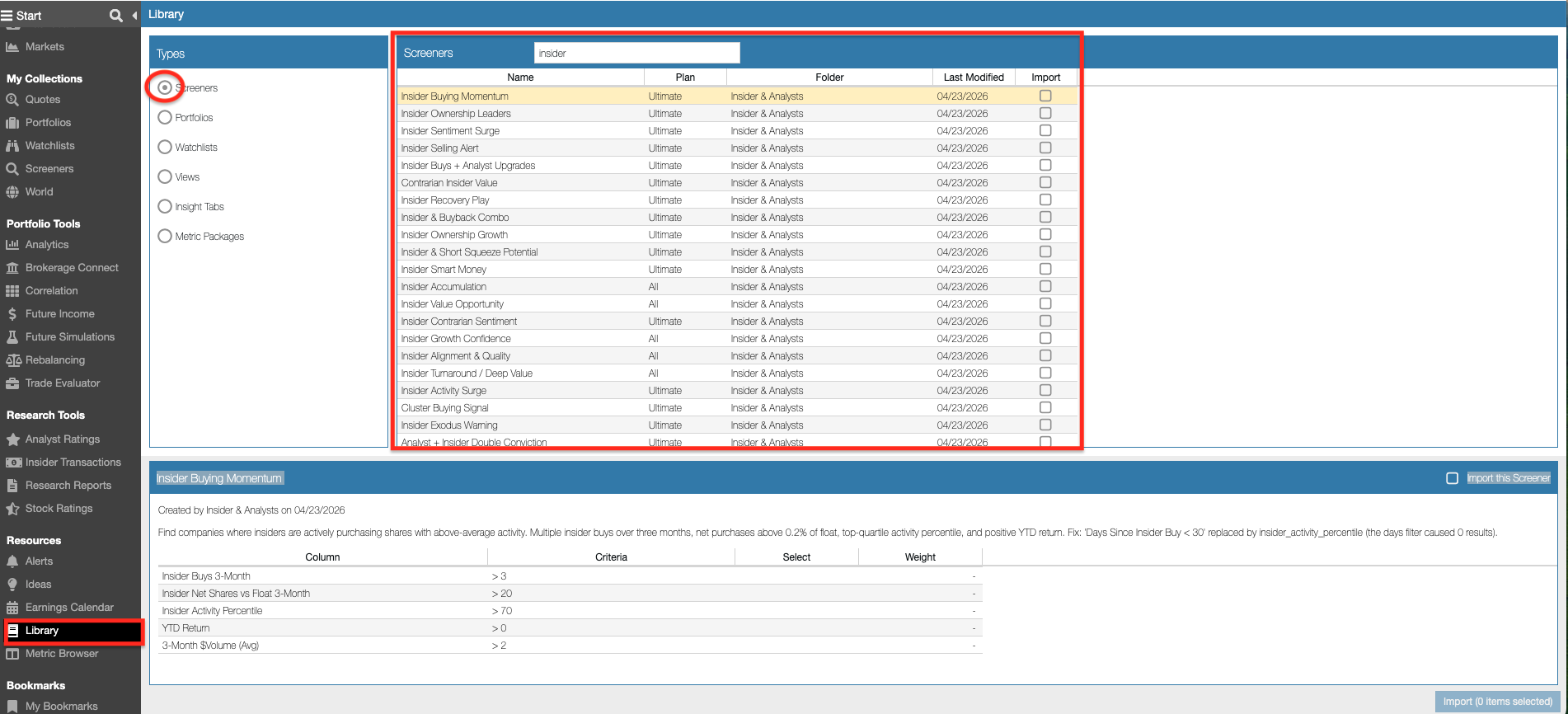
You don’t have to start from scratch! We offer a wide variety of out-of-the-box screeners specifically tailored to insider activity. By navigating to the Library, selecting Screeners under Types, and searching for “insider,” you can access and import ready-to-use screens such as:
- Insider Buying Momentum
- Insider Ownership Leaders
- Contrarian Insider Value
- Insider Selling Alert
Exploring Available Metrics
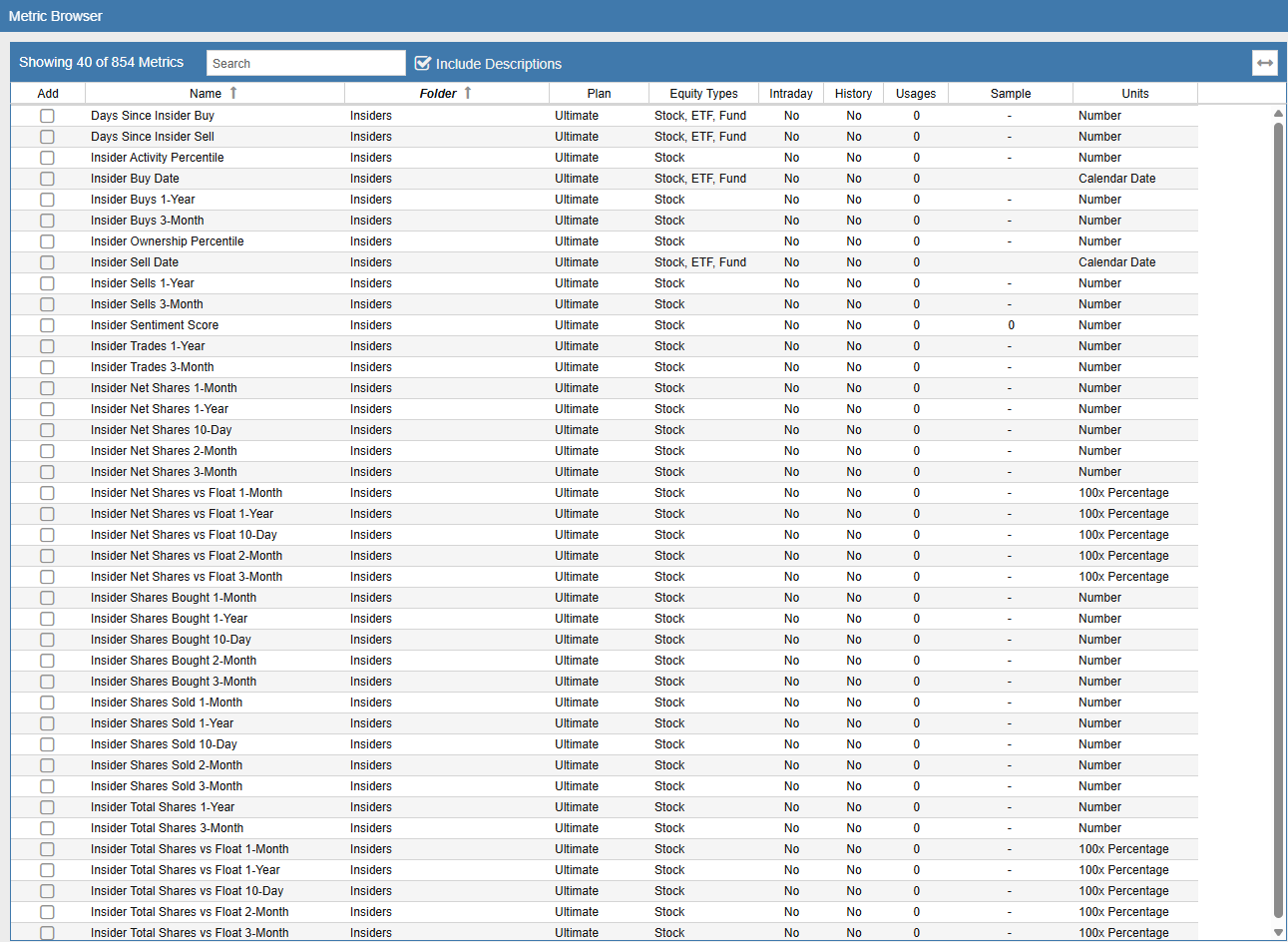
If you want to see exactly what insider data points are available for filtering, screening, or adding to your table views, you can explore the Metric Browser. Simply open the Metric Browser and navigate to the Insiders folder.
Here, you will find a comprehensive glossary of all supported insider metrics—such as “Days Since Insider Buy”, “Insider Sentiment Score”, and “Insider Total Shares vs Float 1-Year”. Selecting a metric will display a detailed description of how it is calculated and what it measures, ensuring you understand exactly what the data represents before applying it to your research.