Navigation Panel
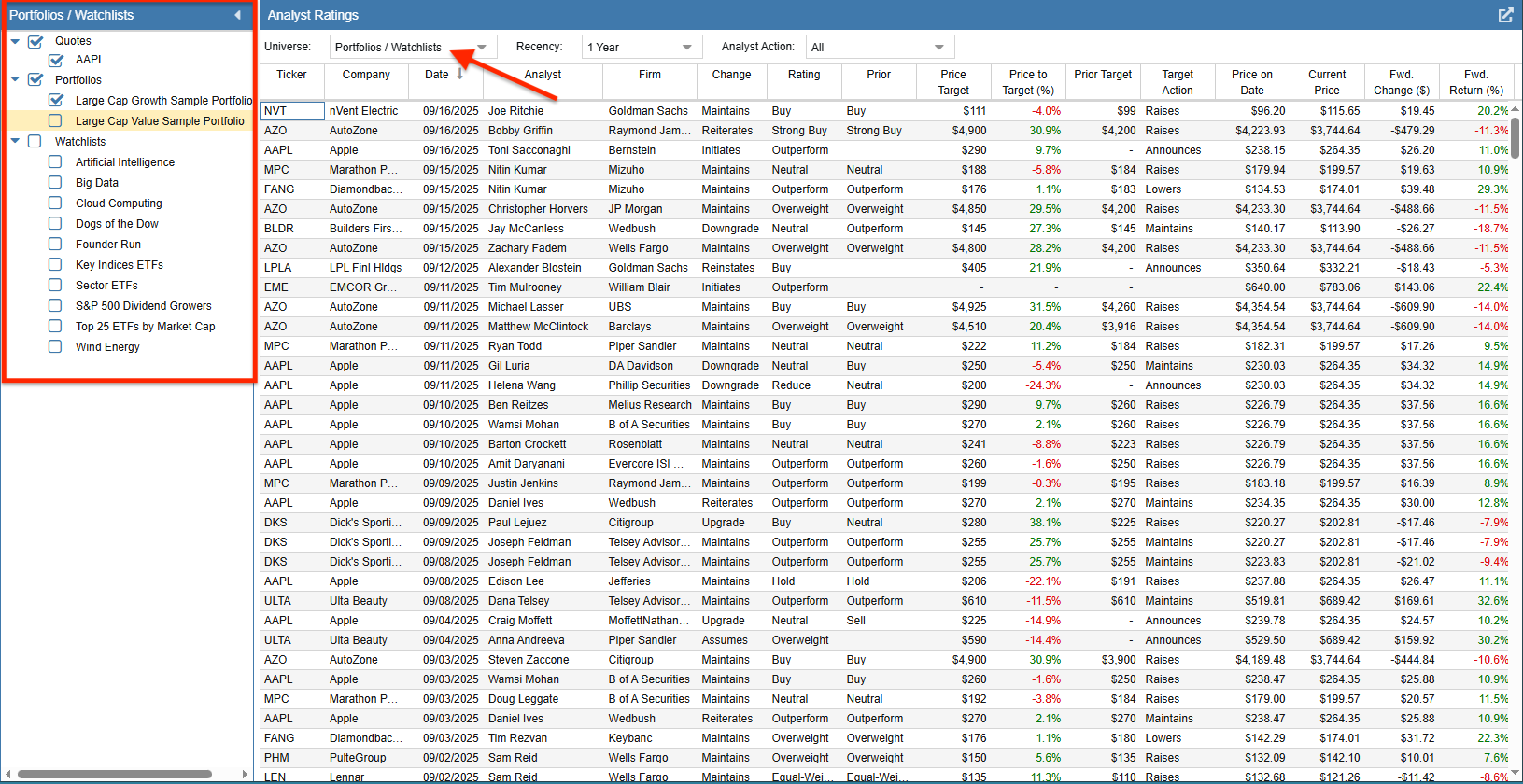
The Navigation panel on the left side of the Analyst Ratings display dictates which equities are used to populate the data table. It becomes active automatically when the “Universe” drop-down in the top control panel is set to Portfolios / Watchlists, or anytime you click directly on a dataset within the Navigation panel itself.
The Navigation panel allows you to select any combination of Portfolios, Watchlists, and individual tickers from your Quotes List to serve as the basis for the Analyst Ratings table.
To select a single dataset, simply click directly on its name. The table will immediately update to show the analyst actions for the tickers within that specific selection.
To select multiple datasets, check the boxes next to the desired Portfolios, Watchlists, or the Quotes List. You can also select entire folders by checking the box next to the folder name, which will automatically include all datasets contained within that specific folder.
Once your selections are made, the Analyst Ratings table will dynamically aggregate and display the relevant analyst upgrades, downgrades, and price target changes for all tickers contained within your chosen datasets.