Chart
Charts are displayed when viewing future income at the Summary Level or Portfolio Level, providing a graphical representation of the data directly below the table. The Summary Level chart is shown below.
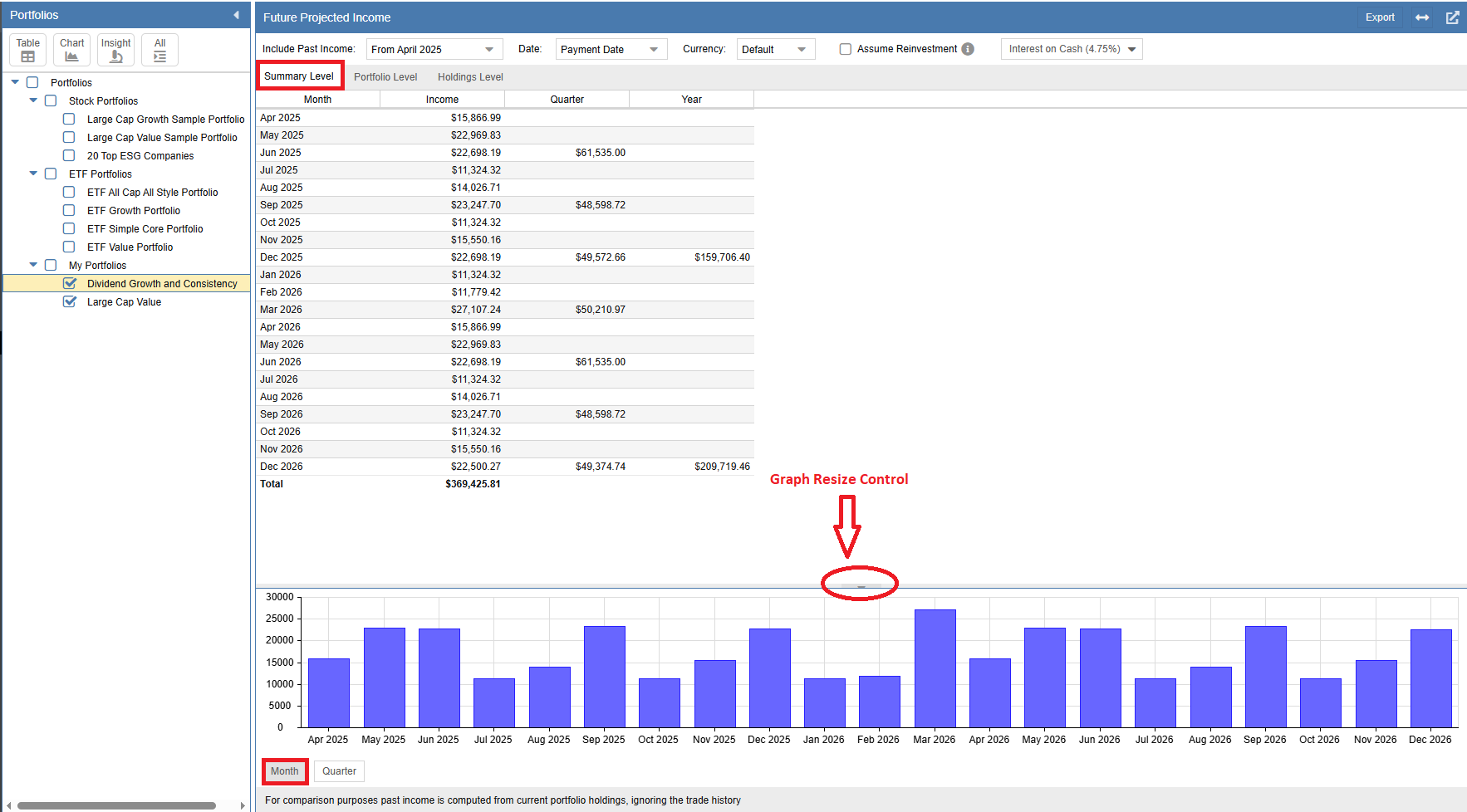
The chart can be configured to show projected income by month or by quarter. Use the buttons at the bottom of the chart to toggle between these views (the monthly button is highlighted in the example above). You can also resize the chart panel by dragging the size control handle, as indicated by the red arrow.
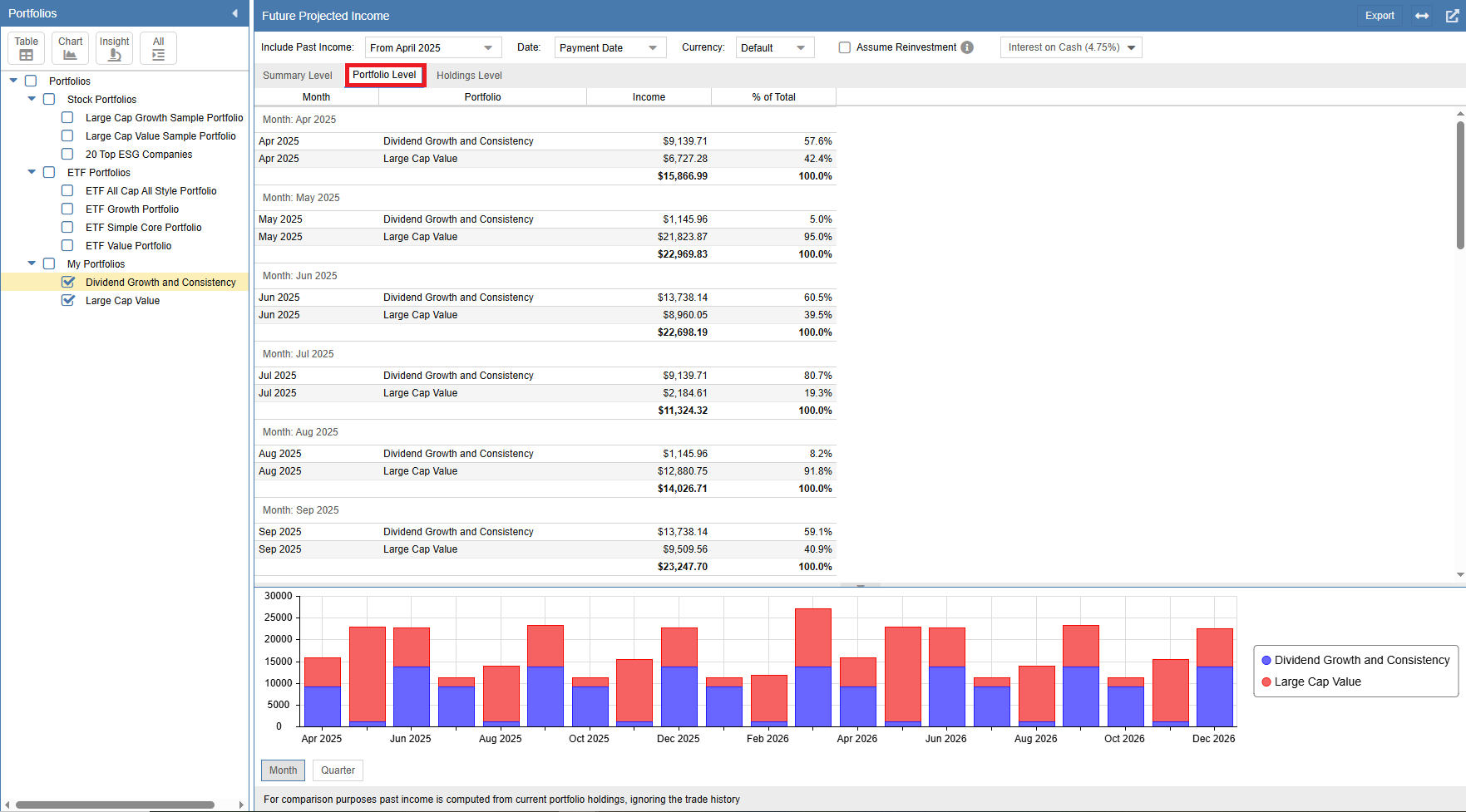
When you switch to the Portfolio Level, the chart updates to show the specific contribution of each portfolio to your total income. Here is an example of the Portfolio Level chart:
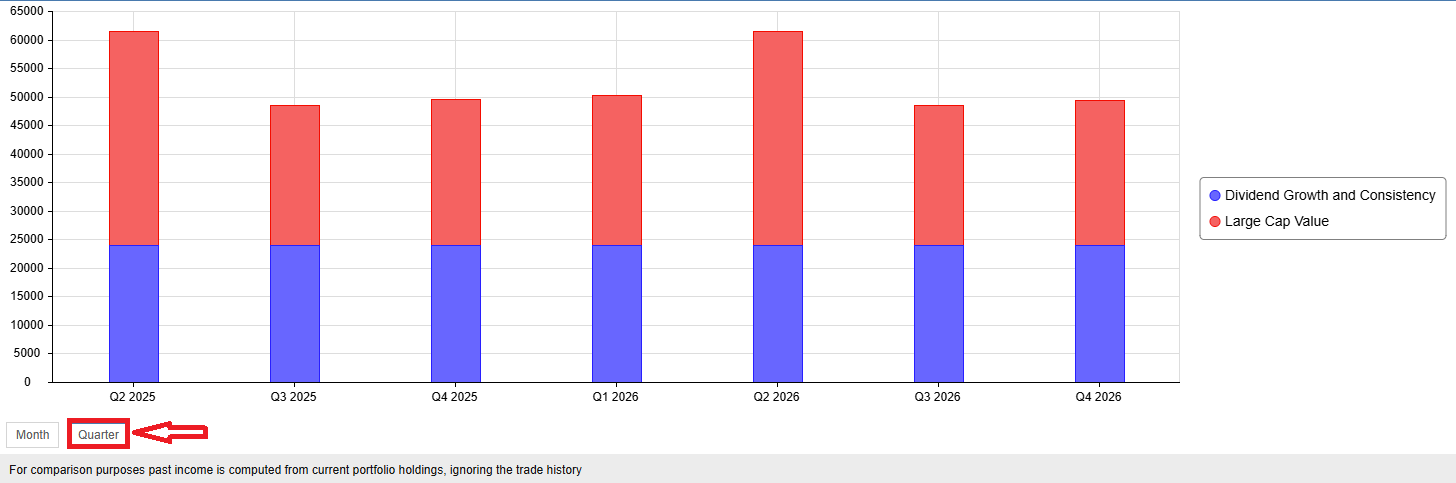
Below is the same Portfolio Level chart displayed in a quarterly format rather than monthly:
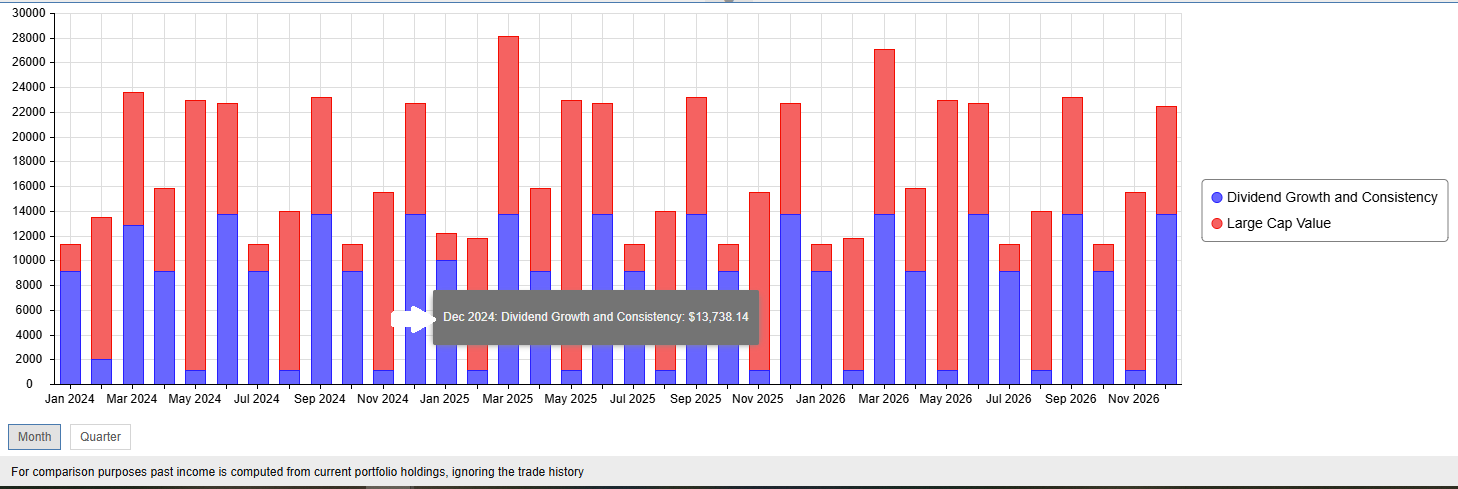
Hovering your mouse over any bar in these charts will trigger a tooltip that breaks down the exact income contribution for that specific period, as shown in the snippet below.