World Folder
Indices
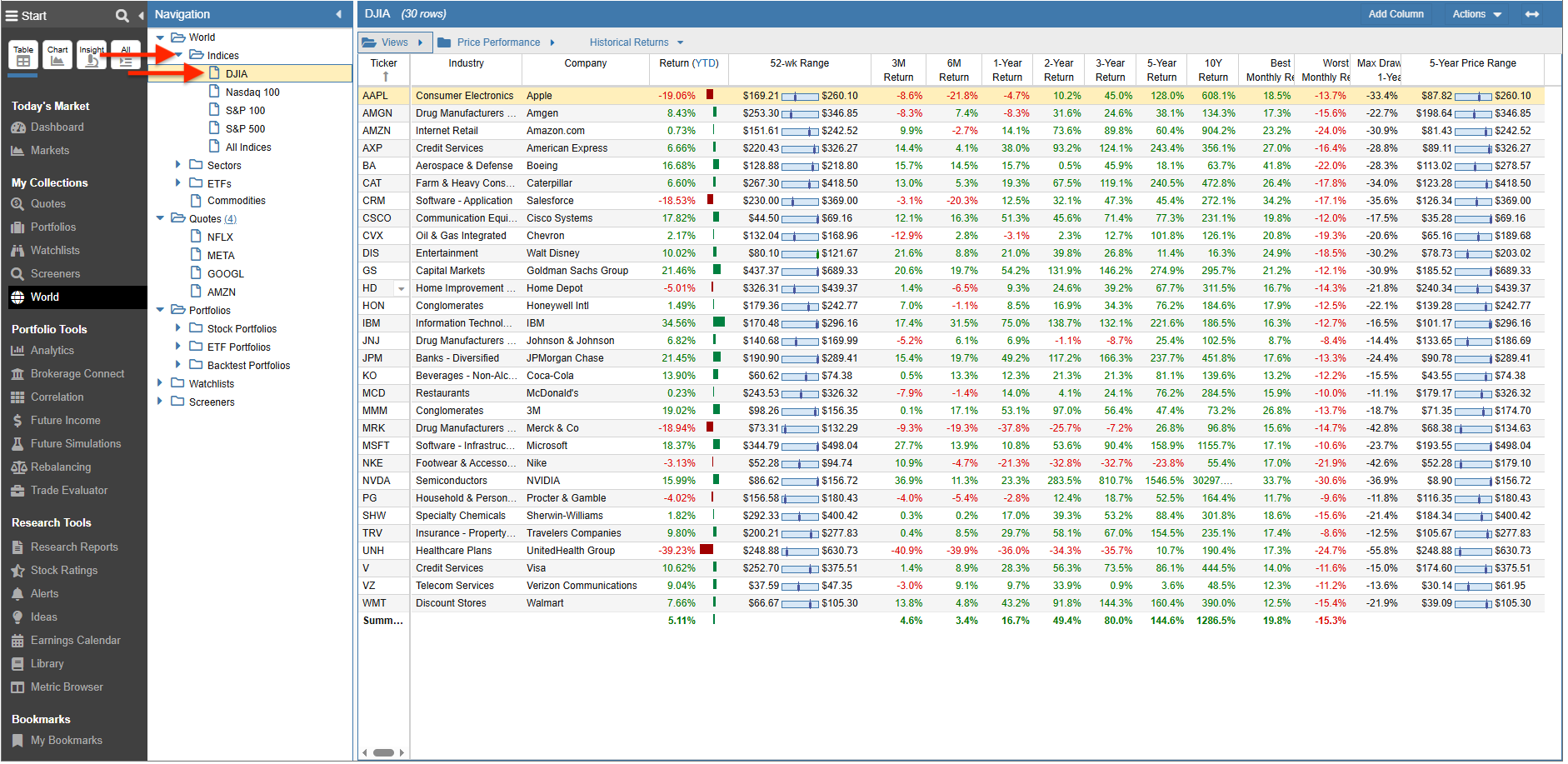
The Indices folder supports major market barometers, including the Dow Jones, Nasdaq 100, S&P 100, and S&P 500.
In the example below, we have selected the Dow Jones Industrial Average.
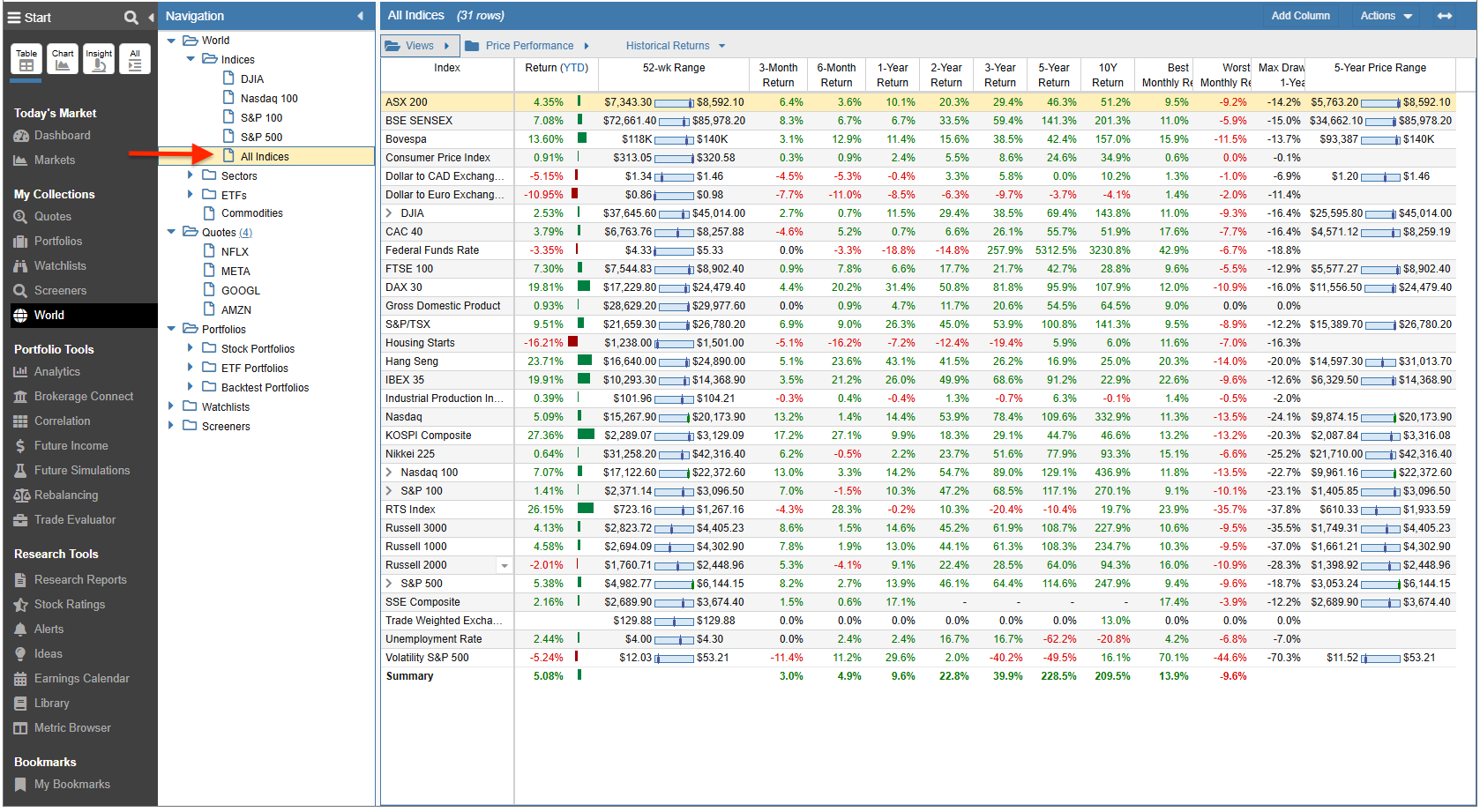
The “All Indices” section includes a wide range of additional global indices and economic indicators, as listed and shown below:
- ASX 200
- BSE SENSEX
- Bovespa
- Consumer Price Index
- Dollar to CAD Exchange Rate
- Dollar to Euro Exchange Rate
- DJIA
- CAC 40
- Federal Funds Rate
- FTSE 100
- DAX 30
- Gross Domestic Product
- S&P/TSX
- Housing Starts
- Hang Seng
- IBEX 35
- Industrial Production Index
- Nasdaq
- KOSPI Composite
- Nikkei 225
- Nasdaq 100
- S&P 100
- RTS Index
- Russell 1000
- Russell 2000
- Russell 3000
- S&P 500
- SSE Composite
- Trade Weighted Exchange Rate
- Unemployment Rate
- Volatility S&P 500 (VIX)
Sectors
The Sectors folder includes the following major market sectors:
- Basic Materials
- Communication Services
- Consumer Cyclical
- Consumer Defensive
- Energy
- Financial Services
- Healthcare
- Industrials
- Real Estate
- Technology
- Utilities
By clicking on a sector, you can expand it to view its constituent industries. Selecting an individual industry will display all the stocks within that specific industry.
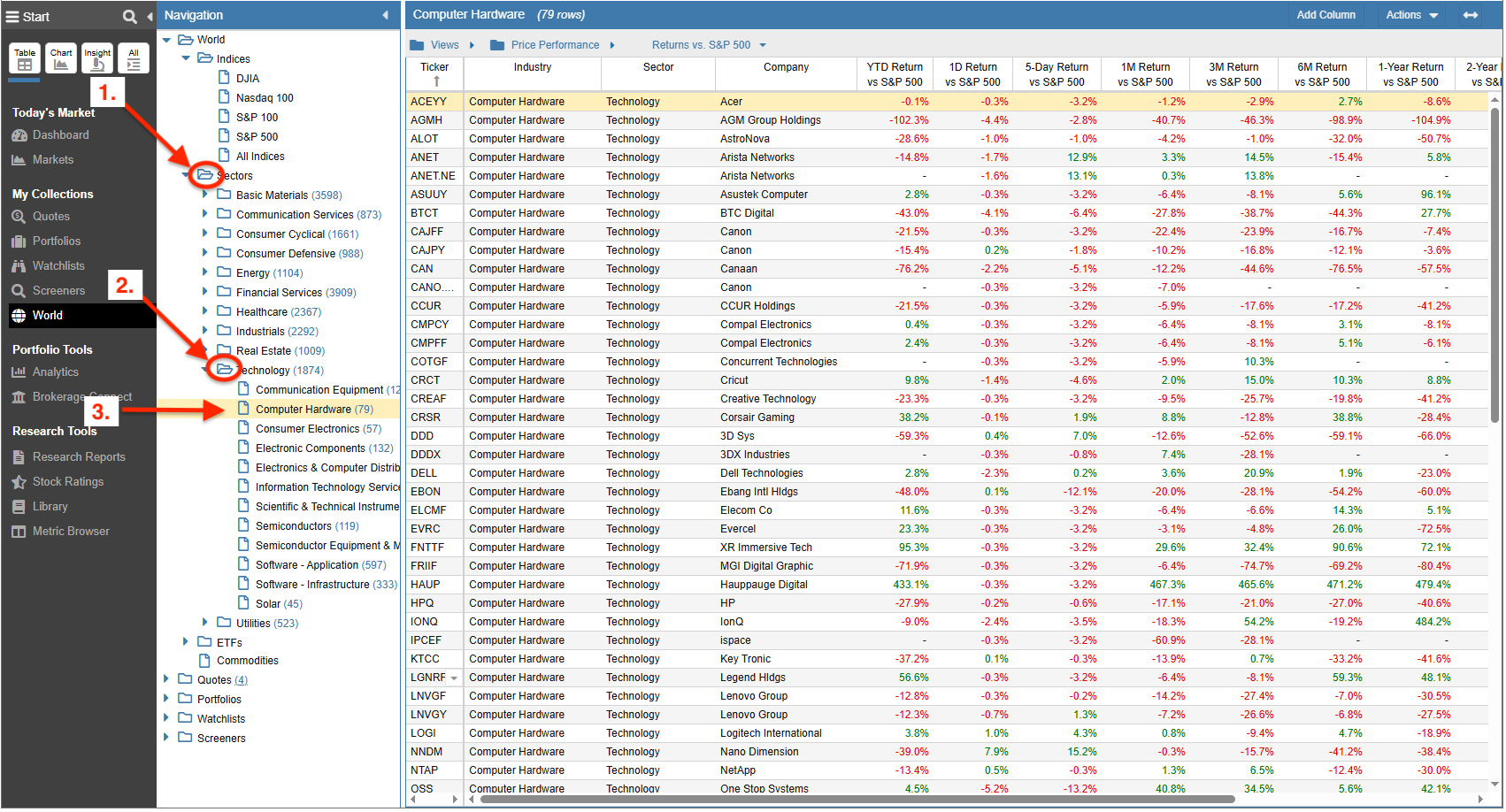
You can also use the multi-select feature to choose a combination of industries across the platform.
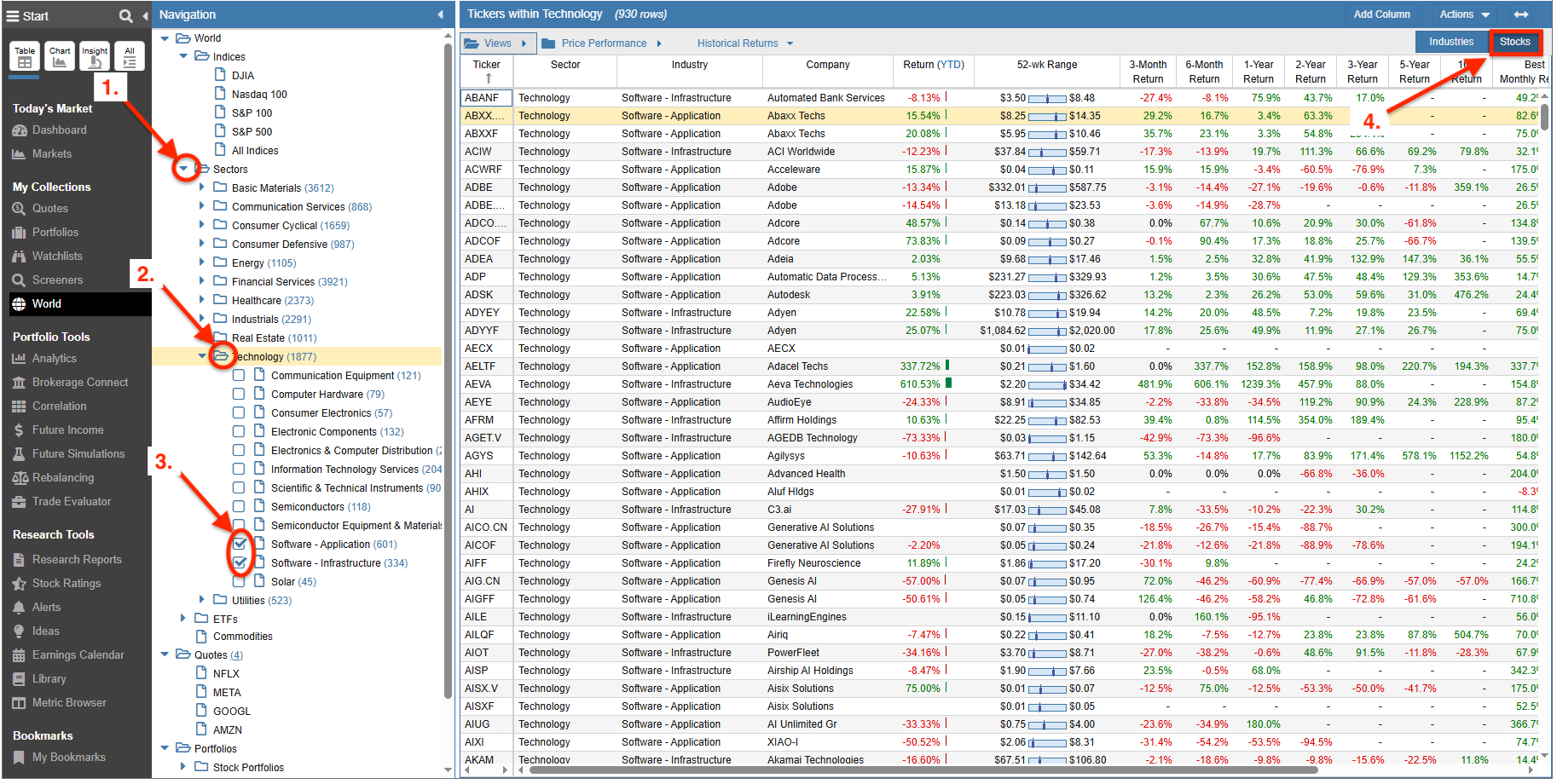
Below, we have selected the Technology Sector folder and then used the checkboxes to select specific software industries. We have also configured the view to display the individual stocks as rows in the table rather than industry summaries.
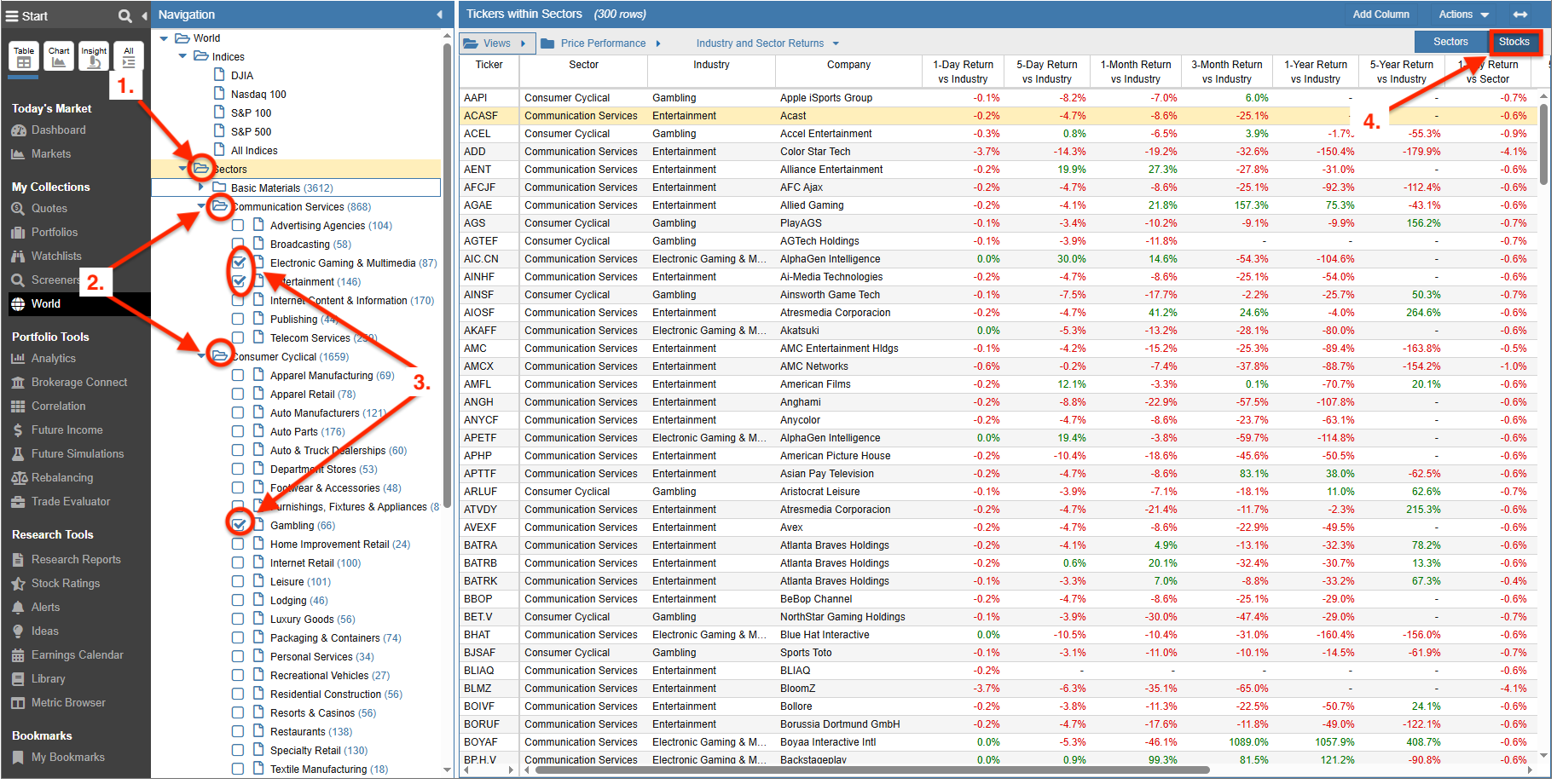
You can also select multiple industries across different sectors by expanding each sector of interest and checking the desired subcategories, as shown below.
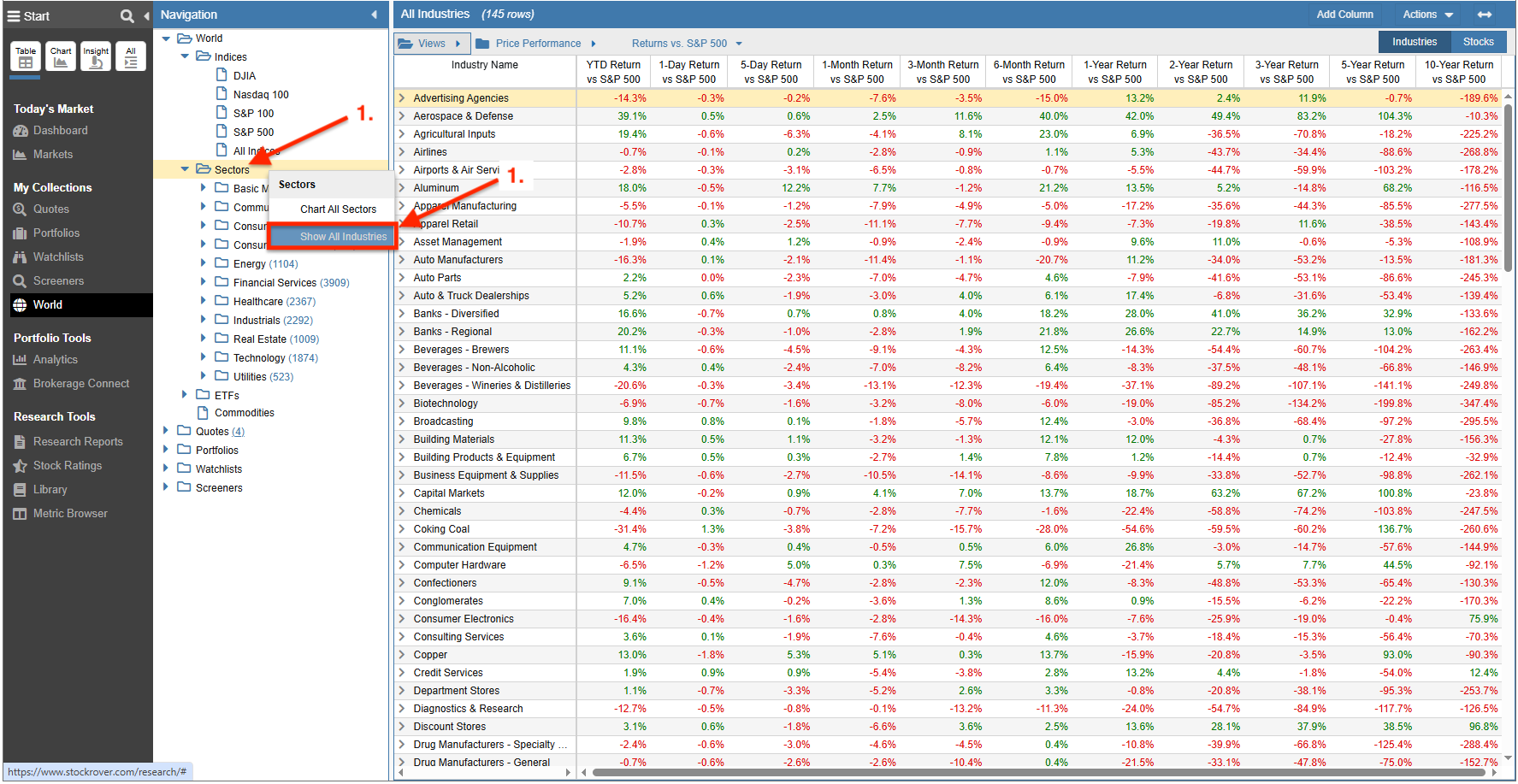
Finally, to view every industry available, right-click on the Sectors folder and select “Show All Industries.”
ETFs
The ETFs folder supports the following asset categories:
- Allocation Funds
- Alternative
- Canadian Listings
- Commodities
- International Equities
- Municipal Bond
- Sector Equity
- Taxable Bond
- U.S. Equities
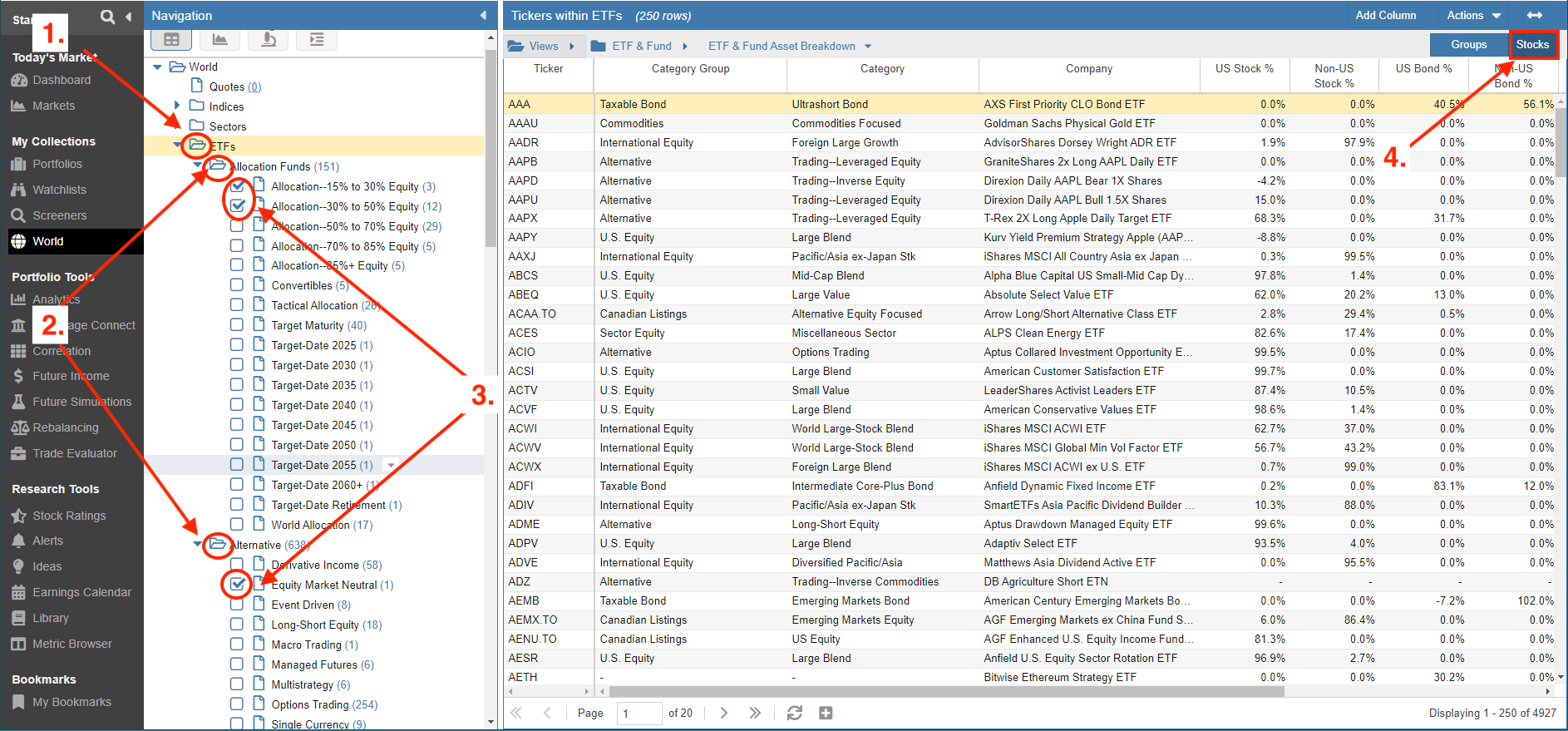
Expanding an ETF category folder reveals more specific subcategories. Selecting a subcategory will load the individual ETFs into the table for research.
Below, we have selected the Sector Equity folder and checked multiple subcategories. The table is set to show individual ETFs as rows for granular comparison.
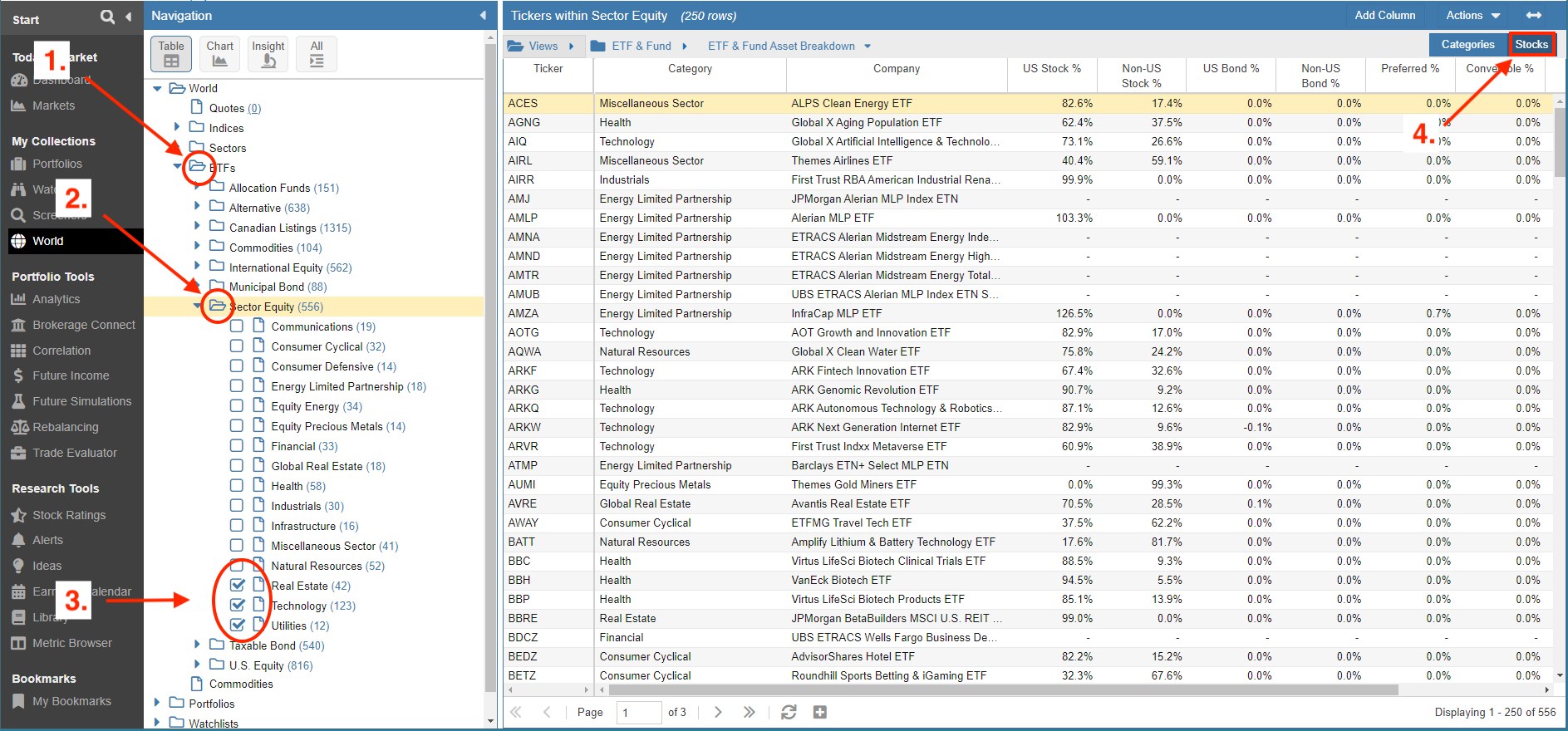
Similar to stocks, you can select multiple subcategories across different ETF categories by expanding the folders and using the multi-select checkboxes.
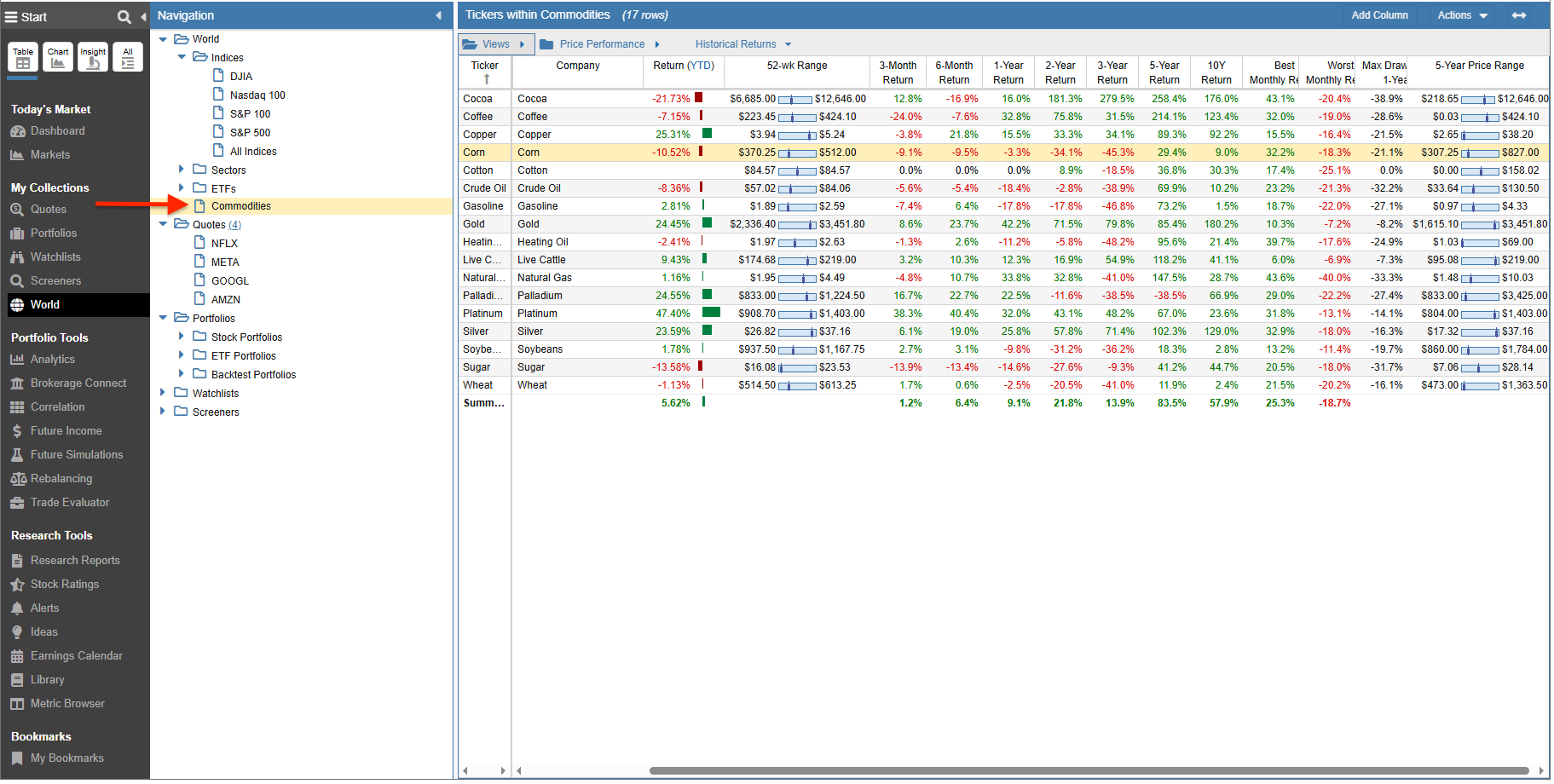
Commodities
Stock Rover supports tracking a wide variety of commodities, including:
- Cocoa
- Coffee
- Copper
- Corn
- Cotton
- Crude Oil
- Gasoline
- Gold
- Heating Oil
- Live Cattle
- Natural Gas
- Palladium
- Platinum
- Silver
- Soybeans
- Sugar
- Wheat