Creating Alerts
Contents
Set an Alert for a Ticker
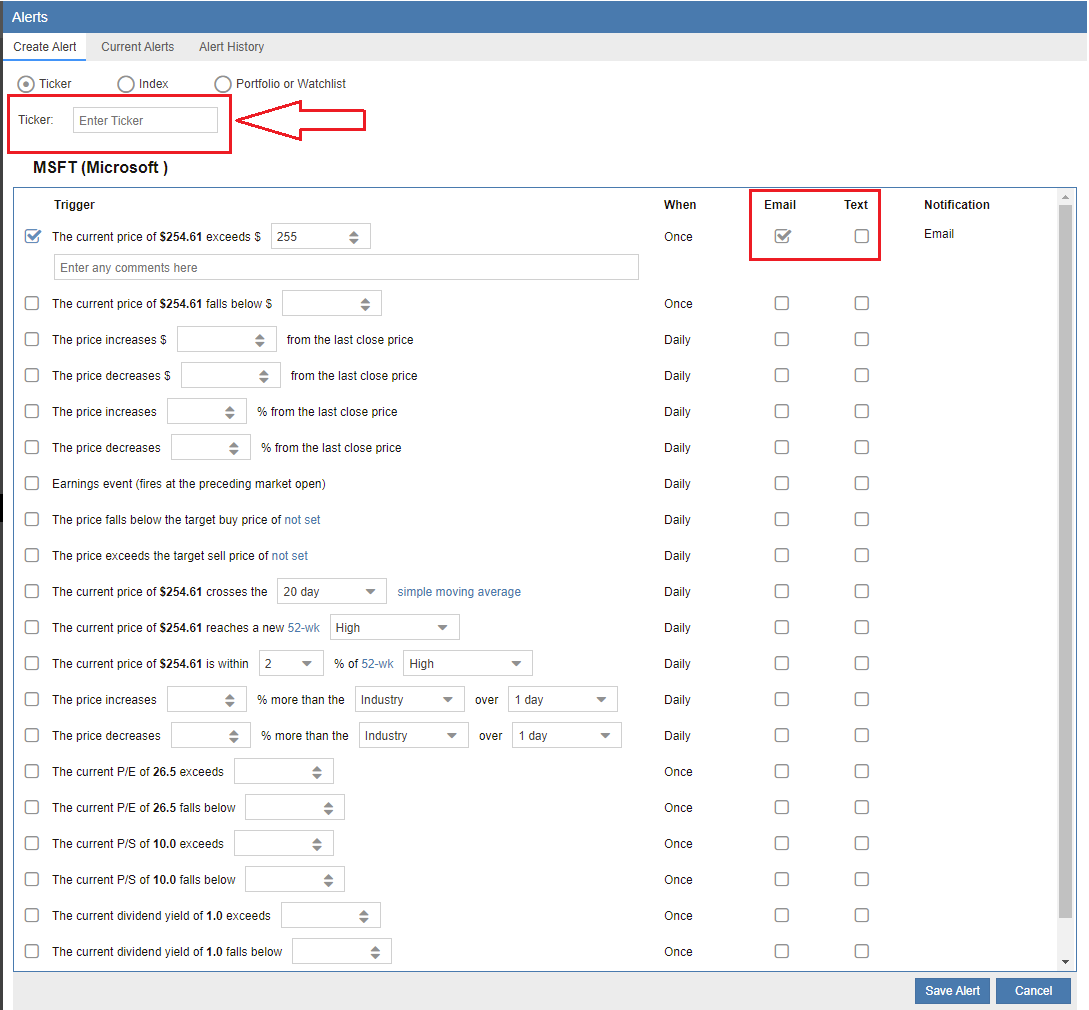
To monitor a specific security, select the ‘Create Alert’ tab. This opens a configuration window where you can define various price-related triggers for a single ticker. Simply enter the symbol into the ticker box and press enter, then select your desired alert criteria. You can choose to receive notifications via email, text (SMS), or both. Please note that the first time you configure a text alert, the system will prompt you to securely enter and verify your mobile phone number.
Set an Alert for an Index
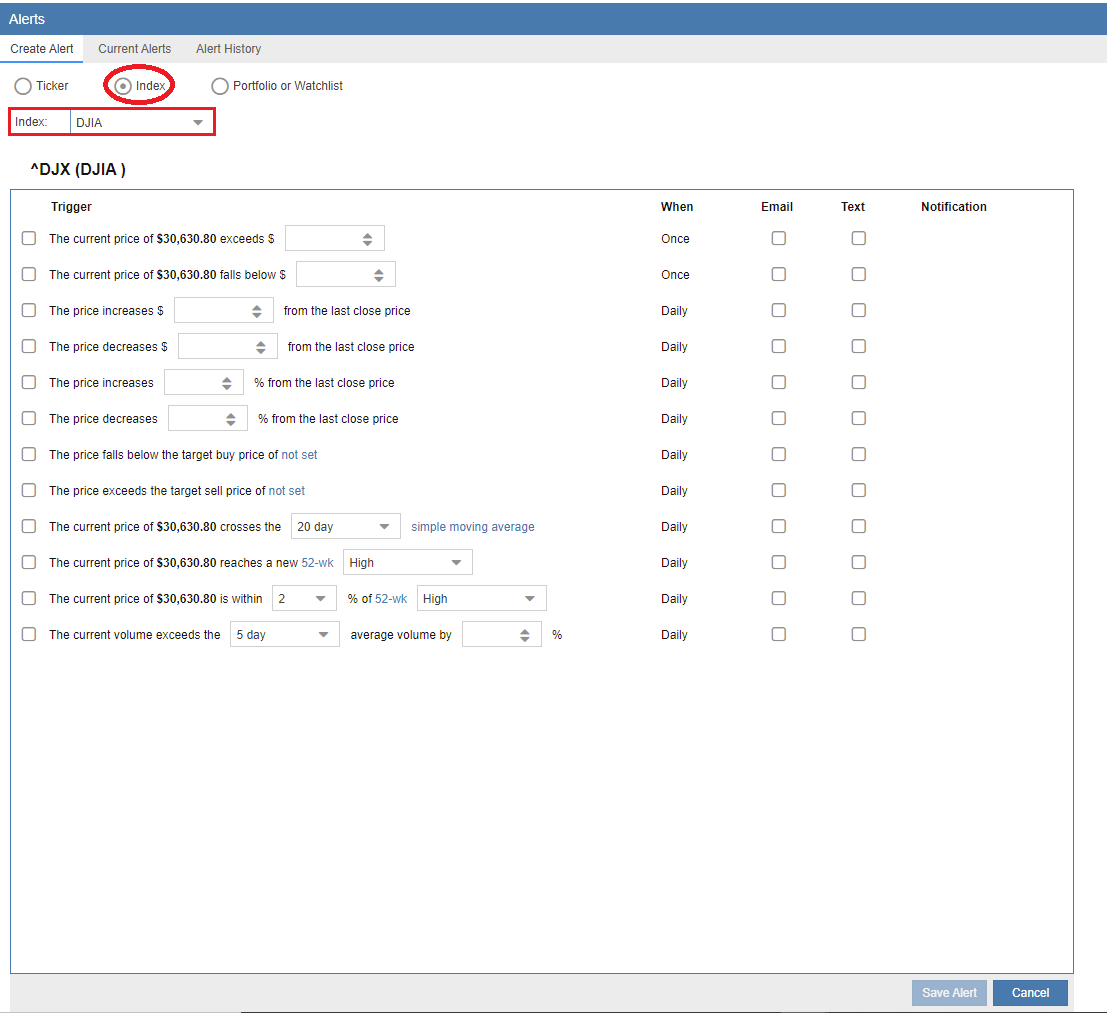
You can also track broader market movements by setting alerts for major indices. To begin, select ‘Index’ at the top of the Create Alert window, then choose your target index from the pull-down menu. Once the index is selected, define your specific alert thresholds and click ‘Save Alert’ to activate the monitor.
Set an Alert for a Portfolio or Watchlist
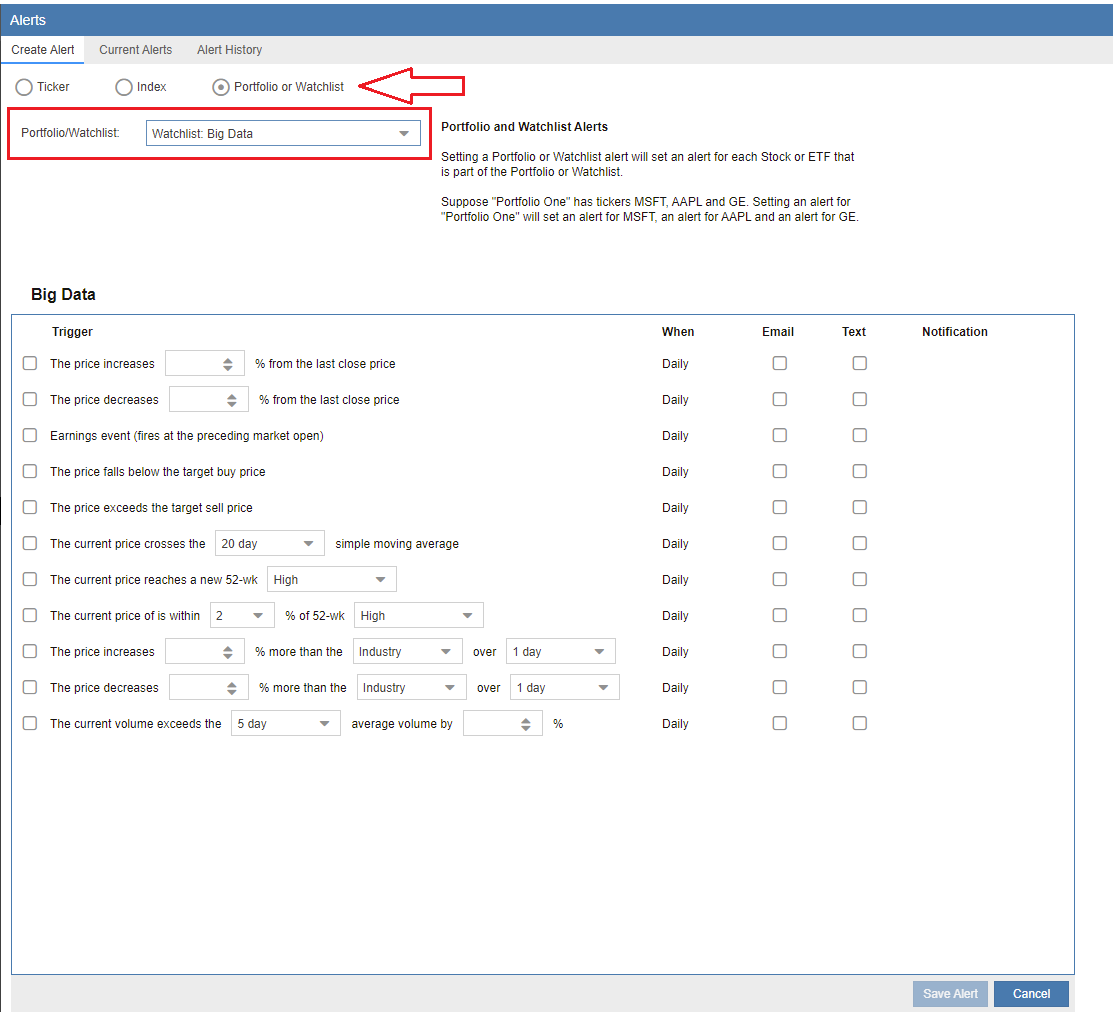
Stock Rover allows you to apply alert logic to an entire group of securities simultaneously by selecting a Portfolio or Watchlist. It is important to note that this does not monitor the portfolio’s aggregate value; instead, it applies the specified alert criteria to every individual ticker within that group. To set this up, select ‘Portfolio or Watchlist’ from the top toggle, choose your specific list from the dropdown menu, enter your criteria, and click ‘Save Alert’.
Alert Comments
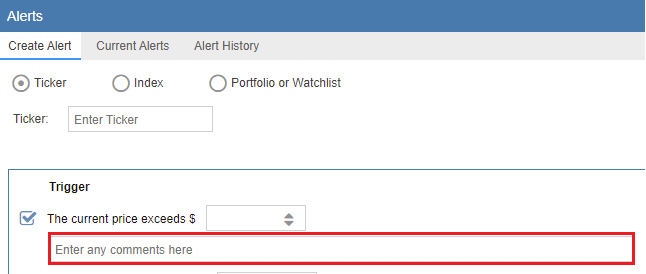
As highlighted in the screenshot below, the Comments box allows you to include personalized notes within your alert notifications. These comments will be included in the messages sent via email and text, as well as displayed within the Alerts table, providing helpful context (such as your original investment thesis or a specific action plan) when the alert is triggered.