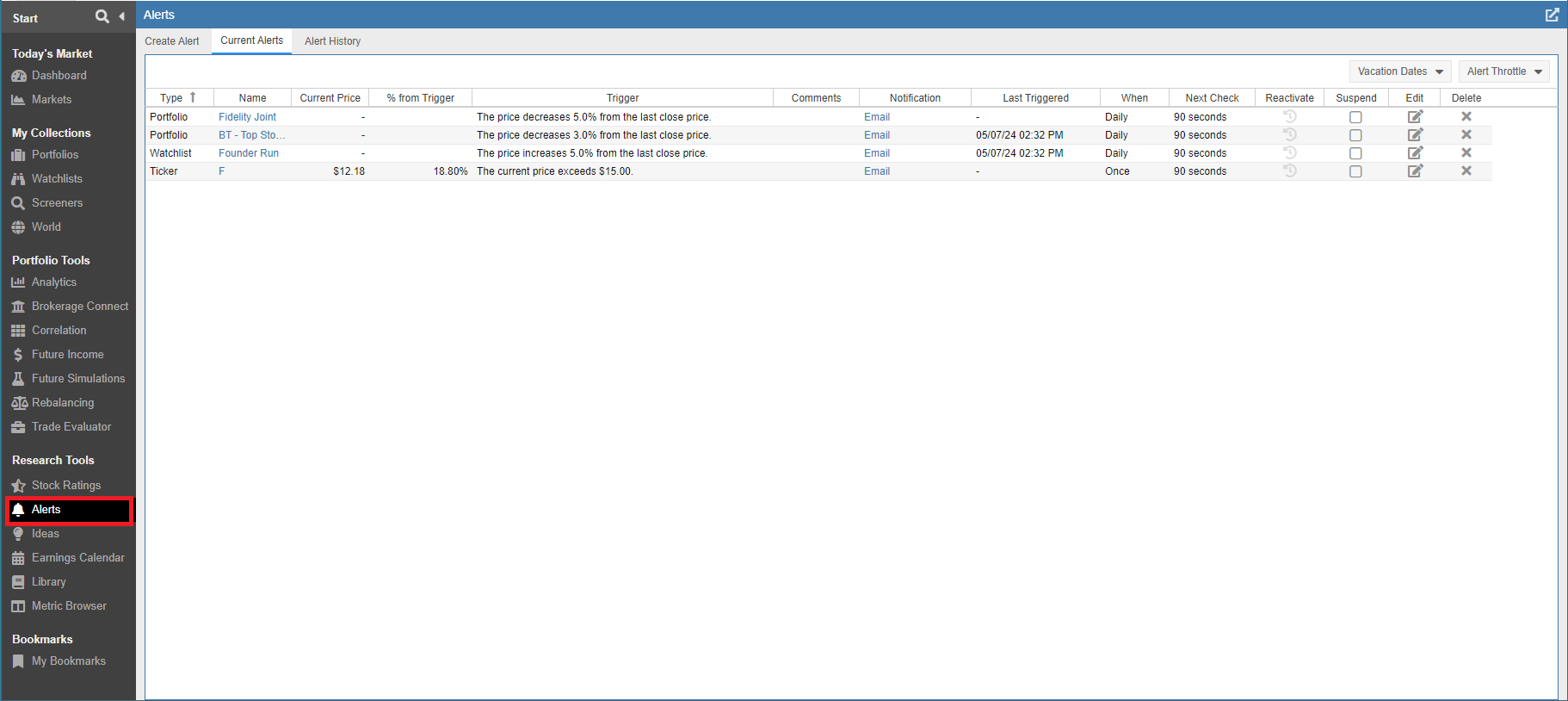
Alerts Overview
The Alerts facility is a powerful monitoring tool designed to keep you informed of critical market movements without requiring you to watch the screen all day. You can configure the system to send automated text or email notifications the moment a specific technical or fundamental event occurs, ensuring you never miss a key entry or exit point.
Common use cases for Alerts include:
- Price Thresholds: Set alerts for stocks or ETFs exceeding or falling below specific price points or target prices.
- Event Triggers: Get notified of upcoming earnings events or unusual trading volume.
- Technical Indicators: Receive alerts when prices cross moving averages or approach new 52-week highs and lows.
- Fundamental Shifts: Monitor valuation metrics, such as a stock’s P/E or P/S ratio, or track when a dividend yield hits a specified value.
Alerts are highly flexible; they can be applied to individual stocks, ETFs, indices (like the S&P 500), or even entire portfolios and watchlists simultaneously. For a practical guide on incorporating these into your workflow, consult our blog post, “What Alerts Can Do For You”.
Accessing Alerts
You can find the Alerts facility by selecting Alerts under the Research Tools section of the Start Menu.
If the Alerts option is not currently visible, you can easily add it by customizing your Start Menu. Simply click the hamburger icon (☰) in the upper left-hand corner of the Start Menu to access the configuration options and toggle the Alerts tool on.