

Settings
Overview
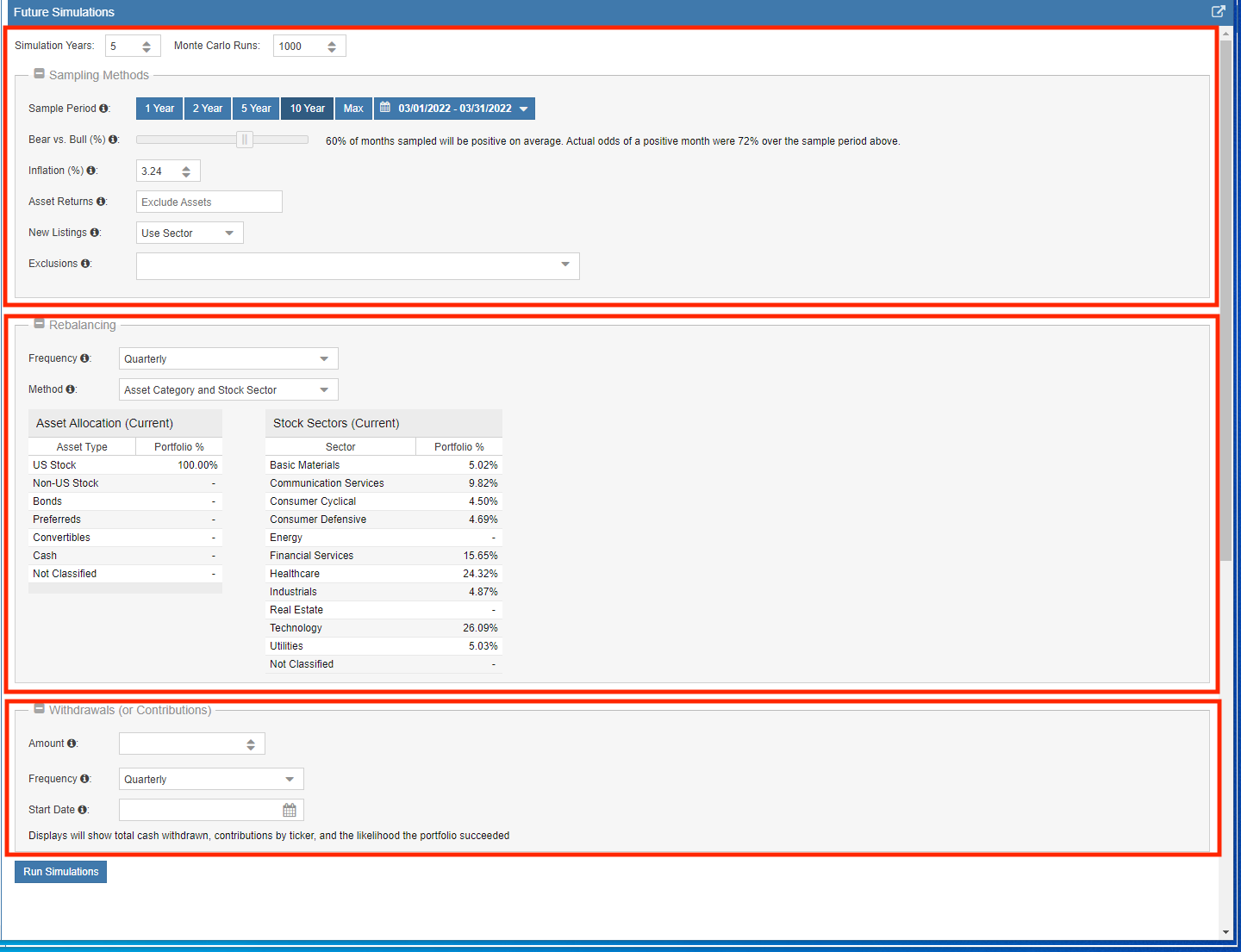
You can “tune” your simulations to account for various market conditions and management strategies, including bull/bear probabilities, inflation, rebalancing intervals, and cash withdrawals.
Simulation Parameters
Simulation Years: This defines how far into the future the tool projects your portfolio returns. The default setting is 10 years.
Monte Carlo Runs: This determines how many independent simulation scenarios are executed. The default is 1,000 runs to ensure a high level of statistical confidence.
Sampling Methods
Sample Period: This is a critical setting as it dictates the historical data used for the simulation. For example, selecting 2007–2008 will model your portfolio against the financial crisis, while selecting 2017–2021 reflects a period of tech sector outperformance. Including 2020 incorporates the rapid crash and recovery of the pandemic. This allows you to “stress test” your current holdings against specific historical regimes.
Bear vs. Bull (%): Historically, the stock market has risen in approximately 63% of months over the last 100 years. Adjusting this percentage changes the likelihood of the algorithm sampling a positive historical month versus a negative one, allowing you to model a more bullish or bearish future than the historical average.
Inflation (%): Entering an inflation rate adjusts all future returns into “today’s dollars.” While the long-term historical average is approximately 3.24%, you can customize this to see how different inflationary environments impact your purchasing power.
Asset Returns: For holdings that Stock Rover cannot price directly (like certain private assets or physical bonds), you can select a proxy, such as the BND ETF. If left blank, these assets are excluded from the simulation results.
New Listings: For equities with limited historical data, this setting determines what proxy is used for missing periods. You can choose to substitute returns from the relevant Sector or the S&P 500.
Exclusions: You can choose to ignore specific equities to run “What If” scenarios or to see how your portfolio performs without a single, highly volatile position.
Rebalancing
Frequency: Choose how often the simulated portfolio realigns to its target weights: Never, Quarterly, or Yearly.
Method: This determines the logic used to redistribute funds during rebalancing. Options include:
- Asset Category and Stock Sector
- Asset Category
- Stock Sector
Withdrawals and Contributions
Amount: Specify the dollar amount to be removed from the portfolio (using an equal percentage across all holdings). Use a negative value to simulate regular portfolio contributions.
Frequency: Set how often the cash flow occurs. Note that withdrawals are processed at the end of the period, after monthly gains or losses are calculated.
Start Date: The date when the withdrawal or contribution schedule begins.