

Ratio Charts
Ratio Charts are a visually powerful way to see relationships and trends between two different sets of time-series data. For example, you can see how Amazon is performing price-wise relative to Microsoft over time.
Note: There is a more in-depth discussion of the practical use of ratio charts in our Ratio Chart blog post.
With Ratio Charts, you select a ticker and a metric for that ticker as the numerator, and then select another ticker and metric as the denominator. The tickers can be the same or different. The same applies to the metrics. Once the numerator and denominator are specified, Stock Rover will create the ratio line chart in a new, separate chart panel.
The most common use case for Ratio Charts is to use price as the metric and two different tickers for the numerator and denominator (e.g., Amazon price / Microsoft price). However, the same ticker could be chosen with two different metrics (e.g., Apple price / Apple sales). You could even do something like Ford sales / GM net income. With Ratio Charts, you can select from over 100 chartable metrics.
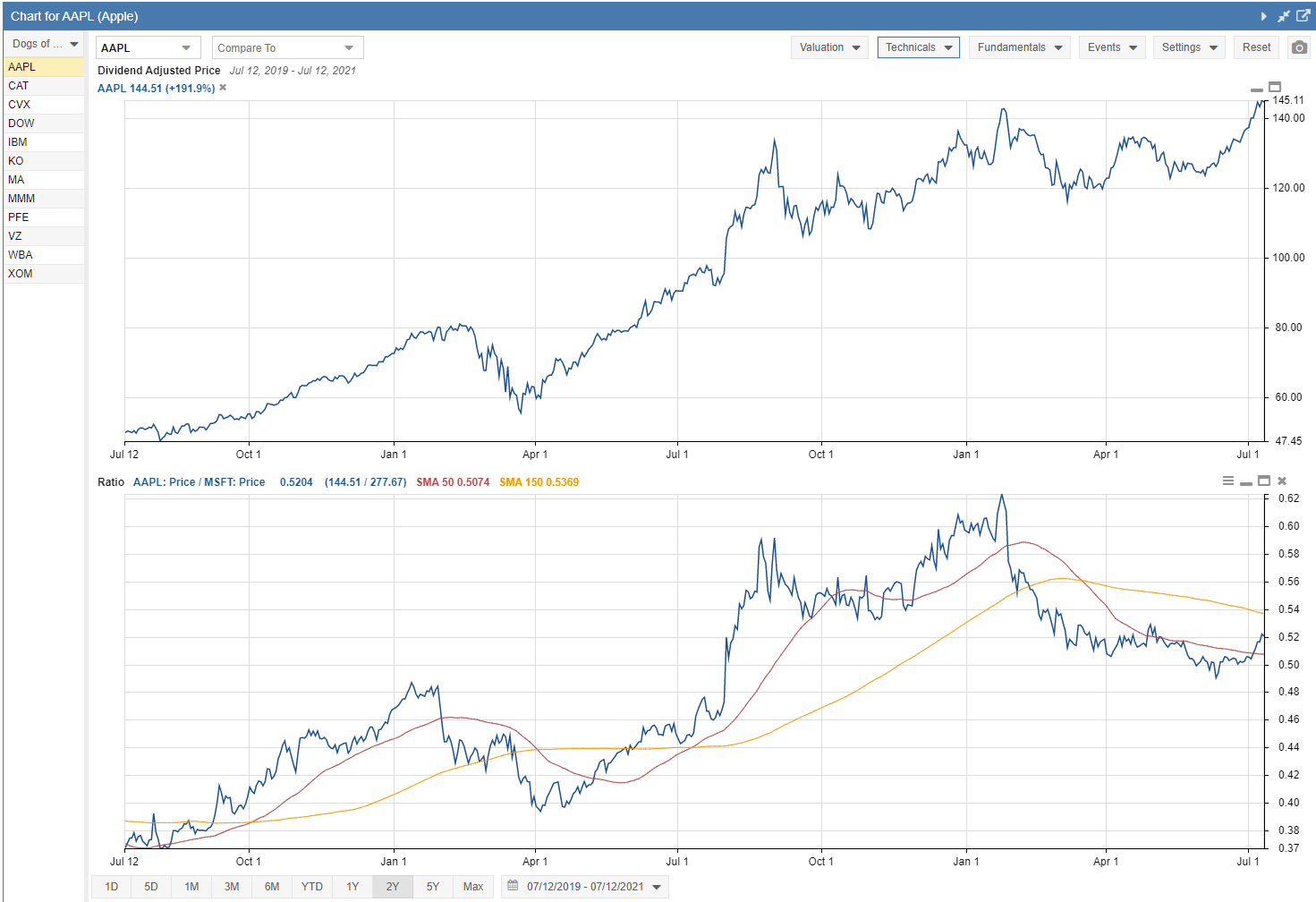
A powerful feature of Ratio Charts is the ability to plot additional technicals that are computed from the ratio line. The following technicals are available in Ratio Charts: Simple Moving Average, Exponential Moving Average, and Bollinger Bands.
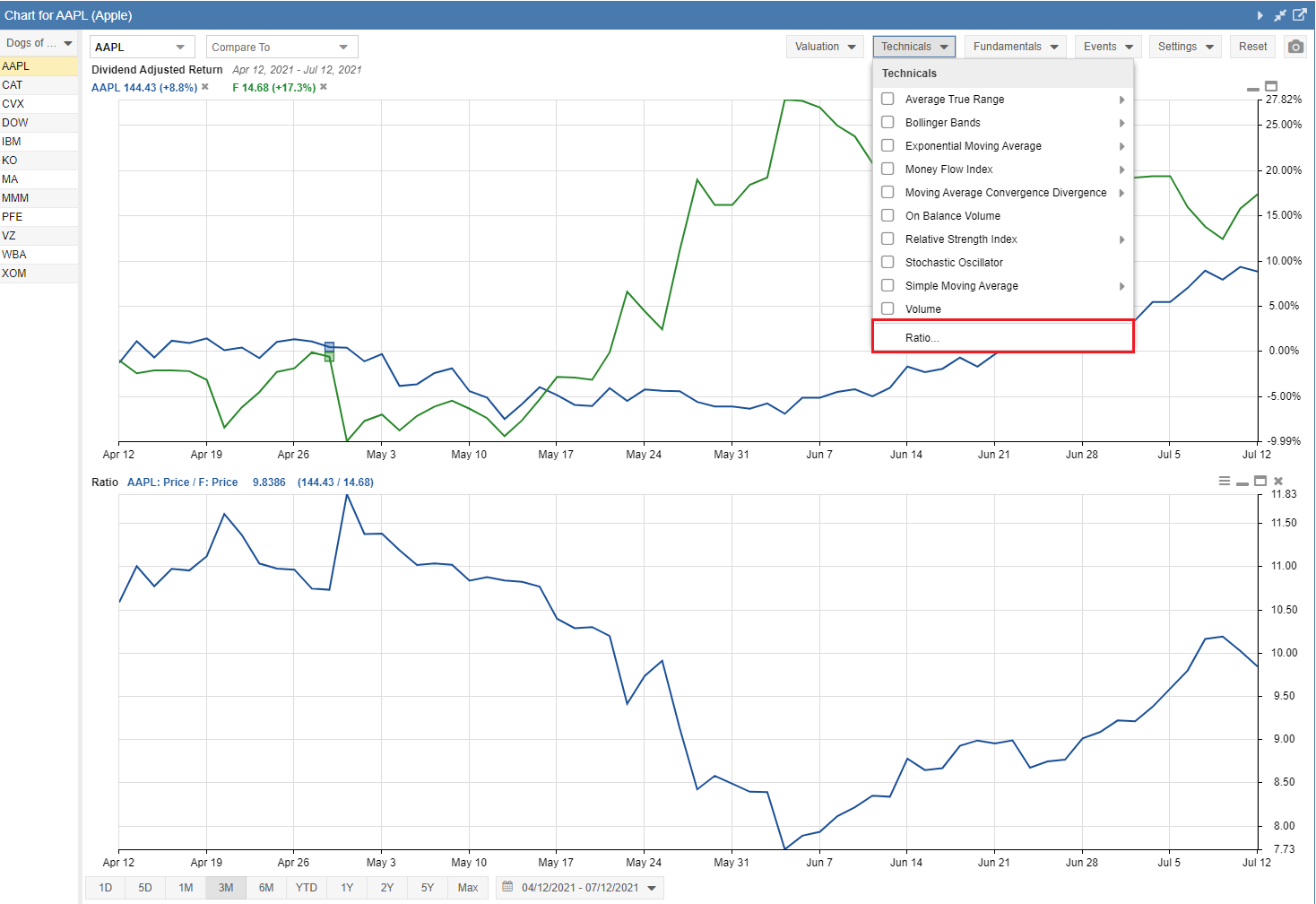
The Ratio Chart option is available by selecting the Technicals pull-down menu, as highlighted below. A window will appear where you can select your tickers and metrics, and turn on any technicals you want to include.
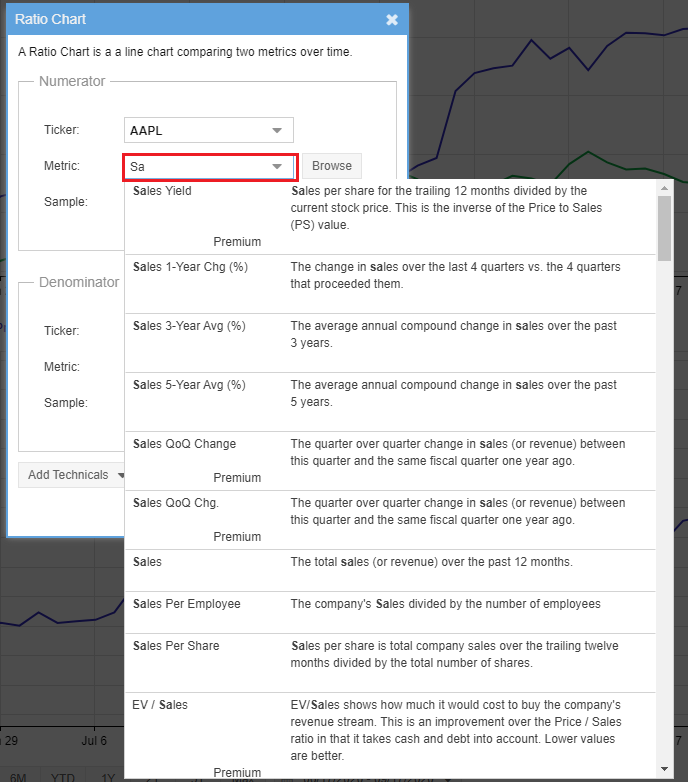
To change the metric, click into the metric box and start typing to bring up a list of available metrics that match, as seen in the screenshot below.
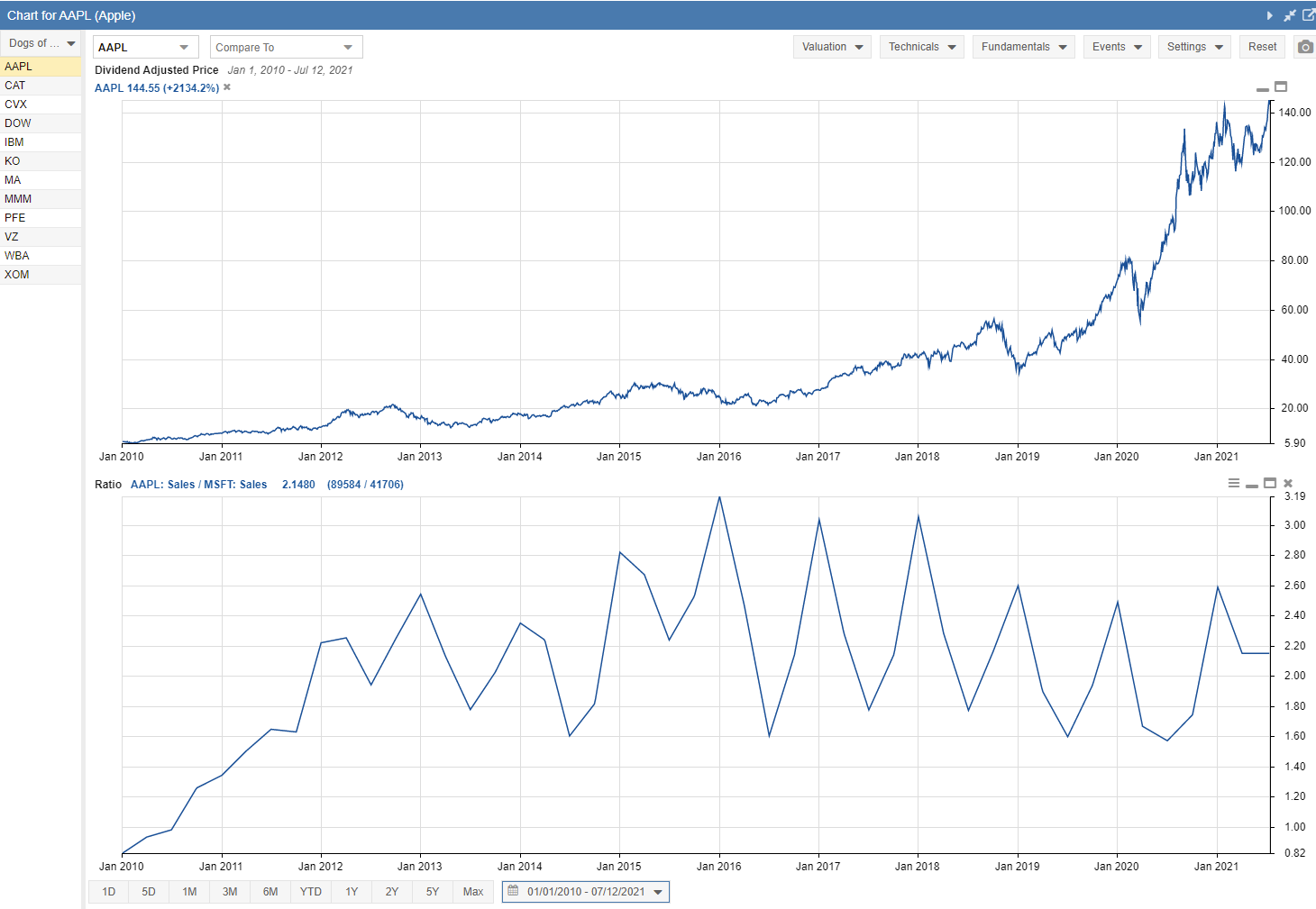
The chart below shows an example of a ratio chart comparing the Sales of two different companies over a 10-year timeframe.
The chart below shows an example of a ratio chart comparing the Price of two different companies, with the Simple Moving Average technical selected over a 2-year timeframe.
Ratio Charts are available to Premium Plus and Ultimate plan subscribers.