

Portfolio Tracking with Stock Rover
 Printer Friendly
Most investors start their journey with a simple question: “What should I buy?” But once you have bought a few stocks, ETFs, or mutual funds, a new, more difficult problem emerges: “How do I keep track of all this?”
If you are logging into multiple brokerage accounts and manually updating a spreadsheet just to see your net worth, you are working too hard. Successful portfolio management starts with accurate, centralized tracking.
In Part 1 of our Stock Rover Portfolio Guide, we explore the essential tools for centralizing your tracking and monitoring your portfolios’ daily health.
1. The Foundation: Linked Portfolios
The biggest hurdle to portfolio tracking is manual data entry. It is tedious and always out of date. Stock Rover solves this through Linked Portfolios (via Brokerage Connect).
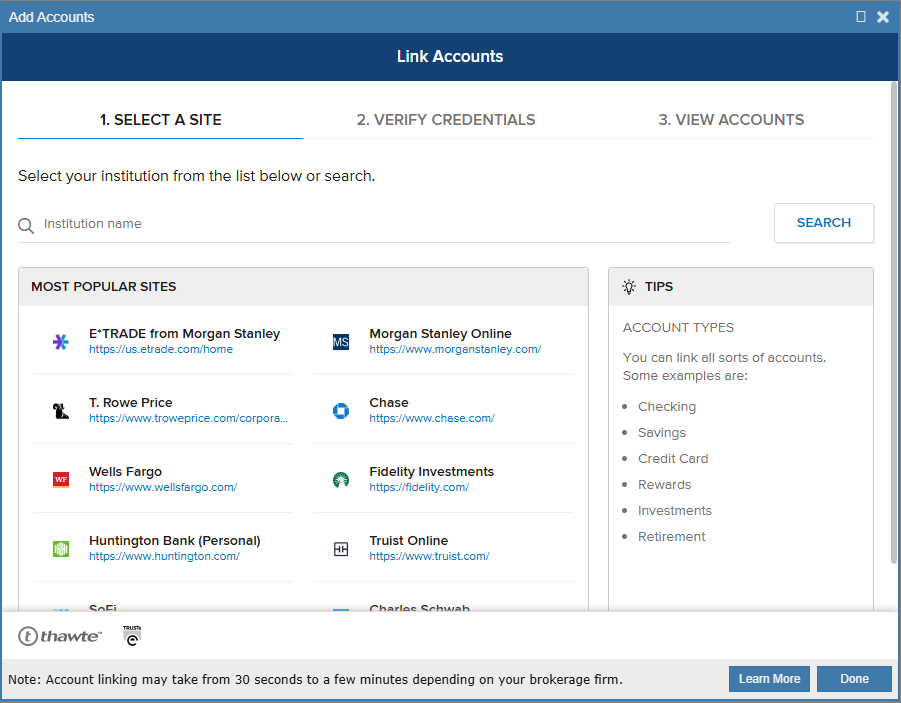
Stock Rover leverages Yodlee, a secure financial data aggregator, to link your brokerage accounts directly to Stock Rover. This integration provides three distinct advantages:
To get better insights, organizing is key. Use Folders to categorize your portfolios. For example, create a ‘Tax-Advantaged’ folder for your IRAs and 401(k)s, and a separate ‘Taxable’ folder for standard brokerage accounts. This allows you to view performance and asset allocation for each category separately.
Note: This connection is “read-only,” meaning Stock Rover can analyze your data but cannot execute trades.
2. The Pulse: Mastering the Dashboard
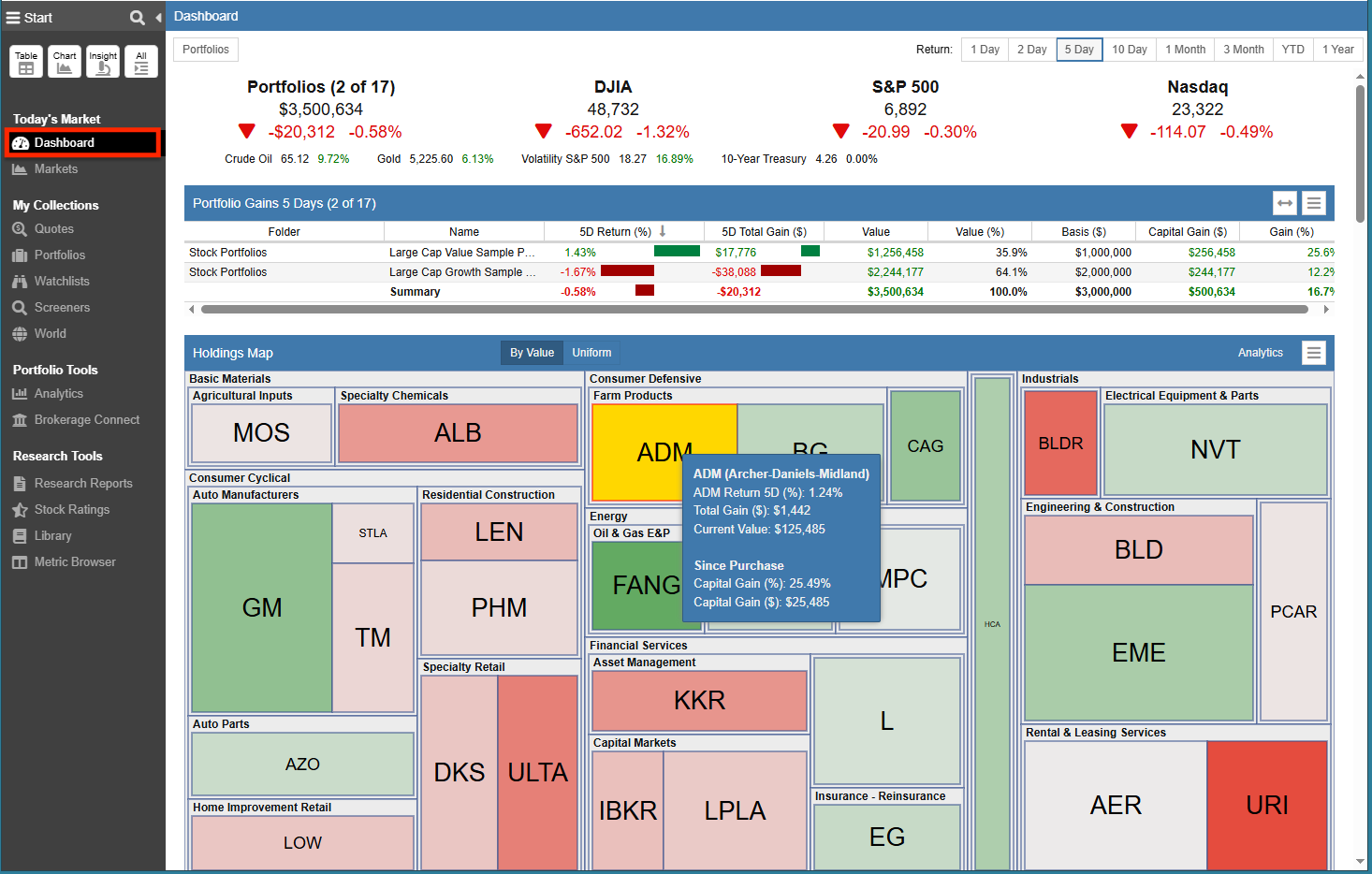
Once your data is connected, you need a high-level overview. The Dashboard (free for all users) is your “pulse check.”
While the Dashboard also displays broad market data (like Market Movers and Sector Performance), its primary power lies in tracking your specific holdings. Unlike the deep, granular analytics available in the full Portfolio Analytics tool, the Dashboard provides the essential high-level snapshots you need daily:
3. The Watchdog: Setting Smart Alerts
Professional tracking means setting up a system that watches the market for you. Stock Rover allows you to set sophisticated Alerts (via email, text, or notification) that trigger only when specific criteria are met.
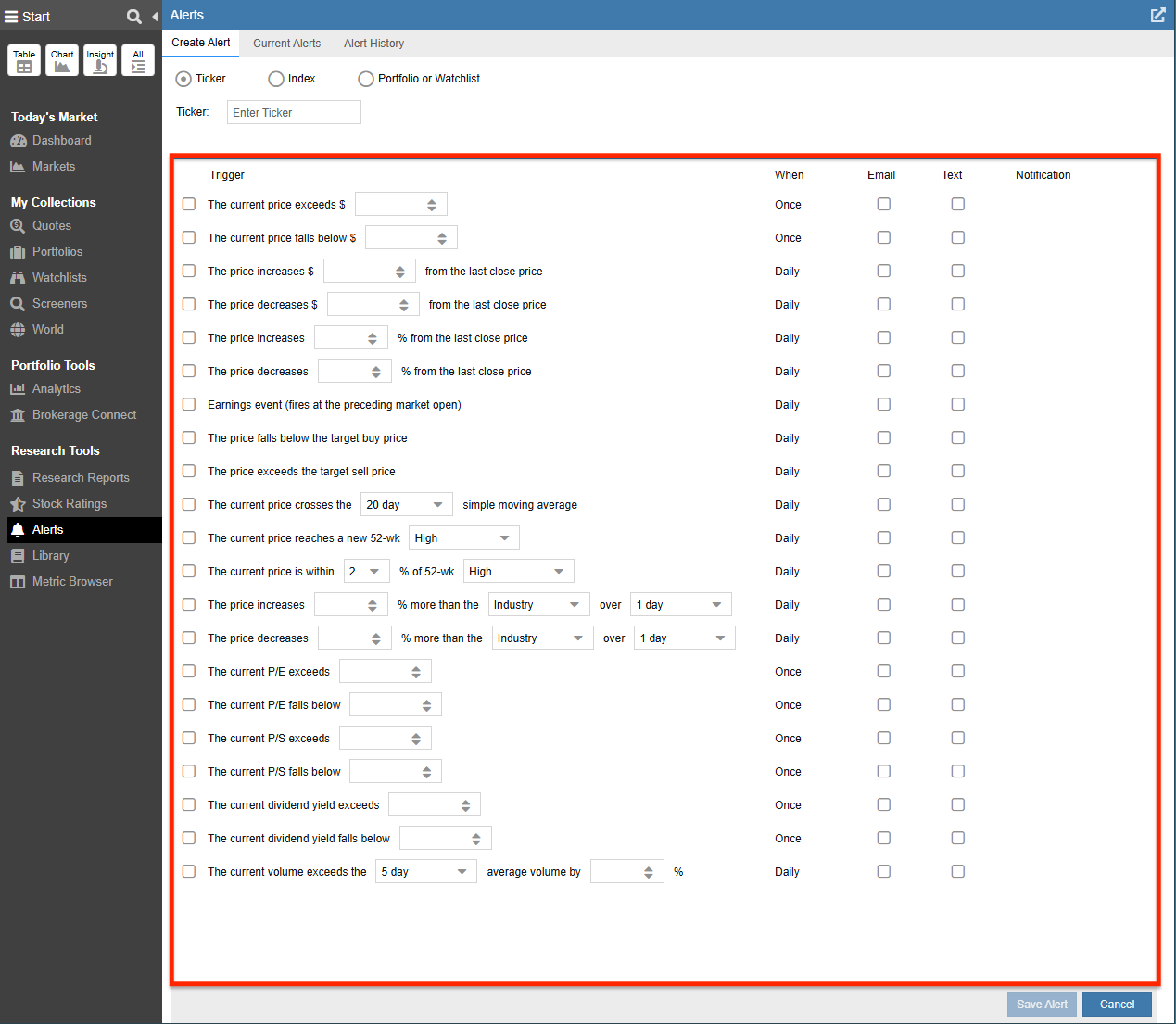
You can go beyond simple price targets with “exotic” alerts:
Common Questions About Portfolio Tracking
What is a Linked Portfolio?
A Linked Portfolio connects your brokerage account to Stock Rover for automatic updates. It is a “read-only” connection, meaning Stock Rover can download your positions to perform analysis but cannot execute trades, move funds, or withdraw money.
Can I track portfolios without linking a brokerage account?
Yes. You can use Manual Portfolios to track assets from unsupported brokerages or to create model portfolios for testing strategies. You can build them by manually entering your current holdings or trade history, or by importing data from a spreadsheet (CSV/Excel).
Note: Some features shown are available with an Essentials or Premium plan. You can explore all plan options here.
Top