

The Stock Rover Portfolio Guide
 Printer Friendly
Most investors start their journey with a simple question: “What should I buy?” But once you have bought a few stocks, ETFs, or mutual funds, a new, more difficult problem emerges: “How do I keep track of all this?”
Many investors focus entirely on finding the next big winner, neglecting the health of the portfolio they already own. Without a clear view of your asset allocation, risk exposure, and true performance against the market, you are flying blind.
This resource center centralizes our comprehensive Stock Rover Portfolio Guide series. Each chapter highlights specific tools—from automated tracking to deep analytics—empowering you to move from a reactive “collector” of stocks to a proactive portfolio manager.
Part 1: The Setup (Portfolio Tracking)
The Problem: Logging into multiple brokerage accounts and manually updating spreadsheets to see your net worth.
The Solution: Centralized, automated tracking.
You cannot manage what you do not measure. In Part 1, we establish the foundation of portfolio management: Connectivity. By securely linking your accounts, you gain a “live” view of your financial health.
As shown below, the Dashboard provides an instant pulse check—aggregating your daily gainers, sector performance, and total equity into a single screen.
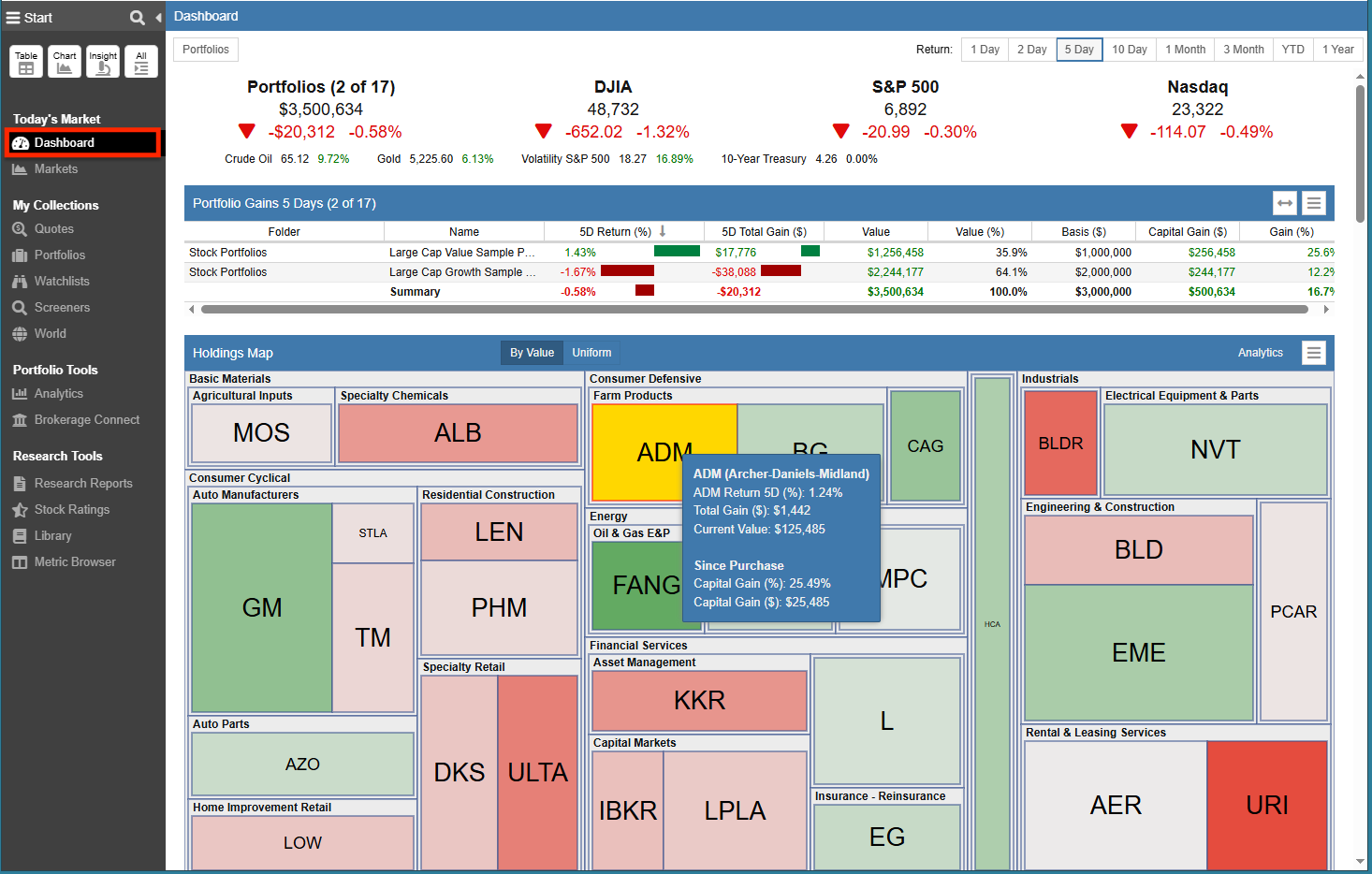
(Above: The Dashboard centralizes your “Market Movers,” “Sector Performance,” and total “Net Worth” into one live view.)
Core Concepts Covered:
- Linked Portfolios: How to use Brokerage Connect to automate your data entry.
- The Dashboard: Customizing your view to see exactly what matters to you (and hiding what doesn’t).
- Manual Portfolios: Tracking assets that can’t be linked, or creating “Watchlist Portfolios” to test strategies.
Part 2: The Analysis (Portfolio Analytics)
The Problem: Your portfolio is up 10%, but the market is up 20%. A simple “Total Value” number hides the truth.
The Solution: Deep benchmarking and stress testing.
A positive return doesn’t always mean you are investing well. In Part 2, we move from observation to analysis. We explore how to distinguish between luck (riding a bull market) and skill (generating superior risk-adjusted returns).
Core Concepts Covered:
- Value Over Time: Benchmarking your performance against the S&P 500 using Time-Weighted Return (TWR).
- Future Income: Projecting your dividend cash flow for the current and following year.
- Future Simulations: Using Monte Carlo simulations to test if your portfolio can survive a market crash or sustain your retirement spending.
Part 3: The Action (Rebalancing)
The Problem: Your winners have grown too large, exposing you to unintended risk.
The Solution: Rebalancing with Drift Tolerance.
Rebalancing is the “broccoli of investing”—necessary, but often ignored. In Part 3, we use a real-world scenario (a portfolio split 50/50 between Tech and Value) to show what happens when the market flips, and how Stock Rover can help you execute the discipline of “buying low and selling high.”
Core Concepts Covered:
- The Rebalancing Tool: Calculating the precise “Planned Trade” to restore your target allocation.
- Drift Tolerance: Setting a “cushion” (e.g., 1%) so you only trade when a position genuinely drifts off target.
- Execution: Exporting your trade plan to ensure accuracy when placing orders at your brokerage.
Common Questions About Portfolio Management
Is it safe to link my brokerage account to Stock Rover?
Yes. Stock Rover uses Yodlee, a world-class financial data aggregator, to connect to your brokerage. The connection is “read-only,” meaning Stock Rover can import your holdings for analysis (Linked Portfolios) but cannot execute trades or move money.
Does Stock Rover automatically execute trades for me?
No. Stock Rover is an analytics and planning engine, not a “robo-advisor.” It calculates exactly what you should do (e.g., “Buy 14 shares of Apple”), but you stay in full control. You must log into your brokerage account to place the actual trades.
Note: Advanced portfolio features discussed in this series—such as Portfolio Analytics, Future Simulations, Future Income, and Rebalancing—require a Premium or Premium Plus subscription. You can explore all plan options here.
Top